

Starting or running a small business brings a long list of questions that have nothing to do with your product: What should I file, and in which state? Am I in good standing? When is this filing due? How do I change my business information? The LegalZoom AI Assistant was launched on 29 October 2026 to answer exactly those questions in plain language, and anyone can create a free LegalZoom account to try it, even if they did not form their business with LegalZoom. In this beginner guide, you will learn how to use the LegalZoom AI Assistant step by step, what it can and cannot do, and when to hand a question over to a licensed attorney instead of an AI answer.
If you have ever stared at a government form and wondered whether you were about to make an expensive mistake, this tool is built for you. The LegalZoom AI Assistant does not replace a lawyer, but it does something almost as valuable for a beginner: it turns vague business worry into a clear next step. Existing customers get answers grounded in their own business data, while new users get specific guidance on what to file, where to file it, and which product fits their situation. It is also available through LegalZoom apps inside ChatGPT, Claude, Copilot, Gemini, and Perplexity, so you can meet it where you already work.
What Is the LegalZoom AI Assistant?
The LegalZoom AI Assistant is a personalized, AI-powered business partner inside your LegalZoom account. Instead of giving the same generic answer to everyone, it uses what LegalZoom knows about your business — when you are a customer — to answer questions about your filings, your compliance status, and your next deadlines. Think of it as a first stop for everyday business operations: formation, compliance, intellectual property basics, and ongoing business management.
LegalZoom describes itself as America’s leading online legal services company, with more than two decades of experience and millions of customers served. That history matters here, because the assistant is built on real business workflows, not just a general chatbot. Its design follows a human-in-the-loop approach: the speed of AI is backed by the judgment of qualified professionals, and when a question needs real judgment, the assistant points you to a licensed attorney or a business specialist. That combination is the whole point. A standalone AI tool can sound confident about anything; the LegalZoom AI Assistant is designed to know when confidence is not enough.
Who Should Use the LegalZoom AI Assistant?
This tool fits a very specific person: a small business owner, freelancer, or founder who does not have a legal team down the hall. It is ideal if you are forming your first business, running a side business alongside a job, selling online, freelancing for clients, or managing a small team and trying to stay compliant without spending hours on research. It is also useful for owners who formed their business elsewhere, because a free account is enough to start asking questions and getting guidance on what to file next.
It is less useful as a substitute for professional advice in a dispute, a lawsuit, a complex contract negotiation, or a high-stakes tax decision. In those cases, use the assistant to understand the issue and prepare your questions, then talk to a professional. Beginners often make the opposite mistake: they either avoid legal questions completely until a deadline passes, or they trust the first confident answer they find online. The LegalZoom AI Assistant helps you avoid both traps by giving you a grounded starting point and a clear path to human help.
Step 1: Create Your Free LegalZoom Account
Start by creating a free LegalZoom account. You do not need to have formed a business with LegalZoom, and you do not need to buy anything to try the assistant. Use an email address you check regularly, because filing reminders and compliance alerts are only useful if you actually see them. Choose a strong, unique password and turn on any extra security options LegalZoom offers for your account.
- Go to LegalZoom and choose the option to create a free account.
- Enter your name and a business email address you monitor daily.
- Save your login details in a password manager so you never lose access before a deadline.
- Check your inbox for a confirmation message and complete the sign-in.
Once you are inside your account, look for the LegalZoom AI Assistant. Existing customers will find it connected to their business dashboard, while new users can start by describing their situation. Do not rush this first visit. Spend five minutes clicking around the dashboard first, so you understand where filings, documents, and messages live before you start asking questions.
Step 2: Tell the LegalZoom AI Assistant About Your Business
The LegalZoom AI Assistant gives better answers when it understands your situation, so your second step is to describe your business clearly. A vague prompt gets a vague answer. A specific prompt gets a specific next step. Tell the assistant what kind of business you run, where you operate, whether you have already formed a company, and what you are trying to do right now.
For example, instead of asking “How do I start a business?”, try this: “I am a freelance graphic designer in Texas. I have not formed a company yet. Should I form an LLC, and what do I need to file first?” That one sentence gives the assistant your work type, your state, and your current stage. If you already have a business, add its structure and state: “I formed an LLC in California last year. How do I check whether I am in good standing, and what filings are due next?” Small details like state and business type change the answer, so include them every time.
If you run a business that also needs online visibility, this is a good moment to think about the wider team around you. Many small owners work with a digital agency for their website and marketing while they use the LegalZoom AI Assistant for filings and compliance, because the two jobs are different and both matter. Keeping those roles separate also keeps your decisions clearer: marketing grows the business, while compliance keeps it standing.
Step 3: Ask Your First Question the Right Way
Ask one question at a time, and ask it in plain language. You do not need legal vocabulary. In fact, legal vocabulary often makes answers worse, because the assistant has to guess what you meant. Describe the problem you actually have, not the legal term you think applies. “I moved house. How do I change my business address with the state?” is a better question than “What is the procedure for amending registered agent particulars?”
After the first answer, follow up. Good follow-up questions include: “What is the deadline for that?”, “What happens if I miss it?”, “What document do I need for this step?”, and “Is this something I can do myself, or should I talk to an attorney?” Each follow-up narrows the answer. If an answer feels too general, say so and add one detail: your state, your business type, or your timeline. The LegalZoom AI Assistant is designed for this kind of back-and-forth, and beginners get the most value from treating it as a conversation, not a search box.
Save or note down any answer that includes a deadline, a form name, or a filing step. Screenshots and short notes are fine, but a simple list in your business notebook works even better: the question, the answer, the deadline, and the next action. That list becomes your compliance habit, and it is far more useful than a long chat history you never revisit.
Step 4: Check What to File and in Which State
One of the most useful jobs for the LegalZoom AI Assistant is formation guidance. Many beginners know they should “form a company” but do not know which structure fits, which state to file in, or which product matches their situation. Ask the assistant to walk through those choices in order: business structure first, state second, and filing steps third. Do not let it skip ahead to payment or paperwork before you understand the structure decision.
Ask questions such as: “What is the difference between an LLC and a sole proprietorship for a freelancer?”, “I live in one state but sell online across the country. Where should I form?”, and “After formation, what else do I need — an EIN, a business bank account, or a license?” The assistant should explain the trade-offs in plain language and point you to the right product or next step. If you are comparing tools and platforms for your new business, you may also enjoy our beginner guide to GitHub Copilot Fusion, which shows how modern AI assistants pick the right tool for each task — a similar idea, applied to coding instead of business filings.
Be careful with one common beginner mistake: choosing a state because someone online said it is “best” without checking where you actually operate. Filing in a different state can create extra registrations, fees, and paperwork in your home state. When in doubt, ask the LegalZoom AI Assistant specifically about your home state and your operating state, and ask what the total picture looks like before you commit.
Step 5: Track Compliance, Deadlines, and Good Standing
Formation is only the beginning. Staying in good standing means keeping up with annual reports, franchise taxes, registered agent details, and other state requirements, and the deadlines are different everywhere. Use the LegalZoom AI Assistant as your compliance checkpoint. Ask it regularly: “Am I in good standing?”, “What filings are due in the next 90 days?”, and “Has anything changed about my business information?”
Build a simple routine around those questions. Once a month, spend ten minutes asking the assistant for a status check, then write the next deadline on your calendar the same day. Do not rely on memory, and do not rely on a single email reminder that might land in spam. A monthly check is short, boring, and extremely valuable, because most compliance problems start as small missed deadlines, not dramatic legal events. If the assistant flags something you do not understand, ask it to explain the consequence in one sentence, then decide whether you need a specialist.
This routine is especially important for online sellers and service businesses, where the work moves fast and the paperwork is easy to ignore. If your business is growing into new tools and systems, teams exploring AI automation services often find the same lesson applies: automation is only useful when someone still checks the deadlines and owns the decisions. The LegalZoom AI Assistant can surface the deadline, but you still own the filing.
Step 6: Understand Contracts and Everyday Business Documents
Small businesses run on documents: client agreements, terms of service, contractor agreements, non-disclosure agreements, and invoices with clear payment terms. The LegalZoom AI Assistant can help you understand what a document is for, what to look for before you sign, and what questions to ask. Ask it to explain a clause in plain English, to list the risks in a draft, or to explain what is missing from a simple agreement.
For example, you might ask: “This client contract says payment is due on completion. What should I check before I sign?” or “I am hiring my first contractor. What should the agreement cover?” The assistant can break down payment terms, ownership of work, confidentiality, termination, and liability in language a non-lawyer can follow. That understanding helps you negotiate better and avoid signing something you regret later.
Two cautions apply here. First, understanding a document is not the same as having it reviewed by a lawyer, and for high-value or long-term agreements, a review is worth the cost. Second, never paste highly sensitive personal data, passwords, or unrelated private information into any AI chat. Share only the clause or the question you need help with, and remove names, account numbers, and addresses when you can. Good privacy habits make AI tools safer for every part of your business.
Step 7: Use the LegalZoom AI Assistant Inside ChatGPT, Claude, Copilot, Gemini, and Perplexity
LegalZoom apps are also live inside ChatGPT, Claude, Copilot, Gemini, and Perplexity, which means you do not always have to open a separate website to start a business question. This is useful when you are already planning, writing, or researching in one of those assistants. You can ask a business question in the flow of your work, then return to your LegalZoom account for the filing steps and the official record.
Use this feature for early questions and brainstorming: “What should a new online store owner file first?” or “What are the compliance steps for a small consultancy?” Then move the important answers back into your LegalZoom account, where your business data and documents live. Keeping the official steps in one place prevents the classic beginner problem of having half your business plan in one chatbot, half in another, and no clear record of what was actually filed.
If you already use AI tools for research, you will recognise the pattern from our guide to Musinsa Lens AI, where a visual search gives you a fast starting point and the real decision still happens in your own workflow. The LegalZoom AI Assistant works the same way inside other chatbots: fast, convenient, and best when paired with your own records and, when needed, a human professional.
Step 8: Know When to Connect With an Attorney or Specialist
The LegalZoom AI Assistant is at its best when it knows its limits, and you should learn those limits too. Connect with a licensed attorney or a business specialist when the question involves a dispute, a threat of legal action, a complex partnership, fundraising and investor terms, employment problems, or any decision where a wrong answer could cost you a large amount of money or your business itself. The assistant can prepare you for that conversation, but it should not replace it.
Before you contact a professional, use the LegalZoom AI Assistant to prepare a short brief: what happened, what you have already filed, what deadline applies, and what outcome you want. That brief saves time and money, because the professional does not have to start from zero. Ask the assistant: “What information should I gather before talking to an attorney about this?” and “What questions should I ask in the first meeting?” Then bring that list, plus your documents, to the meeting.
Think of it as a ladder. The LegalZoom AI Assistant handles everyday guidance and next steps. A specialist handles judgment calls, negotiations, and disputes. Climbing that ladder at the right time is a skill, and beginners who learn it early avoid both overspending on simple questions and underspending on serious ones.
Step 9: Keep Your Business Records Organised
Every answer from the LegalZoom AI Assistant is more useful when your records are organised. Keep one folder — digital or physical — for formation documents, annual reports, tax filings, licenses, contracts, and correspondence with state agencies. When the assistant asks about your business, you should be able to answer from that folder instead of guessing. Guessing about filing dates and business details is how small errors turn into compliance problems.
After each important chat, add three lines to your records: the date, the question, and the next action with its deadline. For example: “29 October 2026 — asked about good standing — annual report due 15 March — set calendar reminder.” That habit takes two minutes and removes the need to re-ask the same question every month. It also helps if you later work with an accountant, an attorney, or a business partner, because you can show them a clear history instead of a vague memory.
- Formation certificate and operating agreement in one place.
- Annual report and tax deadlines on a shared calendar.
- Contracts grouped by client, with signed copies only.
- State correspondence filed by date, not left in email.
Step 10: Avoid Common Beginner Mistakes With the LegalZoom AI Assistant
Beginners make a handful of predictable mistakes with AI business tools, and all of them are easy to avoid once you know them. First, do not treat an AI answer as legal advice. It is guidance and information, and the assistant itself points you to an attorney when judgment is required. Second, do not skip the state detail. Business rules are state-specific, and an answer for one state can be wrong for another. Third, do not file something you do not understand just because the tool made it easy to start. Pause, read the summary, and ask one more question if anything is unclear.
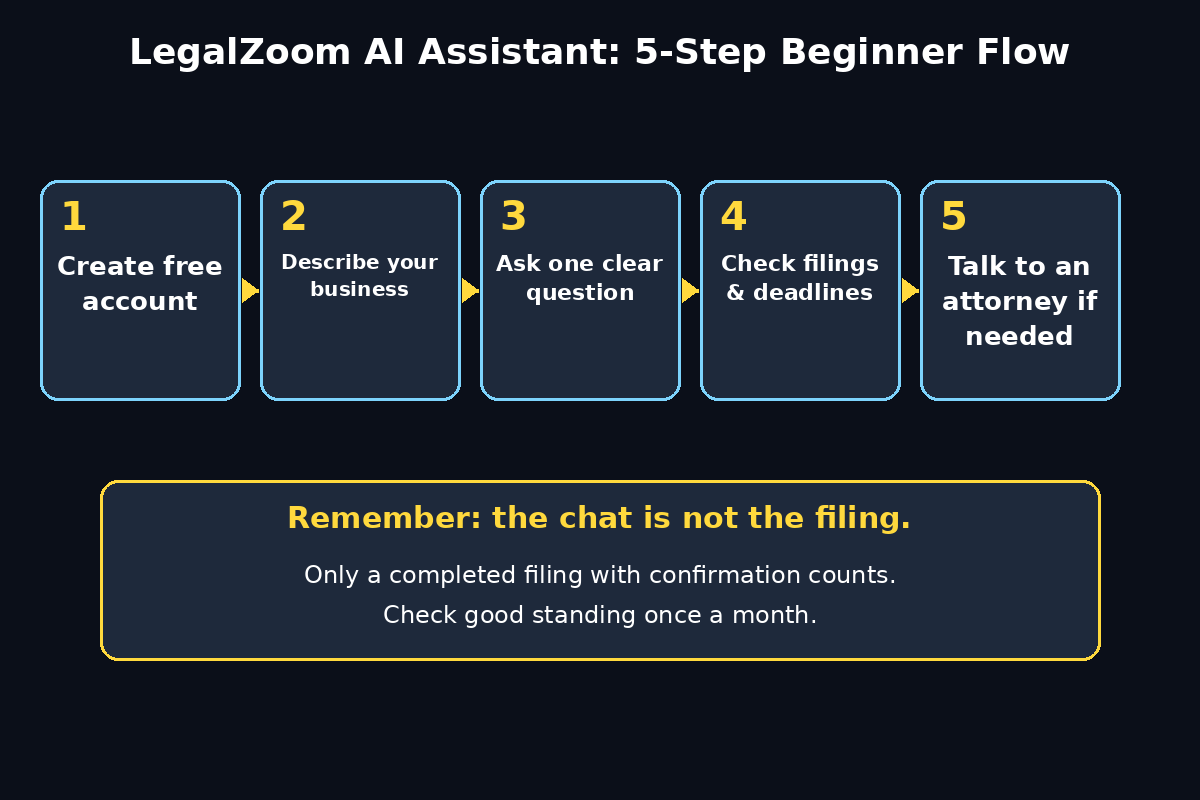
Fourth, do not ignore deadlines after a helpful chat. The chat is not the filing. Only a completed filing, with confirmation, counts. Fifth, do not share sensitive data unnecessarily, as noted earlier. And sixth, do not use the assistant only in a crisis. The owners who get the most value use it monthly, in calm moments, so that crises are smaller and rarer. A ten-minute monthly check beats a panicked weekend of research before a deadline every time.
LegalZoom AI Assistant vs Other Options
How does the LegalZoom AI Assistant compare with a generic chatbot, a traditional lawyer search, or doing everything yourself? The table below gives a beginner-friendly comparison. No option is best for everything, and most owners will use more than one over time.
| Option | Best For | Cost for Beginners | Main Limitation |
|---|---|---|---|
| LegalZoom AI Assistant | Everyday business questions, filings, and compliance next steps | Free to try with a free account | Not a replacement for a lawyer in disputes |
| Generic AI chatbot | General ideas and brainstorming | Often free | Answers are not grounded in your business data |
| Hiring a lawyer directly | Disputes, complex deals, and high-stakes decisions | Higher hourly or fixed fees | Expensive for simple, everyday questions |
| DIY web search | Learning a single topic in depth | Free, but slow | Easy to find outdated or wrong-state information |
The smart beginner strategy is to combine them: use the LegalZoom AI Assistant for everyday guidance, use a generic chatbot for brainstorming, search the web to learn a topic, and hire a professional for the decisions that matter most. That mix keeps costs down without leaving important questions to guesswork.
Is the LegalZoom AI Assistant Free?
Yes, you can try the LegalZoom AI Assistant for free. Any business owner can create a free LegalZoom account to try it, whether or not they formed their business with LegalZoom. Existing customers get the extra benefit of answers grounded in their own business, which makes the guidance more specific. Some LegalZoom products and services beyond the assistant itself are paid, as you would expect — formation filings, registered agent services, and attorney consultations all have their own pricing. The assistant helps you understand which of those you actually need, instead of buying everything at once.
Before you pay for anything, ask the assistant to explain what the product does, what it does not do, and whether you need it now or later. That one question can save a new owner from buying services before the business is ready for them. Free guidance first, paid services only when the need is clear, is a good rule for every AI tool, not just this one.
Frequently Asked Questions About the LegalZoom AI Assistant
Do I need to have formed my business with LegalZoom to use the LegalZoom AI Assistant?
No. Any business owner can create a free LegalZoom account to try the LegalZoom AI Assistant, even if they formed elsewhere or have not formed yet. Existing customers get answers grounded in their own business data, but new users still get specific guidance on what to file, in which state, and which product fits.
Can the LegalZoom AI Assistant replace a lawyer?
No, and it is designed not to pretend otherwise. The LegalZoom AI Assistant gives plain-language guidance, filing next steps, and compliance help, and it connects you to a licensed attorney or specialist when judgment is required. Use it to understand the issue and prepare, then use a professional for disputes, complex contracts, and high-stakes decisions.
What kinds of questions can I ask the LegalZoom AI Assistant?
Ask about formation, good standing, filing deadlines, changing business information, everyday contracts, intellectual property basics, and ongoing compliance. The best questions are specific and include your state and business type. If a question needs professional judgment, the assistant should point you toward human help rather than giving a definitive legal answer.
Is my business information safe with the LegalZoom AI Assistant?
LegalZoom is an established legal services company with a human-in-the-loop approach, but you should still practise good privacy habits: share only what the question needs, remove account numbers and unrelated personal details from pasted text, and keep your account login secure. Never share passwords with any AI tool, including this one.
Can I use the LegalZoom AI Assistant inside ChatGPT or Gemini?
Yes. LegalZoom apps are live in ChatGPT, Claude, Copilot, Gemini, and Perplexity, so you can start business questions where you already work. For official filings and your business record, return to your LegalZoom account, where your documents and dashboard live.
What should I do first as a complete beginner?
Create your free account, describe your business in one clear sentence, and ask one question: what should I file first, and in which state? Then write down the answer, the deadline, and the next action. That single loop — ask, note, act — is the whole beginner workflow, and repeating it monthly will keep you ahead of most compliance problems.
Final Thoughts
The LegalZoom AI Assistant, launched on 29 October 2026, is one of the most practical AI tools a small business owner can try for free, because it solves a real, boring, expensive problem: knowing what to file, when to file it, and what to do next. It will not make your business successful on its own, and it will not replace a lawyer when you truly need one. What it will do is remove the fog around everyday business operations, so you spend less time worrying about paperwork and more time serving customers.
Start today with a free account and one specific question about your business. Write down the answer and the next deadline. Check back once a month. And when the assistant tells you a question needs a human professional, listen to it — that honesty is exactly what makes it worth using. Small businesses fail on ignored details far more often than on big ideas, and a tool that keeps the details visible is a tool worth keeping.
Explore More Free AI Tools
Keep building your AI toolkit with these free tools from AI Tool Steps: the AI Title Generator, the Meta Description Generator, the AI Rewriter, and the Keyword Density Checker — all available at https://aitoolsteps.com/. Use them alongside the LegalZoom AI Assistant to write clearer business content, improve your website, and check your pages before you publish.