

Bad translation can ruin a good message. A robotic word-for-word translation sounds awkward, confuses your reader, and can even change the meaning of an important email or document. Learning how to use deepl ai for beginners fixes that problem, because DeepL is famous for translations that sound natural, like a real person wrote them. It is free to start, works in your browser in seconds, and needs no technical skill at all.
In this guide you will learn how to use deepl ai for beginners step by step. You will create your free account, translate your first text the right way, translate whole documents, fix your own writing with DeepL Write, control formality, build a glossary so names and terms stay consistent, use the mobile and desktop apps, and compare DeepL with other ways to translate. By the end you will have a simple, repeatable workflow for school, work, travel, freelancing, and everyday life.
Step 1: Understand What DeepL AI Actually Does
DeepL is an AI translation platform trained on huge amounts of professionally translated text. Instead of swapping words one by one, it reads a whole sentence, understands the meaning and tone, and then rebuilds that meaning naturally in the target language. That is why deepl ai for beginners often produces results that feel smoother than older word-for-word tools.
DeepL has two main tools you should know about. The Translator handles text, documents, and even images in supported languages. DeepL Write is a writing companion that improves grammar, style, and tone in your own language or in a language you are learning. Together they cover the two jobs beginners need most: understanding another language, and sounding good in it.
Step 2: Create Your Free DeepL Account
Getting started takes about two minutes, and a free account unlocks more than the anonymous web version, including saved translations and glossaries depending on your plan.
Treat the free plan as your practice ground. Use it for everyday emails, short documents, study material, and social posts while you learn. That relaxed approach is what makes deepl ai for beginners so useful: you build real translation habits first, and only consider a paid plan later if you translate long documents every week for work.
Step 3: Translate Your First Text the Right Way
Your first translation is simple, but a few small habits make the result much better. Type or paste your text into the left box, check that DeepL detected the source language correctly, and choose your target language on the right. The translation appears instantly as you type.
Always give DeepL complete sentences, not broken fragments. Full sentences carry context, and context is what lets the AI choose the right word when one word has several meanings. Also read the result once before you use it. For deepl ai for beginners, clicking a translated word often reveals alternative translations, which is perfect when one word does not fit your tone. Pick the alternative that sounds most natural for your reader.
Step 4: Translate Whole Documents in One Go
Pasting text paragraph by paragraph is fine for an email, but it is painful for a ten-page document. DeepL lets you upload a whole file, such as a Word document, PowerPoint, PDF, or text file depending on your plan, and it returns a translated file that keeps the original formatting, headings, and layout.
This is a huge time-saver for students translating research papers, freelancers localising presentations, and businesses handling manuals or reports. Free accounts have smaller file and character limits than paid plans, so check the current limits before a big job. For deepl ai for beginners, start with a short document, download the result, and compare a few pages with the original so you learn exactly how formatting survives the process.
Step 5: Fix Your Writing With DeepL Write
Translation is only half the story. DeepL Write improves text you have already written, fixing grammar and spelling while also suggesting clearer, more natural phrasing. Paste your English email, essay, or post, and Write offers improved versions you can accept with one click.
The tone controls are the real treasure for beginners. You can make a message sound more formal for a manager, more friendly for a customer, or simpler for a wider audience. Instead of guessing the right tone in a second language, you choose it. Practising with Write is also a quiet way to learn: compare its suggestions with your original sentences and you will notice patterns in your own mistakes. That learning loop is a hidden benefit of deepl ai for beginners that pure translation never gives you.
Step 6: Control Formality and Build a Glossary
In many languages, how you say you matters. A casual form can sound rude in a business email, while an overly formal form can sound cold to a friend. Where DeepL supports it, use the formal and informal setting on your translation so the tone matches the relationship. Always set this before sending anything professional.
A glossary solves a different problem: consistency. Add your company name, product names, technical terms, or names that must never be translated, and tell DeepL exactly how each term should appear in the target language. From then on, every translation follows your rules. For deepl ai for beginners working on a brand, a thesis, or a long project, a small glossary built on day one prevents hundreds of tiny inconsistencies later.
Step 7: Use DeepL on Your Phone, Desktop, and Browser
DeepL works wherever you work. The desktop apps for Windows and Mac let you translate selected text in almost any program with a shortcut, without copying and pasting between windows. The mobile apps are perfect for travel: translate signs, menus, messages, and conversations while you are out.
The browser extension brings translation into your everyday reading and writing, including help while you compose emails and read foreign websites. For deepl ai for beginners, install one extra surface at a time. Start on the website until the workflow feels natural, then add the phone app for travel or the desktop shortcut for office work. Each surface uses the same account, so your habits and glossaries travel with you.
| Option | Cost to Start | Best For | Main Limit |
|---|---|---|---|
| Word-for-word free translators | Free | Quick single words and signs | Often robotic and awkward phrasing |
| DeepL Free | Free account | Natural everyday text and short files | Character and file limits |
| DeepL Pro | Paid monthly | Teams, big documents, glossaries at scale | Monthly cost for heavy use |
| Human translator | Paid per project | Legal, medical, and certified work | Slower and most expensive |
Step 8: Compare DeepL With Other Ways to Translate
The honest conclusion is that DeepL does not replace a professional human translator for legal contracts, medical documents, or certified paperwork. It wins for everyday speed and natural tone: emails, study material, product descriptions, travel, and first drafts that a human can polish later. Knowing that boundary keeps deepl ai for beginners practical, safe, and genuinely useful instead of over-trusted.
Step 9: Build a Simple Weekly Translation Workflow
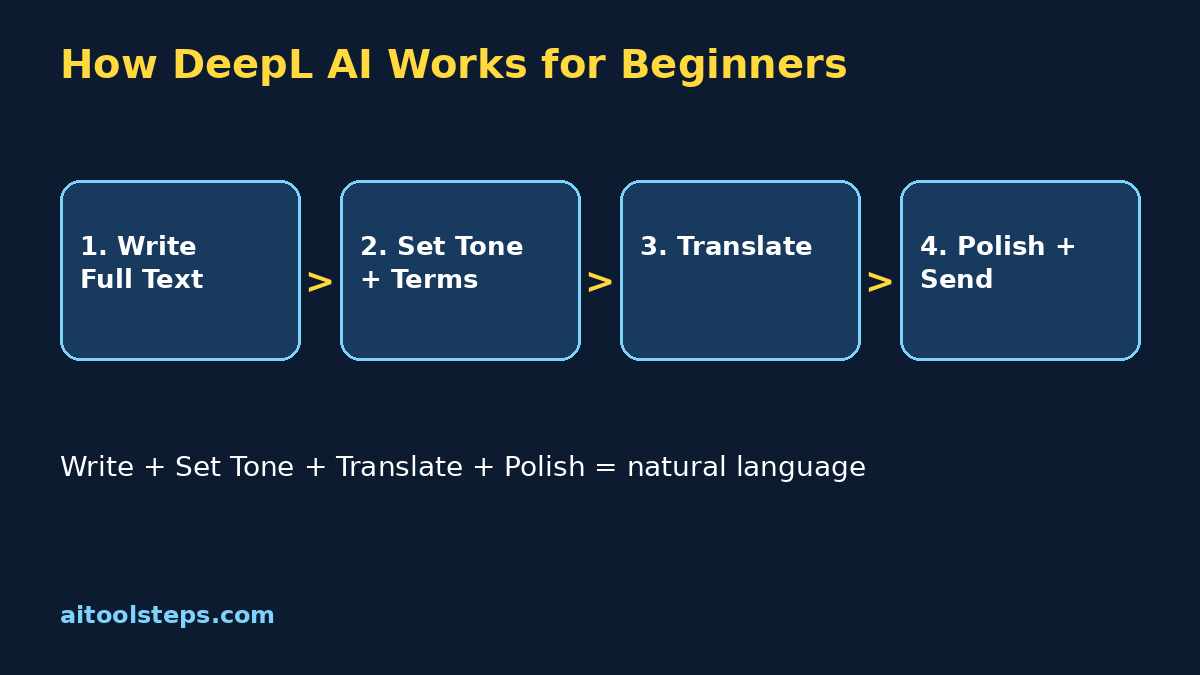
Tools help most when they become a routine. Use this workflow for any important text and your results will stay consistent week after week.
Most beginners are surprised how professional their messages sound within a week of using this routine. Compare this workflow with our Runway AI guide and our Grammarly AI guide on other beginner tools and keep one small project per week. Consistency, not a paid plan, is what makes deepl ai for beginners pay off.
Step 10: Avoid the Common Beginner Mistakes
Most disappointing translations come from a short list of habits. Avoid these and your results improve immediately.
Frequently Asked Questions
Is DeepL free for beginners?
Yes, DeepL offers a free account that lets you translate text and a limited amount of document content without paying. Limits change over time, so check the official pricing page for the current character and file allowances on the free plan.
Is DeepL better than Google Translate?
Many users find DeepL sounds more natural for European languages and longer sentences, because it focuses on meaning and tone. Google Translate covers more languages and is built into more products. Beginners often use DeepL for important writing and keep the other tool for rare languages.
Which languages does DeepL support?
DeepL supports dozens of languages, including English, German, French, Spanish, Italian, Portuguese, Dutch, Polish, Japanese, and Chinese, with the list growing over time. Check the official site for the full current list and for which features each language supports.
Can DeepL translate whole documents and PDFs?
Yes, you can upload supported document types and DeepL returns a translated file that keeps the original formatting. Free accounts have smaller file size and document limits than paid plans, so larger reports may need a paid plan or splitting into parts.
Is it safe to translate private documents with DeepL?
Read the privacy information for your plan on the official site before uploading anything sensitive. As a general rule for beginners, never paste passwords, financial details, or highly confidential personal documents into any online translator.
What should I translate first with DeepL?
Start with something you understand well, like a short email or a page from your own website, translated into a language you know a little. Because you already know the meaning, you can judge the quality properly and learn the tone and alternative-word features in one safe practice session.
Final Thoughts
Learning how to use deepl ai for beginners is really about communicating with confidence across languages. Translate complete sentences, set the right tone, save your key terms in a glossary, polish important text with DeepL Write, and always give critical documents a human check. Create your free account today, translate one real message, and build from there. Clear, natural language is no longer limited to people who spent years studying it.
Explore More Free AI Tools
Discover more free tools and step-by-step guides on AIToolSteps:
Visit https://aitoolsteps.com/ to explore all free AI tools and beginner guides.