

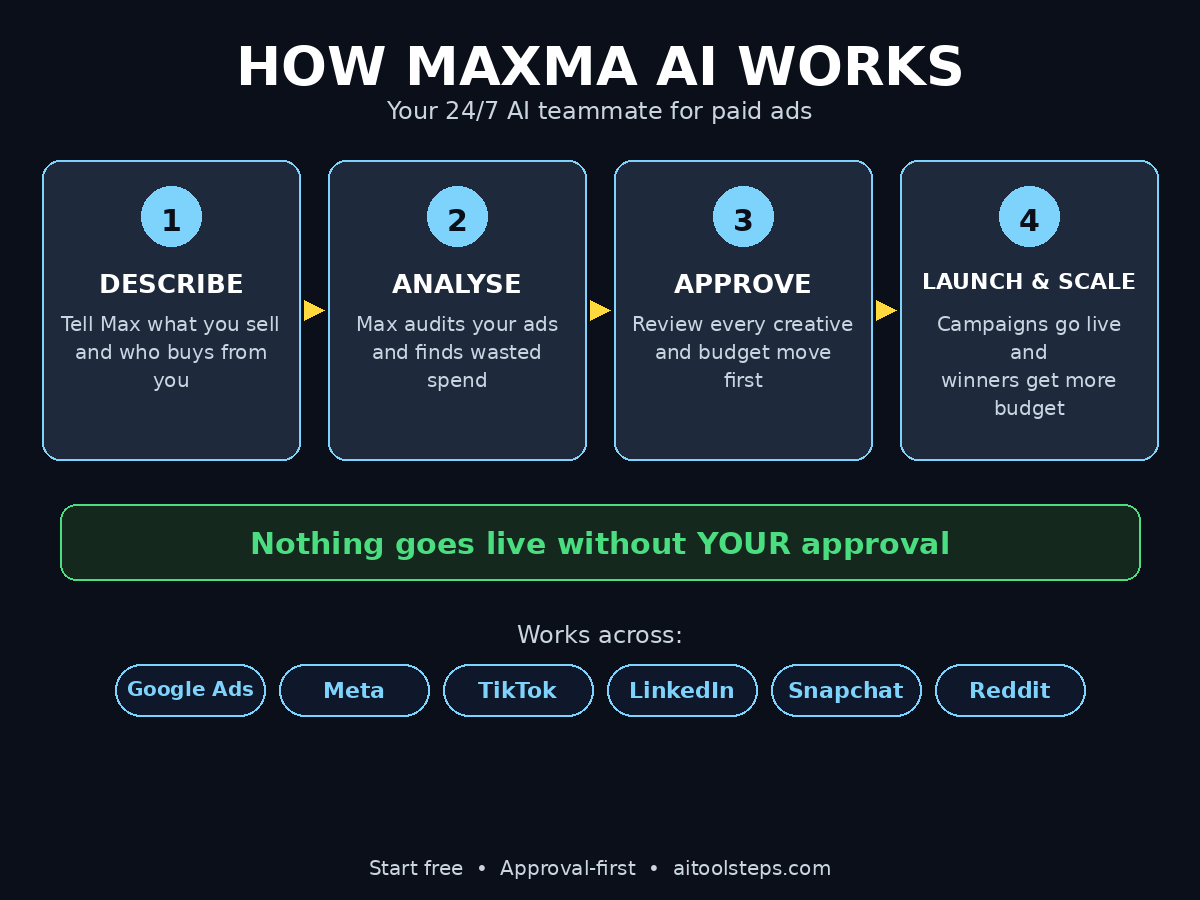
Running paid ads used to mean one of two painful choices: spend hours inside Ads Manager yourself, or pay an agency thousands of dollars a month to do it for you. Maxma AI offers a third option — a 24/7 AI teammate that analyses your ads, writes new creatives, builds landing pages, launches campaigns and moves budget toward whatever is actually selling, while you approve every change before it goes live.
Maxma launched on Product Hunt on November 10, 2026 and finished as the #2 Product of the Day with 325 upvotes, because it solves a problem almost every small business feels: paid ads work, but the busywork around them eats the whole day. In this beginner-friendly guide, you will learn exactly how to use Maxma AI from a blank account to your first approved campaign — no marketing degree and no ad experience required.
Step 1: Create Your Free Maxma Account
Getting started takes about two minutes, and you can start for free with no credit card required.
- Go to the Maxma website and click Get started or Start free.
- Sign up with your work email or your Google account.
- Confirm your email address and choose a password.
- Pick the workspace name — usually your business name — so Maxma knows what to call your team.
You start on a free trial, and the platform is a monthly subscription after that, with ad spend billed separately by Google, Meta and TikTok themselves. Maxma’s own pitch is simple: zero technical cost to start, and a full website can be ready in about twenty minutes. Keep your login safe, and use a business email rather than a personal one so your future team members can be added cleanly.
Step 2: Describe Your Business to Max
Max is the AI marketing director at the centre of Maxma. Everything starts with a short conversation, not a 40-field form.
- Tell Max what you sell, in plain words — for example, “handmade leather wallets for men, shipped worldwide.”
- Describe who buys from you: age range, interests, location, and what problem your product solves.
- Share your website URL so Max can read your existing pages, offers and tone of voice.
- Mention your goals: more sales, more leads, more app installs, or simply more traffic.
Be specific. “Sell more” is vague; “get 50 online orders a week at under $15 per order” gives Max a target it can actually optimise toward. If you run a digital agency or manage clients, describe each client as a separate business inside Maxma so their campaigns, budgets and reports never mix.
Step 3: Connect Your Ad Accounts to Maxma AI
Maxma works across Google Ads, Meta (Facebook and Instagram), TikTok, LinkedIn, Snapchat, Reddit and even ChatGPT Ads, with AppLovin available for read-only analysis. Connecting an account is safe: Maxma reads performance first and only changes things after your approval.
- Open Settings > Ad Accounts and choose your first platform, for example Meta Ads.
- Sign in to that ad account and grant Maxma read access to campaigns, ad sets and results.
- Repeat for Google Ads and TikTok if you run ads there too.
- Connect Slack as well — Maxma works like a teammate in Slack, sending reports and approval cards where your team already talks.
Start with the one platform where you already spend money. You can add the rest later, once you trust the workflow. If you have never run ads anywhere, start with Meta: it is the easiest place for a beginner to get a first campaign live.
Step 4: Set Your Growth Goal and Budget
Before Maxma creates anything, it asks what “growth” means for you and how much you are willing to spend to get it.
- Choose a primary goal: sales, leads, sign-ups, or traffic.
- Set a target cost per result — for example, a maximum of $20 per purchase.
- Set a daily or monthly budget. Maxma says you can start with as little as $100 in ad spend.
- Decide your approval rules: by default, nothing goes live without your OK.
Here is the rule that matters most for beginners: never set a budget you cannot afford to lose while you learn. Your first week is a test, not a profit machine. A small budget with tight approval rules teaches you how Maxma thinks, without any nasty surprises on your card statement.
Step 5: Let Maxma AI Analyse Your Current Ads
If you already run ads, Maxma’s first job is a full health check — and it does it in minutes, not days.
- Max pulls your last 30 to 90 days of campaign data from every connected account.
- It flags wasted spend: ad sets with clicks but no sales, audiences that never convert, and creatives that stopped working weeks ago.
- It tags your best and worst creatives, so you can see which images and headlines actually sell.
- It checks tracking — making sure Google, Meta and TikTok can actually see the sales your site records.
Read this analysis before you approve anything new. It is the fastest free education in paid ads you will get: you will see, in plain numbers, where your money was going and what to stop doing first. Many beginners discover that pausing two or three losing ad sets saves more money than any new campaign earns.
Step 6: Review and Approve Your First Ad Creatives
Now Maxma starts creating. Based on your business description and the winning patterns it found in your data, Max drafts new ads for you.
- Headlines and ad copy written in your brand’s tone, with a clear call to action.
- Image and video ad concepts, built around the products and angles that already convert.
- Landing page drafts that match the ad’s promise, so visitors land on a page that continues the same message.
- Each draft arrives as an approval card — approve it, ask for a change, or dismiss it.
Check every creative like a customer would: is the offer clear in the first three seconds? Does the headline match the landing page? Is the price honest? Maxma is fast, but you know your product and your customers better than any AI. Your job is quality control, and it is the most valuable job in the whole workflow. If you want a second opinion on positioning, an AI automation services partner can help you turn Maxma’s drafts into a full-funnel strategy.
Step 7: Launch Your First Maxma AI Campaign
Launching is deliberately boring — and that is the point. Maxma prepares the campaign; you approve it; Maxma ships it.
- Pick the approved creative and the audience Maxma suggests — usually a lookalike of your buyers plus a broad interest group.
- Confirm the budget, the start date and the platform.
- Click Approve on the launch card, and Maxma pushes the campaign live.
- Watch the first 24 hours closely: check that clicks arrive, the landing page loads, and purchases are tracked.
Start with one campaign and one or two ad sets. Beginners often launch five campaigns at once and then cannot tell which one worked. One clean test beats five messy ones every time. Give a new campaign at least three to five days before you judge it — ad platforms need time to learn who responds.
Step 8: Read Max’s Daily Reports in Slack
Maxma does not make you log in to five dashboards. It brings the numbers to you, on a schedule you set.
- A daily or weekly report lands in Slack: spend, sales, cost per result, and what changed since yesterday.
- Max flags what to fix next, in plain language — “Ad set B is spending but not selling; consider pausing it.”
- You can ask Max questions in plain English: “Which creative sold best this week?” or “Why did costs rise on Tuesday?”
- Competitor watch: Max keeps an eye on what your competitors launched, so you are never blindsided.
Make the daily report a two-minute habit, like checking email. Skim the numbers, approve or dismiss the suggestions, and move on. The businesses that get the most from Maxma are not the ones that stare at dashboards — they are the ones that answer Max’s questions quickly so it can keep working.
Step 9: Approve Budget Moves and Optimisations
This is where Maxma earns its keep. Every day it proposes small, measured changes — and nothing happens until you approve.
- Moving budget from a losing ad set to a winning one, in measured steps so a winner scales without resetting its learning.
- Pausing an ad that stopped converting, or refreshing a creative that went stale.
- Raising a bid or a budget when the numbers justify it — large raises are flagged for your explicit OK.
- Testing a new audience or a new headline against the current winner.
Budget moves go in steps on purpose. A raise over 30% on Meta, 20% on Google Ads or 50% on TikTok is flagged for explicit approval, because a sudden jump can reset an ad set’s learning and waste money. Approve small, steady moves and let the winners compound. If a suggestion ever feels wrong, dismiss it and tell Max why — it learns from your corrections.
Step 10: Scale What Works with Maxma AI
After two to three weeks you will have real data, and the job changes from “launching” to “scaling.”
- Double down on the one or two campaigns with the best cost per result.
- Pause anything that has spent twice your target cost per result without a single sale.
- Ask Max to build fresh creatives in the style of your winners — same angle, new hook, new image.
- Expand to a second platform only after the first one is profitable and stable.
Scaling is not spending more on everything — it is spending more on the few things that provably work, and cutting the rest without mercy. Maxma’s incrementality measurement helps here: it tries to show which sales would not have happened without your ads, so you scale true growth instead of paying for customers who would have bought anyway.
Maxma AI vs the Alternatives
How does Maxma compare with the other ways beginners run paid ads? Here is the honest picture.
| Option | Cost | Speed | Approval control | Best for |
|---|---|---|---|---|
| Maxma AI | Monthly subscription + ad spend | Minutes to first draft | Every change needs your OK | Small teams that want an AI ads teammate |
| Doing it yourself | Ad spend only | Slow — hours per campaign | Full control, full workload | Tiny budgets and lots of free time |
| Hiring an agency | $1,000+ per month + ad spend | Days to first launch | Monthly reports, little daily control | Large budgets, hands-off owners |
| Basic AI ad writers | Low monthly fee | Fast copy, no launching | You do all the setup | Copy help only, not campaign management |
Maxma sits in the middle: cheaper and faster than an agency, far more hands-on than a copy tool, and much less work than doing everything yourself. Its real edge is the approval workflow — an AI that proposes and a human that decides is safer for a beginner than any fully automatic system.
Frequently Asked Questions About Maxma AI
Is Maxma AI free?
You can start for free with no credit card required, and Maxma says you can begin with as little as $100 in ad spend. The platform itself runs on a monthly subscription with trial and credit usage details, while your ad spend is billed separately by Google, Meta, TikTok and the other platforms. Check the official pricing page for current rates before you commit.
Can Maxma spend my money without asking me?
No. By default, nothing goes live without your approval — every launch, budget move, pause and creative change arrives as an approval card. You can allow certain low-risk actions to run automatically later, but beginners should keep approval on for everything until they trust the system.
Which ad platforms does Maxma support?
Google Ads, Meta (Facebook and Instagram), TikTok, LinkedIn, Snapchat, Reddit and ChatGPT Ads, plus AppLovin for read-only analysis. That covers the places most small businesses actually advertise, and you can connect them one at a time.
Do I need advertising experience to use Maxma AI?
No. Maxma is built for beginners: you describe your business in plain words, Max prepares the work, and you approve it. You still need to know your product and your customers, and you should read the daily reports, but you do not need to know Ads Manager inside out.
Does Maxma replace my marketing team?
Not quite. Maxma’s own message is that it is not trying to build an AI chief marketing officer to replace marketers — it does the end-to-end busywork of paid advertising so a lean team can do the work of a much bigger one. Strategy, brand voice and final decisions stay with you.
Can I use Maxma without Slack?
Slack is where Maxma works best as a teammate, with reports and approval cards in chat, but you can also work from the Maxma web console. If your team lives in Slack, connect it on day one; if not, the console covers the same approvals and reports.
Final Thoughts
Maxma AI is one of the most beginner-friendly ways to run paid ads in 2026, because it respects the one rule that matters: the AI proposes, you decide. Connect one ad account, describe your business honestly, approve one small campaign, and let the daily reports teach you what works. Keep budgets small while you learn, approve every change, and scale only the campaigns that prove themselves with real sales.
Paid ads reward patience more than boldness. Give Maxma a fair three-week test, judge it on cost per result rather than clicks, and you will know quickly whether an AI teammate belongs in your marketing stack.
Explore More Free AI Tools
Want to sharpen the rest of your marketing workflow? Try the free tools on AIToolSteps: the AI Title Generator for headlines that earn clicks, the Meta Description Generator for search snippets, the AI Rewriter for polishing ad copy, and the Keyword Density Checker to keep your pages SEO-friendly. Small free tools, used daily, compound into a real advantage.