

Blogging is still one of the most powerful ways to get free traffic from Google. A single well-written article can bring you visitors every day for years — without paying for ads. That is why learning how to use Arvow AI, the new AI SEO article writer, is a genuine time-saver for beginners.
The problem? Writing long, SEO-optimized articles takes hours. Research, outlining, drafting, formatting, finding images, adding links, publishing… a single post can easily eat up an entire weekend.
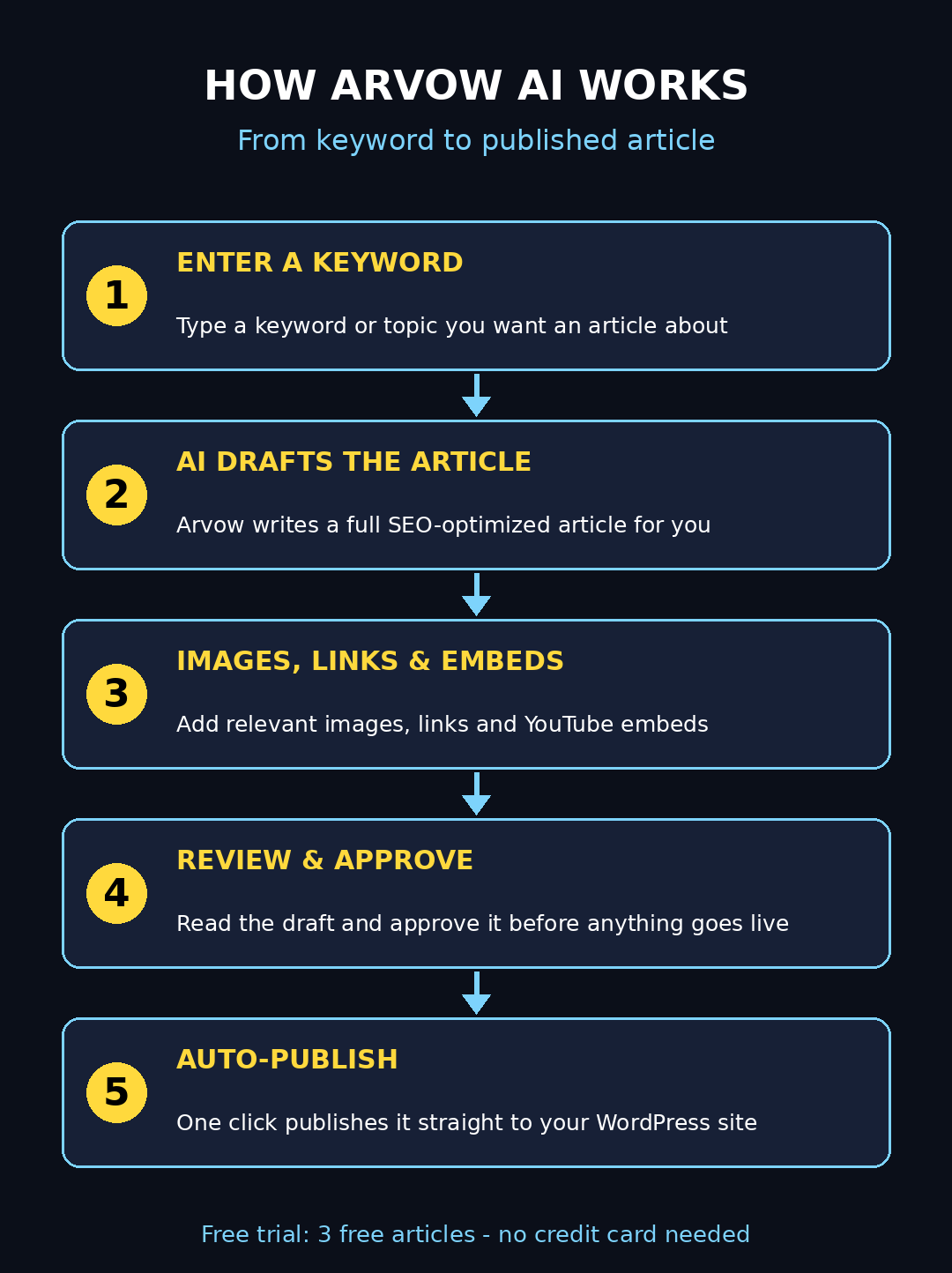
That is exactly the problem Arvow AI was built to solve. Arvow is a new AI SEO automation platform that writes complete, search-optimized articles for you — then publishes them straight to your website on autopilot. It was featured among this week's new AI product launches, and the best part for beginners is the free trial: you get starter credits including three free AI-generated articles, plus two genuinely free tools (an AI introduction generator and an AI content detector) that you can use without even creating an account.
In this beginner-friendly guide, I will show you exactly how to use Arvow AI step by step — from creating your free account and claiming your three free articles, to connecting your WordPress site, generating your first post, and setting up automatic publishing. No SEO experience needed. Let's dive in.
Step 1: How to Use Arvow AI — Create Your Free Account
Head to Arvow's official website and click the sign-up or "Start Free Trial" button. Enter your name and email address and confirm your email — your free trial starts immediately with starter credits loaded into your account, so you can generate articles right away.
Beginner tip: use an email address you actually check, because Arvow sends publishing confirmations and ranking alerts there. You will want those notifications once your autopilot is running.
Step 2: Claim Your 3 Free AI Articles
Arvow's free trial includes three free full-length AI articles so you can test the real thing before spending anything. After logging in, open the dashboard and look for the AI article writer or AutoBlog section — your three free article credits will be waiting for you.
Important beginner tip: do not waste these on random test topics. Pick three real keywords from your niche — the exact topics you actually want ranking on Google — because these trial articles are full-quality and you can publish them on your live site.
Bonus while you are here: try Arvow's two completely free tools, which need no account at all. The AI Introduction Generator writes SEO-friendly blog intros in over 150 languages from any keyword, and the AI Content Detector checks whether your text reads like unedited AI output — it runs entirely in your browser, so nothing is uploaded or stored. Both are excellent for polishing any article, Arvow-generated or not.
Step 3: Connect Your Website (WordPress, Shopify or Webflow)
For the real autopilot magic, connect your site. In the dashboard, go to Integrations or Connect Website and choose your platform: WordPress (via the official plugin or API credentials), Shopify, or Webflow. The setup wizard walks you through it in a few minutes — paste in the credentials it asks for, authorize the connection, and you are linked.
Digital marketing agencies use this exact flow at scale — for example, the team at the digital agency connects client sites here so every generated article flows straight into the right CMS without any copy-pasting. If you do not have a website yet, no problem: you can still generate articles and copy the text into any editor.
Step 4: Set Up Your Brand Voice and Knowledge Base
Generic-sounding articles neither rank nor convert, so this step matters more than most beginners think. Open Settings, find Brand Voice, and tell Arvow how you sound:
- Your brand name and what you do
- Your tone of voice (friendly, professional, playful, bold)
- Your target audience (beginners, business owners, students)
- Words or phrases to always use — and ones to never use
You can also add a knowledge base with your products, services and style guide, so the AI writes with real specifics instead of vague filler. On the free trial, keep it simple — five honest minutes here makes every generated article noticeably better.
Step 5: Find the Right Keywords to Target
Arvow writes from keyword seeds, so picking the right ones is half the battle. Think like your reader: what would a complete beginner type into Google? Longer, specific phrases ("how to use Arvow AI for beginners") beat single words ("AI writer") because they are less competitive and the search intent is much clearer.
Free ways to find keyword ideas:
- Google autocomplete — start typing and note the suggestions
- The "People also ask" box on any search results page
- Google Keyword Planner (free with a Google Ads account)
Enter a small cluster of 5–10 related keywords into Arvow. It can build topic clusters around them, so your articles support each other with internal links — exactly how professional SEO content strategies are structured.
Step 6: How to Use Arvow AI to Generate Your First SEO Article
Now the fun part. Enter your keyword or topic, choose your settings (article length, tone, language), and click Generate. The AI drafts a complete article: headline, introduction, structured headings, body copy and conclusion, with SEO fundamentals like keyword placement handled automatically. Generation takes a couple of minutes.
When the draft is ready, read it like an editor, not a fan:
- Check every fact and statistic — AI can be confidently wrong
- Fix anything that sounds robotic or off-brand
- Add at least one personal example, opinion or story
That human touch is what separates content that ranks from content that blends in.
Step 7: Add Images, Links and YouTube Embeds
Arvow automatically enriches articles with in-article images, internal and external links, YouTube embeds and calls-to-action — but always review them before publishing. Swap any generic stock image for something on-brand, make sure external links point to trustworthy sources, and add internal links to your own related posts (internal linking is one of the easiest SEO wins there is).
This is also the spot to insert your own conversion elements: a newsletter signup, a product page link, or affiliate links. An article should not just attract traffic — it should turn some of that traffic into subscribers or sales.
Step 8: Auto-Publish and Schedule Your Content
Here is the autopilot. In the AutoBlog or scheduling section, set your publishing cadence — say, two articles per week — and Arvow will generate and publish directly to your connected site on schedule. Prefer to stay in control? Save articles as drafts in WordPress instead, review them over coffee, and hit publish yourself.
If you want a truly hands-off operation, AI automation services can wire Arvow into a larger workflow — keyword research to draft to publish to social promotion — so your entire content engine runs itself while you focus on the business.
Step 9: Monitor Rankings and AI Search Citations
Publishing is only halftime. Arvow's dashboard shows your published articles and tracks how they perform, including an LLM brand-visibility dashboard on higher plans that reveals when AI assistants mention your brand in their answers. Pair it with the free Google Search Console to see exactly which queries bring you clicks.
Then double down on what works: refresh your winners with new information every few months, and generate follow-up articles targeting the keywords that are starting to rank on page two. That compounding loop is how small blogs quietly grow into traffic machines.
Step 10: Decide Whether to Upgrade or Walk Away
Before your trial credits run out, take honest stock. Did the three free articles save you real hours? Are they good enough to publish on your live site? If yes, upgrading is straightforward — and if not, there is no lock-in, so you simply walk away and keep the free tools.
Here is how the plans compare:
| Plan | Price | What you get | Best for |
|---|---|---|---|
| Free Trial | $0 | Starter credits including 3 free AI articles; full access to test generation, CMS integrations and publishing | Trying Arvow risk-free |
| Solo | $39/month ($19/month billed yearly) | 1,000 credits per month, 1 website, AutoBlog, automatic internal and external linking, images, YouTube embeds | Bloggers running one site |
| Business | $69/month ($39/month billed yearly) | 3,000 credits per month, 5 websites, automatic backlinks, LLM brand visibility, local SEO booster | Agencies and multi-site owners |
| Ultimate | $249/month ($129/month billed yearly) | 9,000 credits per month, unlimited websites, white-label SEO reports, priority support | Large content operations |
Frequently Asked Questions
Is Arvow AI really free?
Yes, to start. The free trial gives you starter credits including three free full-length AI articles, with full access to test article generation, CMS integrations and publishing. Two extra tools — the AI introduction generator and the AI content detector — are free forever with no account required. Paid plans start at $39 per month if you want ongoing volume.
Does Arvow work with WordPress?
Yes. Arvow connects natively to WordPress (via plugin or API credentials), as well as Shopify and Webflow. Articles can publish directly to your live site or save as drafts for manual review — your choice.
Will Google penalize my site for AI-generated articles?
Google has said it cares about content quality, not how the content was produced. Thin, unedited AI spam can hurt you — but a well-reviewed, genuinely helpful article is fine regardless of the drafting tool. Always review Arvow's drafts, add original insight, and run the free content detector to catch generic phrasing before you publish.
How many articles do I get on the free trial?
Three full AI-generated articles, plus starter credits to explore features like CMS publishing and scheduling. That is enough to properly judge the quality before spending anything.
Do I need SEO experience to use Arvow?
No. The setup wizard connects your site in minutes, the automated defaults handle keyword placement and article structure for you, and the keyword tips in Step 5 are all the strategy a beginner needs to get started.
Final Thoughts
Arvow AI will not replace your judgment — but it removes the blank-page problem that kills most blogs before they start. Three free articles is a genuinely useful trial: enough to publish real content, test the WordPress integration, and feel the time savings for yourself.
Generate those three articles on keywords you actually care about, review every draft like an editor, and let the scheduler handle the boring part. If the workflow clicks, $39 a month for a tireless writing assistant is one of the cheapest hires you will ever make.
Explore More Free AI Tools
Want more free tools to level up your content? Try the AI Title Generator, Meta Description Generator, AI Rewriter, and Keyword Density Checker — all free at aitoolsteps.com.