

AI writing tools have changed the way beginners create content. A few years ago, writing a blog post, a school essay, or a business email from scratch meant staring at a blank page for hours. Today, AI writing tools can draft, rewrite, summarize, and polish your text in seconds — for free.
But here is the catch: most beginners either type a lazy one-line prompt and get a generic answer, or they trust the AI blindly and publish mistakes. This guide fixes both problems. You will learn how to use AI writing tools the right way — from picking your first tool and writing prompts that actually work, to editing the output so it sounds like you.
Whether you are a student, a blogger, a freelancer, or a small business owner, by the end of this guide you will have a repeatable workflow for producing better writing in less time. No technical background needed. Everything below works with the free versions of the most popular tools.
Step 1: Choose One AI Writing Tool to Start With
Do not sign up for ten apps on day one. Pick one general-purpose assistant and learn it well. For most beginners, the best starting points are ChatGPT, Claude, or Gemini — all three have generous free plans and understand plain-language instructions.
Here is how to pick:
- You want the biggest free tier: ChatGPT or Gemini both give you a capable free model with no credit card required.
- You want the most natural-sounding drafts: Claude is widely praised for warm, human-like writing.
- You want a writing-first app: Grammarly and QuillBot focus specifically on rewriting, paraphrasing, and grammar.
- You want marketing copy: Copy.ai ships templates for ads, captions, and product descriptions.
Create one account, verify your email, and open a fresh chat. That is your writing desk for the next few weeks. Once you are comfortable, you can add a second tool for comparison — but mastery beats variety at the start.
Step 2: Master the Basics of Prompting AI Writing Tools
A prompt is simply the instruction you give the tool. The quality of your output is almost entirely decided by the quality of your prompt. Beginners usually write prompts like “write an essay about climate change” and then wonder why the result feels generic.
A strong prompt has four ingredients:
- Role: tell the AI who to be — “You are a friendly writing tutor.”
- Task: say exactly what you want — “Write a 300-word blog introduction.”
- Audience: name the reader — “for high-school students who are new to the topic.”
- Tone and format: set the style — “Use a casual tone, short paragraphs, and end with a question.”
Compare the two:
- Weak: “Write about AI writing tools.”
- Strong: “You are a tech blogger. Write a 150-word paragraph explaining how AI writing tools help students, in a friendly tone, with one real-world example.”
The second prompt will give you dramatically better text. Practice upgrading one weak prompt per day and you will improve faster than 90% of beginners.
Step 3: Let AI Draft First, Then Make It Yours
The fastest workflow with AI writing tools is draft-then-edit. Ask the tool to produce a rough first draft, then rewrite it in your own voice. Never publish raw AI output — it is usually correct in structure but flat in personality.
Follow this loop:
- Generate the draft with a detailed prompt (Step 2).
- Read it aloud and mark every sentence that does not sound like you.
- Rewrite those sentences in your own words — add your stories, opinions, and examples.
- Ask the AI to smooth the transitions between your edits: “Make these paragraphs flow naturally without changing my meaning.”
This hybrid approach gives you speed and originality. The AI handles the heavy lifting of the first draft; you supply the judgment, voice, and lived experience that no model has.
Step 4: Use AI Writing Tools for Outlines and Structure
One of the most underrated uses of AI writing tools is planning. A good outline turns a chaotic topic into a clear roadmap, and AI is excellent at generating one in seconds.
Try this prompt: “Create a detailed outline for a 1,500-word beginner’s guide about indoor plants. Include an introduction, 6 main sections with sub-points, and a conclusion.”
You will get a skeleton you can rearrange, prune, or expand. This works for essays, reports, YouTube scripts, newsletters, and business proposals. Benefits:
- Beats the blank page: you start from structure, not emptiness.
- Reveals gaps: missing sections become obvious before you write a word.
- Saves rewrites: a solid outline means fewer painful restructures later.
Pro tip: ask for the outline before the draft. Writing with a plan produces far better final text than asking AI to improvise a whole article at once.
Step 5: Rewrite and Polish Existing Text With AI
Already have a draft? AI writing tools are superb editors. Paste your paragraph and give a specific instruction instead of a vague “make it better.”
Useful rewrite prompts:
- “Rewrite this paragraph to be shorter and punchier, keeping the same meaning.”
- “Make this email sound more professional and confident.”
- “Simplify this explanation so a 12-year-old can understand it.”
- “Turn these bullet points into a smooth paragraph.”
Tools like Grammarly and QuillBot even offer one-click paraphrasing modes (formal, creative, concise). The key rule: always review the rewrite. AI occasionally changes your meaning while polishing your sentences, so compare the before and after carefully — especially for anything factual or contractual.
Step 6: Fix Grammar, Tone, and Clarity in One Pass
Grammar checkers are the original AI writing tools, and they are still essential. Paste your text into Grammarly (free plan) or ask your chat assistant: “Check this text for grammar mistakes and suggest clearer phrasing.”
Go beyond spelling:
- Tone check: “Does this message sound too harsh? Suggest a friendlier version.”
- Clarity check: “Point out any confusing sentences and rewrite them simply.”
- Conciseness check: “Remove filler words without losing the message.”
For non-native English speakers, this step is a superpower. You can write in your natural style and let the tool handle articles, prepositions, and awkward phrasing — while you stay in control of the ideas.
Step 7: Break Through Writer’s Block With Idea Generation
Staring at a blank page? Ask the AI for ten options instead of one perfect answer. Quantity unlocks quality.
- “Give me 10 blog post ideas about budget travel for beginners.”
- “Suggest 5 catchy email subject lines for a bakery’s weekend sale.”
- “List 8 opening hooks for an essay about social media and teenagers.”
Pick the two or three you like, combine them, and add your own angle. You can also ask the tool to argue the opposite side of your topic — seeing counterarguments often sparks your strongest original points.
Step 8: Repurpose One Piece of Writing for Every Platform
Write once, publish everywhere. AI writing tools make repurposing almost instant. Take your blog post or essay and transform it:
- “Turn this article into a 5-tweet Twitter thread with hooks.”
- “Summarize this post as a 100-word LinkedIn update with a call to action.”
- “Convert these key points into a 60-second YouTube Short script.”
- “Rewrite this as an email newsletter intro under 80 words.”
Each platform has its own length, tone, and format — and manually adapting content is tedious. This single workflow can multiply your output without multiplying your effort, which is exactly why bloggers and small businesses love AI writing tools.
Step 9: Fact-Check Everything AI Writes
This is the most important step in this guide. AI writing tools can hallucinate — they sometimes invent statistics, quotes, dates, and even sources that sound completely real but are entirely false.
Build a fact-check habit:
- Highlight every number, date, name, and quote in the AI’s draft.
- Verify each one with a quick web search from a reliable source.
- Delete or correct anything you cannot confirm.
- Never let AI invent citations — always find the real source yourself.
Treat the AI like a brilliant but unreliable intern: great at drafting, terrible at remembering facts. The accuracy of your final piece is your responsibility, especially for schoolwork, health, finance, or legal topics.
Step 10: Save Prompts That Work in a Personal Library
Your best prompts are an asset. When a prompt produces excellent output, save it. Over a few weeks you will build a personal library — your own secret weapon for consistent, high-quality results.
Keep a simple document or note with entries like:
- Blog intro: “You are a tech blogger. Write a 150-word intro about [TOPIC] for beginners, friendly tone, end with a question.”
- Email polish: “Rewrite this email to sound professional and warm, keep it under 120 words: [TEXT].”
- Study notes: “Summarize [CHAPTER] into bullet-point study notes with key terms bolded.”
Swap in the bracketed parts each time. This turns AI writing from a guessing game into a repeatable system — and it is the difference between casual users and people who genuinely write faster every single day.
Best AI Writing Tools Compared (2026)
| Tool | Free Plan | Best For | Beginner-Friendliness |
|---|---|---|---|
| ChatGPT | Generous free tier | All-round writing, brainstorming | ★★★★★ |
| Claude | Free daily usage | Natural, human-like drafts | ★★★★★ |
| Gemini | Free with Google account | Research + writing in one place | ★★★★☆ |
| Grammarly | Free basic plan | Grammar, tone, clarity fixes | ★★★★★ |
| QuillBot | Free paraphraser | Rewriting and paraphrasing | ★★★★☆ |
| Copy.ai | Free trial credits | Marketing copy and captions | ★★★★☆ |
Start with one general assistant (ChatGPT, Claude, or Gemini) plus one editor (Grammarly or QuillBot). That two-tool combo covers 95% of beginner writing tasks without spending anything.
Frequently Asked Questions
Are AI writing tools free for beginners?
Yes. ChatGPT, Claude, Gemini, Grammarly, and QuillBot all offer free plans that are more than enough for beginners. You can draft articles, rewrite text, and check grammar without paying anything. Paid plans add faster models and higher limits, but start free and upgrade only when you consistently hit the limits.
Will using AI writing tools get me penalized by Google?
Google does not penalize AI-assisted content as long as it is helpful, original, and accurate. What gets penalized is low-quality spam — whether written by a human or a machine. If you follow this guide’s draft-then-edit workflow, add your own insights, and fact-check everything, your content is safe.
Can AI writing tools replace human writers?
No — and that is good news. AI is excellent at drafting and editing, but it cannot replicate your personal experiences, opinions, or judgment. The writers thriving in 2026 are the ones who use AI writing tools to work faster while keeping their unique voice. Think of AI as a power tool, not a replacement.
Which AI writing tool is best for students?
Claude and ChatGPT are the top picks for students: both explain concepts clearly, help structure essays, and generate study notes from long chapters. Pair either one with Grammarly’s free plan for grammar and clarity checks before submitting assignments. Always follow your school’s AI policy — many schools allow AI for learning but not for final submissions.
How do I make AI-generated text sound more human?
Three tricks: first, add personal stories and specific details only you would know. Second, rewrite the opening and closing lines yourself — those carry the most voice. Third, ask the AI to “vary sentence length and avoid corporate-sounding phrases.” Then read it aloud; anything that sounds robotic, rewrite by hand.
Final Thoughts
Learning how to use AI writing tools is one of the highest-leverage skills you can pick up in 2026. The tools are free, the learning curve is gentle, and the payoff — faster drafts, clearer writing, zero blank-page panic — shows up from day one.
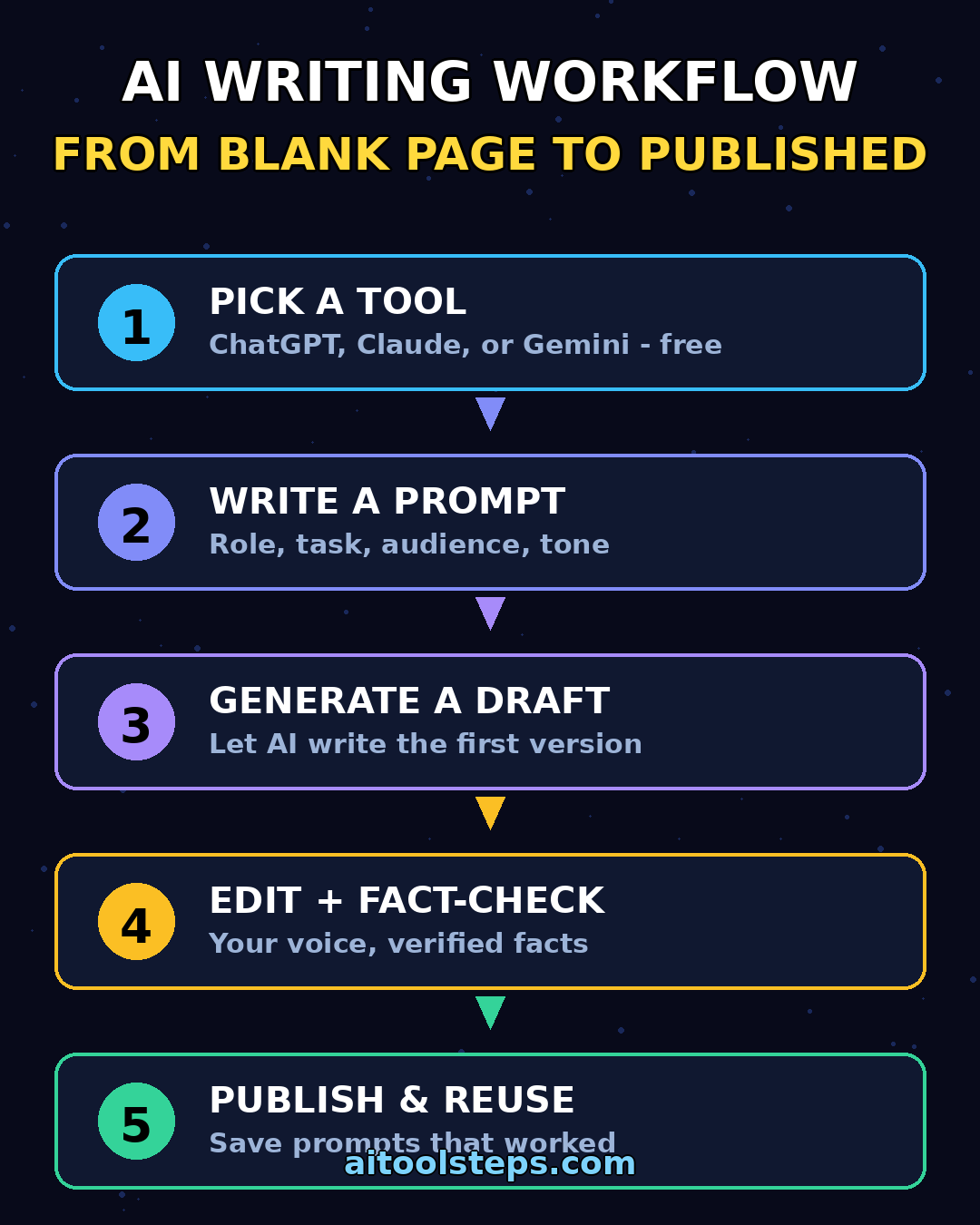
Remember the core workflow: pick one tool, write detailed prompts, draft with AI, edit like a human, and fact-check everything. Save the prompts that work, and within a month you will have a personal writing system that outperforms most professionals who still do everything by hand.
Start today: open your chosen tool, try the outline prompt from Step 4 on a topic you care about, and feel the difference. Your future self — the one who never fears a blank page again — will thank you.
Explore More Free AI Tools
Want to level up your content even further? Try our free tools at AIToolSteps.com — including the AI Title Generator, Meta Description Generator, AI Rewriter, and Keyword Density Checker. And browse the AI How-To Guides section for more beginner-friendly tutorials.