
Introduction

Studying does not have to mean rereading the same highlighted textbook page ten times and hoping it sticks. When you use ai for studying the right way, you turn passive reading into active learning: you summarize, question, quiz, and explain — all in a fraction of the time. That is why millions of students now use ai for studying as a daily habit, not a last-minute panic tool.
This guide is for complete beginners. You do not need to pay for anything, you do not need technical skills, and you do not need to change your whole routine overnight. You will learn how to pick free tools, turn messy notes into clean summaries, build flashcards automatically, create practice quizzes, plan your revision, and — just as importantly — how to use ai for studying honestly, without cheating yourself out of real learning.
By the end, you will have a simple, repeatable system for ai for studying that works for school, college, university, and self-learning. Start with one step today, and add the rest over the next week.
Step 1: Choose Your Free AI Study Tools
Start with one general assistant and one study-specific tool. For most students, ChatGPT, Claude, or Google Gemini covers explanations, summaries, and quizzes for free. Add NotebookLM for studying from your own PDFs and notes, because it answers only from sources you upload.
- Best all-rounder: ChatGPT or Gemini — free, fast, and good at explaining hard topics simply.
- Best for your own notes: NotebookLM — upload slides and chapters, then ask questions with citations.
- Best for flashcards: Quizlet or Anki with AI-generated cards you review and edit.
- Best for writing help: Use AI to outline and improve your drafts, never to submit AI text as your own work.
Create your accounts, bookmark them, and keep them in one study folder. Using ai for studying works best when your tools are ready before your study session starts, not when you are already tired.
Step 2: Turn Long Chapters Into Clear Summaries
The first superpower of ai for studying is compression. Paste a section of your notes or textbook (respect your school rules and copyright for full books) and ask: "Summarize this into 8 bullet points for a beginner, keep all key terms and definitions, and end with a one-sentence main idea."
Follow these rules for summaries you can actually trust:
- Summarize in chunks: one section at a time beats one whole chapter at once.
- Keep key terms bold: ask the AI to bold definitions so your eyes find them fast.
- Ask for an example: "Add one simple real-life example for each concept."
- Compare with your notes: if the summary misses something your teacher stressed, add it by hand.
A good summary is not the end of studying — it is the map you will quiz yourself from in the next steps. Save each summary with the chapter name and date so revision week becomes much easier.
Step 3: Ask AI to Explain Like You Are a Beginner
Everyone gets stuck on one concept that the textbook explains badly. This is where ai for studying shines. Copy the confusing paragraph and prompt: "Explain this like I am 14, using a daily-life analogy, then give the formal definition."
You can go deeper with follow-up questions:
- "Why does this happen? Explain step by step."
- "What is the difference between X and Y? Make a simple table."
- "Give me a common mistake students make with this topic."
- "Now explain it again, but shorter — in 3 sentences."
Never feel embarrassed to ask basic questions to an AI. There is no judgment, no rushing, and you can ask the same thing five different ways until it clicks. That patience is exactly what makes ai for studying so powerful for beginners.
Step 4: Create Flashcards Automatically
Flashcards work because they force active recall — your brain has to pull the answer out, not just recognize it. Use ai for studying to create them in minutes: "Turn these notes into 20 flashcards. Front: a short question. Back: a short answer with one example."
Review the cards before you save them:
- Delete vague cards: if a question could have three answers, split it.
- Fix errors: AI can invent a wrong date or formula — verify important facts.
- Add your own cards: topics your teacher emphasized deserve extra cards.
- Study in short bursts: 15 minutes daily beats 2 hours once a week.
Apps like Anki use spaced repetition, showing you hard cards more often. Combined with AI-generated cards, this is one of the most proven ways to remember material for exams, not just for tomorrow's quiz.
Step 5: Generate Practice Quizzes and Test Yourself
Reading feels easy, but exams test recall under pressure. Ask AI: "Quiz me on this chapter. Ask one question at a time, wait for my answer, then tell me if I am right and explain why." This turns ai for studying into a private tutor who never gets tired.
Mix your question types:
- Multiple choice for quick checks and definitions.
- Short answer for real understanding.
- True or false with correction: "If false, tell me the correct statement."
- Past-paper style: paste your syllabus topics and ask for exam-style questions.
Keep a mistakes log. Every wrong answer goes into a small document, and you review only that document in the last two days before the exam. Students who quiz with ai for studying consistently find their weak spots earlier — while there is still time to fix them.
Step 6: Build a Realistic Study Plan With AI
Motivation fails; plans work. Tell the AI your exam date, subjects, available hours, and weakest topics, then prompt: "Make a 14-day study plan, 2 hours per day, hardest subjects first, with daily goals and one rest day per week."
Make the plan realistic:
- Be honest about hours: a plan you cannot follow is worse than a smaller plan you complete.
- Put weak topics early: do not save your hardest chapter for the night before.
- Include revision slots: every third day, review earlier summaries and flashcards.
- Review weekly: tell the AI what you finished and ask it to adjust the remaining days.
Print the plan or pin it above your desk. Checking off days is satisfying, and ai for studying can re-plan in seconds when life interrupts — illness, family events, or a surprise test in another subject.
Step 7: Use AI for Homework Help Without Cheating
There is a clear line: AI should help you learn homework, not do it for submission. Use ai for studying like a tutor: "Do not give me the final answer. Give me a hint for step 1, then check my attempt."
Good homework prompts include:
- "Explain the method for this type of problem, using a different example."
- "Here is my solution — where did I go wrong?"
- "What formula applies here, and why?"
If your school has an AI policy, follow it exactly. Teachers can spot copied AI answers, and more importantly, copied answers steal your own exam preparation. The student who struggles honestly for 20 minutes remembers far more than the student who pastes a perfect answer in 20 seconds.
Step 8: Improve Essays and Assignments the Honest Way
AI is an excellent editor. After you write your own draft, ask: "Suggest how to improve my introduction and paragraph flow. Do not rewrite it for me — give feedback and examples of weak sentences." This use of ai for studying improves your writing skills instead of replacing them.
You can also ask AI to:
- Check your outline: "Does this essay plan answer the question fully?"
- Find unclear sentences: and explain why they are unclear.
- Suggest transitions: between paragraphs you have already written.
- Create a checklist: grammar, citations, word count, and question coverage before submission.
Always write the final version in your own words, and cite your real sources. Your voice, your examples, and your argument are what teachers grade — AI feedback just helps you present them better.
Step 9: Study Languages, Math, and Science With AI
Ai for studying adapts to every subject. For languages, ask for daily vocabulary with example sentences, then role-play a conversation: "Be a friendly Spanish tutor. Chat with me at beginner level and correct my mistakes gently."
For math, work one step at a time: "Solve a similar problem slowly, explaining each step, then give me one to try alone." For science, ask for diagrams described in words, simple analogies, and cause-and-effect chains: "Explain photosynthesis as a story, then as a formal definition."
Coding students can ask AI to explain error messages in plain English and suggest what to try next — without pasting the whole assignment and copying the solution. The pattern is always the same: explanation first, your attempt second, AI feedback third.
Step 10: Review, Verify, and Stay in Control
AI can be wrong — confidently wrong. The final step of ai for studying is verification. Cross-check important facts with your textbook, class notes, or a trusted source, especially dates, formulas, quotations, and statistics.
Build these control habits:
- Trust but verify: one quick textbook check per summary saves exam marks.
- Keep your own notes: AI summaries support your notes, they do not replace them.
- Protect your privacy: do not paste personal data or classmates' work into AI tools.
- Take breaks: use the Pomodoro method — 25 minutes focused, 5 minutes rest — AI will wait.
When you stay in control, ai for studying becomes what it should be: a tireless study partner that explains, quizzes, and organizes, while you do the learning that exams actually reward.
Best Free AI Tools for Studying Compared
| Tool | Free Plan | Best For | Beginner-Friendliness |
|---|---|---|---|
| ChatGPT | Generous free tier | Explanations, quizzes, summaries | ★★★★★ |
| NotebookLM | Free with Google account | Studying from your own PDFs and notes | ★★★★★ |
| Gemini | Free with Google account | Research and explanations | ★★★★☆ |
| Claude | Free daily usage | Clear, calm explanations and essay feedback | ★★★★★ |
| Quizlet | Free basic plan | Flashcards and practice tests | ★★★★☆ |
| Anki | Free on desktop/Android | Spaced repetition flashcards | ★★★★☆ |
Start with ChatGPT or Gemini plus NotebookLM. That free combination covers summaries, explanations, source-based questions, flashcards, and quizzes — everything in this guide.
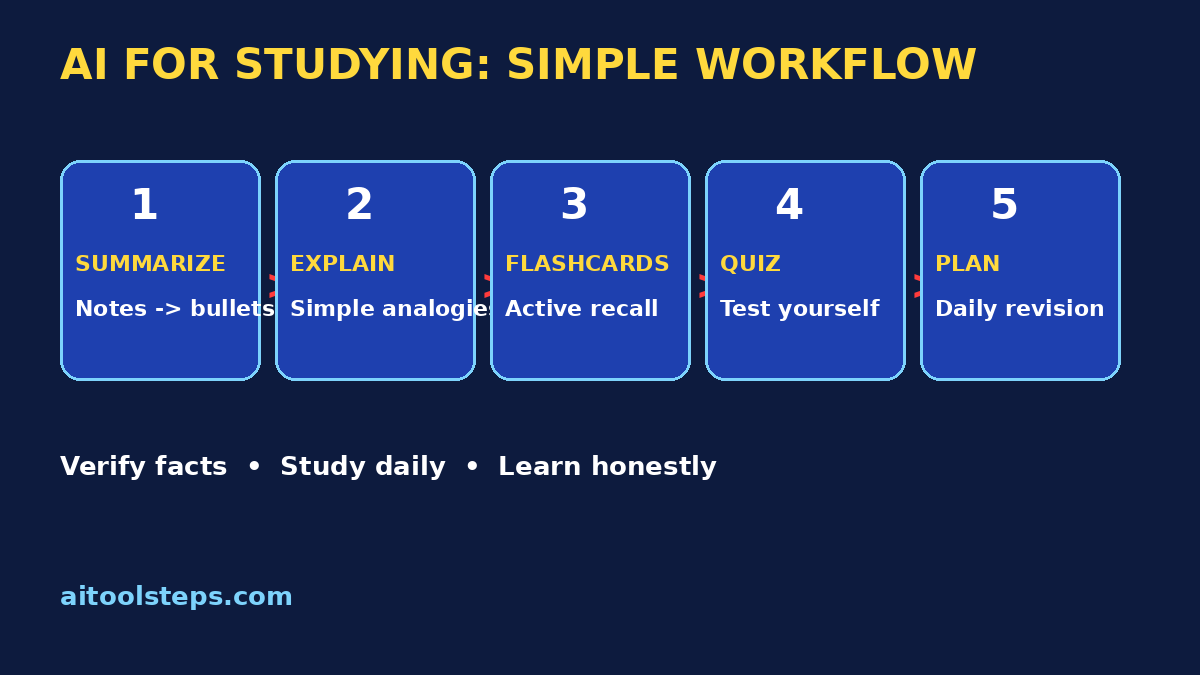
!AI for studying workflow infographic
Frequently Asked Questions
Is using AI for studying cheating?
No, not when you use it to learn. Summarizing notes, asking for explanations, making flashcards, and taking practice quizzes are legitimate study methods — like using a tutor or a study group. It becomes cheating only when you submit AI-generated work as your own or use it during a closed-book exam against the rules. Always follow your school's policy.
What are the best free AI tools for studying?
ChatGPT, Gemini, and Claude are the best free general assistants for explanations and quizzes. NotebookLM is best for studying from your own uploaded notes and PDFs, and Quizlet or Anki are best for flashcards. All of them have free plans that are enough for most students.
How do I use AI for studying before an exam?
Start 1–2 weeks early. Summarize each chapter, turn summaries into flashcards, and take one AI practice quiz daily. Keep a mistakes log and review it in the final two days. Ask AI to build a realistic daily plan based on your weakest topics, and adjust it as you progress.
Can AI help me memorize faster?
Yes, through active recall and spaced repetition. Ask AI to turn your notes into flashcards and quizzes, then review them in short daily sessions. Testing yourself is scientifically proven to beat rereading. AI just makes creating those tests almost instant.
How do I know if an AI answer is correct?
Verify important facts in your textbook, class slides, or a trusted educational site. Be extra careful with dates, formulas, quotes, and numbers. If two sources disagree with the AI, trust your course materials — and ask your teacher about anything still unclear.
Can AI for studying help with homework?
Yes, as a tutor. Ask for hints, methods, and feedback on your own attempts instead of final answers. For example: "Give me a hint, not the solution," or "Check my work and tell me where I went wrong." You learn more, and your homework stays honestly yours.
Final Thoughts
Learning how to use ai for studying is one of the smartest skills a student can build in 2026. The tools are free, the methods are simple — summarize, explain, flashcard, quiz, plan, verify — and the results show up in your confidence long before exam day.
Remember the golden rule: AI does the organizing and explaining, you do the thinking and remembering. Start small today: pick one chapter, make one summary, take one quiz. Within a week, ai for studying will feel less like a trick and more like what it really is — a study partner who is always available, endlessly patient, and ready when you are.
Explore More Free AI Tools
Want more ways to learn faster? Try our free tools at AIToolSteps.com — including the AI Title Generator, Meta Description Generator, AI Rewriter, and Keyword Density Checker. And browse the AI How-To Guides section for more beginner-friendly tutorials.