

Switchy AI is built for people who use more than one AI model every day. Every AI model has a personality. One writes beautiful marketing copy but trips over math. Another is brilliant at code but dry as dust when you ask it to write a birthday message. A third is fast and cheap, perfect for quick questions, but it loses the thread on long documents. If you use AI every day, you have felt this: you start a task in one chatbot, hit its weak spot, and then you have to start all over again somewhere else, copying and pasting your whole conversation just to keep going.
Switchy AI fixes exactly that problem. It is a single interface that lets you switch between AI models in the middle of a task without losing your context. You ask a question once, and if the answer is not quite right, you hand the same conversation to a different model with one click. No retyping, no lost thread, no starting from scratch. Switchy AI topped Product Hunt on 6 November 2026, and it caught on fast because the idea is so simple: the model should change, not your work.
In this beginner guide, you will learn how to use Switchy AI from zero: create a free account, connect your AI accounts, start your first task, switch models mid-conversation, compare answers side by side, and choose the right model for every kind of job. No technical background is needed. If you can chat with an AI, you can use Switchy AI.
Step 1: What Switchy AI Is (and Why Model Switching Matters)
Switchy AI is a model-switching layer for everyday AI users. Instead of opening a different app for every AI model, you work inside one clean interface. Underneath, Switchy AI connects to the models you already use, such as ChatGPT, Claude, and Gemini, and lets you move a live conversation between them while keeping the full history intact.
Think of it like changing the driver during a road trip without stopping the car. The destination stays the same, the conversation keeps going, and you simply pick the driver who is best for the next stretch of road. A long research task might start with a fast model for gathering facts, switch to a stronger reasoning model for analysis, and finish with a creative model for the final write-up. With Switchy AI, that whole journey happens in one window.
Why does this matter now? Most people now juggle two or three AI subscriptions, and each one is good at something different. The old workflow was painful: copy the question, open another tab, paste the question, paste the previous answers for context, and hope the new model understands what you meant. That copy-paste tax costs minutes on every task and hours across a week. Switchy AI removes it. You stay in one place, and the models come to you.
- One interface, many models: chat with the leading AI models from a single window.
- Switch mid-task: hand the same conversation to another model with one click.
- Context stays intact: the new model sees the full conversation history, so it never asks you to repeat yourself.
- Side-by-side answers: ask the same question to two models at once and compare the results.
- Pick the best tool for the job: use a fast model for drafts and a deep model for hard problems.
- Less tab chaos: no more five open chatbot tabs for one piece of work.
Step 2: Create Your Free Switchy AI Account
Getting started takes about two minutes. Open the Switchy AI website in your browser and look for the sign-up button on the homepage. You can usually create an account with your Google account or with an email address and a password. Signing up with Google is the fastest option, because it skips the email verification step.
After you sign in, Switchy AI shows you a short welcome screen. It may ask what you plan to use it for, such as writing, coding, research, or everyday questions. Answer honestly, because this helps Switchy AI suggest the best starting model for you. You can change these preferences later, so do not overthink it.
Before you do anything else, take thirty seconds to set up your workspace properly. Give your first project a clear name, like “Blog Writing” or “Study Help”, so your chats stay organized from day one. If you work with a team or a client, remember that a tidy workspace now saves a messy search later. Many beginners skip this step and end up with twenty chats all called “New Chat”. Do not be that person.
Step 3: Connect Your AI Accounts
Switchy AI works by connecting to the AI accounts you already have. Open the settings or connections page and you will see a list of supported models. Connect the ones you use most. Each connection usually takes one click: you approve Switchy AI to talk to that model on your behalf, and the model appears in your switcher.
Start with just two or three models. A good beginner set is one fast general model for everyday questions, one strong reasoning model for hard problems, and one creative model for writing. You can add more later, and you can disconnect any model at any time. There is no need to connect everything on day one.
Pay attention to what each connection costs. Some models run on your existing subscription, and some use their own credits. Switchy AI shows you which is which before you connect, so check the plan details on the connections page. If a model asks for an API key, you will find it in that provider’s dashboard, and Switchy AI’s help pages walk you through copying it. Never share your API keys with anyone else, and never paste them into a chat window.
Step 4: Start Your First Task in Switchy AI
Click “New Chat” and type your task the way you would say it to a colleague. Be specific. Instead of “write about dogs”, try “write a 200-word introduction for a blog post about why golden retrievers make good family pets, in a friendly tone”. The clearer your first message, the better the first answer, and the less switching you will need later.
Switchy AI starts your conversation with a default model. You will see the model name at the top of the chat, usually with a small switcher button next to it. That button is the heart of the whole tool. Read the first answer carefully. Is it accurate? Is the tone right? Is anything missing? If the answer is good, keep going. If it is not, do not retype your question. Switch the model instead.
For your first task, pick something real but low-stakes: an email draft, a summary of an article, or a list of ideas for a social media post. Real tasks teach you faster than test prompts, and a low-stakes task means a weak answer costs you nothing. Save the important work for after you know how each model behaves.
Step 5: Switch Models Mid-Task Without Losing Context
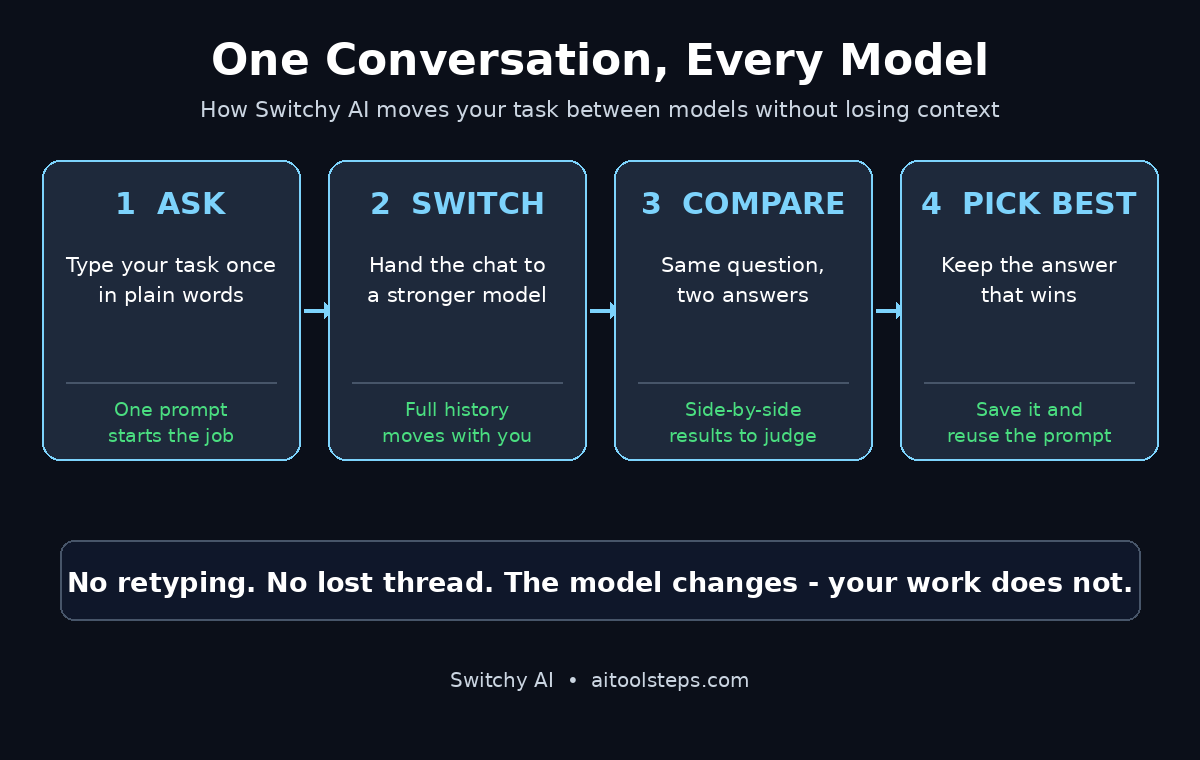
This is the feature that makes Switchy AI worth using, so learn it properly. In the middle of any conversation, click the model switcher at the top of the chat and pick a different model. Switchy AI hands the entire conversation history to the new model, including your original question and every answer so far. The new model picks up exactly where the old one left off.
Try it with a real example. Ask your first model to explain a difficult topic, like how interest rates affect house prices. Then switch to a second model and ask it to “explain the same thing again, but simpler, as if I am fifteen”. Because the second model can see the first explanation, it does not start from zero. It improves on what already exists instead of guessing what you meant.
The trick is to switch for a reason, not for fun. Switch when the current model is stuck, when you need a different strength, or when you want a second opinion. Switching every message just creates noise. A good rule of thumb is to give each model at least two or three messages before you judge it. If you are a freelancer juggling client work, this kind of smooth handoff is exactly what a good digital agency workflow looks like: the right specialist picks up the job at the right moment, without the client ever noticing the change.
Step 6: Compare Answers Side by Side
Sometimes one answer is not enough, and you want to see how two models handle the same question. Switchy AI lets you send the same prompt to more than one model at the same time and view the answers side by side. This is the fastest way to learn which model you trust for which job.
To compare, look for the compare or multi-model option when you start a new chat. Type your question once, select two or three models, and send. Each model answers in its own panel. Read them slowly and notice the differences: one model may be more detailed, another more concise, and a third may catch a fact the others missed. The differences are the lesson.
Use comparison for decisions that matter. Comparing is perfect for headlines, product descriptions, code solutions, and summaries of long documents. It is overkill for “what is the capital of France”, so save it for work where quality varies. A practical habit is to compare once a week on a real task from your own work, and keep a short note of which model won and why. After a month, you will have a personal cheat sheet that no review article can give you.
Step 7: Pick the Right Model for Each Job
Switching is only useful if you know what to switch to. Here is a simple way to think about it. Fast, lightweight models are best for brainstorming, quick drafts, summaries, and everyday questions. They answer in seconds and cost very little, so use them for volume. Strong reasoning models are best for math, logic, long documents, and anything where a mistake is expensive. They are slower and cost more, so use them where accuracy pays.
Creative models earn their place when the words themselves matter: marketing copy, stories, scripts, and social media posts. If the output needs personality, switch to the model that writes like a human, not the one that writes like a textbook. And when you are working with code, switch to the model with the strongest coding record, then switch back to a fast model to write the explanation around it.
The best approach is to build your own defaults. After a week of switching, you will notice a pattern: one model for first drafts, another for fact-checking, another for final polish. Set those as your habits. Teams that run content or client work at scale often document these choices in a short playbook, and if you want that kind of structured thinking applied to your own brand, an agentic AI partner can help you turn a personal habit into a repeatable team workflow.
- Quick drafts and ideas: use the fastest model you have, and do not worry about polish yet.
- Research and analysis: switch to a strong reasoning model and ask it to show its working.
- Creative writing: switch to the most natural-sounding model for the final version.
- Code and technical work: use the best coding model, then a fast model to explain the result.
- Fact-checking: ask a second model to verify the first model’s claims before you publish.
Step 8: Save, Share and Reuse Your Best Switches
A good conversation is an asset, so do not let it vanish. Switchy AI lets you save chats, rename them, and organize them into folders or projects. When a conversation produces a great result, save it with a clear name that tells future-you what is inside, such as “Product launch email — Model B won”. Future-you will be grateful.
Sharing is useful when you work with other people. You can share a conversation link with a colleague so they can see the whole thread, including which model said what. That transparency matters: your teammate can see why you switched models and which answer you trusted. It also stops the classic problem of “the AI said so” with no evidence behind it.
Reuse is where the real time savings live. If you find a prompt that works well, save it as a template or copy it into your own prompt library. Prompts that switch models well usually follow a pattern: a clear task, the context the model needs, and the format you want back. Once you have five or six proven prompts, most of your daily AI work becomes a two-minute job instead of a twenty-minute one.
Step 9: 5 Beginner Mistakes to Avoid
Most Switchy AI beginners make the same five mistakes, and all of them are easy to avoid once you know them. First, they switch models too often. Switching every message means no model ever gets enough context to do its best work, and your conversation becomes a mess. Give each model a fair chance before you move on.
Second, they paste sensitive information into chats without thinking. Never paste passwords, private client data, or unreleased business details into any AI tool, including Switchy AI. If a task needs real data, use placeholder names and numbers, then swap in the real ones after you export the result.
Third, they trust the first answer without checking it. AI models sound confident even when they are wrong, and switching models does not fix that by itself. For anything you will publish or send to a client, verify the facts with a second model or a reliable source.
Fourth, they forget to name and save their chats. A week later, they cannot find the conversation that had the perfect prompt in it, and they waste an hour recreating it. Save the good ones immediately.
Fifth, they judge a model on one bad answer. Every model has off days and weak topics. Judge a model on five or six tasks, not one. The model that wrote a terrible poem might be the same one that debugs your code perfectly.
Step 10: Switchy AI vs Other Ways to Use Multiple Models
Before Switchy AI, people who wanted several models open had three options, and all of them were awkward. You could keep a separate tab open for each chatbot and copy-paste between them, which works but wastes time and loses context. You could pay for an all-in-one chatbot hub, which gives you many models but usually locks you into its own interface and pricing. Or you could stick to one model and accept its weaknesses, which is simple but leaves quality on the table.
Switchy AI sits in the middle: one interface, your own model accounts, and context that travels with you when you switch. The table below shows how the options compare for a beginner.
| Approach | Context kept when switching | Setup effort | Best for |
|---|---|---|---|
| Switchy AI | Yes, full history moves with you | Low, connect accounts once | Daily work across several models |
| Separate chatbot tabs | No, you copy-paste everything | None | Occasional one-off questions |
| All-in-one chatbot hub | Yes, inside that one app | Low | Trying many models on one bill |
| Single model only | Not applicable | None | Simple tasks, one strong model |
| API and coding setup | Yes, if you build it yourself | High, needs coding | Developers automating model use |
If you use AI for more than an hour a day, Switchy AI is the most practical of these options. If you only ask AI an occasional question, separate tabs are fine, and you do not need a new tool. Be honest about how much you actually use AI before you add another app to your workflow.
Frequently Asked Questions
Is Switchy AI free to use?
Switchy AI is free to try, and you can start switching models without paying. Some models inside it may need their own subscription or credits, depending on the provider, so check the plan details on the connections page before you link an account. For most beginners, the free tier is enough to learn the workflow and decide whether it earns a place in your daily routine.
Do I lose my conversation when I switch models?
No, that is the whole point of Switchy AI. When you switch, the full conversation history moves to the new model, so it can see your original question and every answer so far. You never have to retype your question or paste earlier answers to bring the new model up to speed.
Which AI models work with Switchy AI?
Switchy AI connects to the leading chat models, including ChatGPT, Claude, and Gemini, and the list grows as new models launch. The exact list can change, so check the connections page inside the app for the current lineup. Start with the two or three models you already pay for, and add more only when you have a reason.
Is my data private on Switchy AI?
Your conversations pass through Switchy AI to the model providers you connect, so the privacy rules of those providers still apply. Avoid pasting passwords, client data, or anything confidential into any AI chat. For everyday writing, research, and brainstorming, Switchy AI is as safe as chatting with the models directly.
Can Switchy AI replace ChatGPT or Claude?
No, and it is not trying to. Switchy AI does not build its own model. It is a layer that sits on top of the models you already use and makes switching between them painless. Think of it as a remote control for your AI subscriptions, not a replacement for them.
Who should use Switchy AI?
Anyone who uses more than one AI model in a normal day will benefit: writers, marketers, students, developers, researchers, and small business owners. If you only ever use one chatbot for quick questions, you probably do not need it. If you regularly catch yourself thinking “the other AI would do this better”, Switchy AI was built for you.
Final Thoughts
Switchy AI solves a small problem that wastes a surprising amount of time: the friction of moving between AI models. Before it, switching meant copy, paste, re-explain, and hope. Now it means one click, and the conversation continues as if nothing changed. That simplicity is why it topped Product Hunt on 6 November 2026, and why it is worth a place in your toolkit if you use AI every day.
Start small. Connect two models, run one real task through them, and switch once in the middle. Notice how much smoother it feels than starting over in a new tab. Then build your habits: a fast model for drafts, a strong model for hard thinking, a creative model for final polish. Within a week, you will know exactly which model to reach for, and switching will feel as natural as changing tabs. The models are getting better every month. The people who get the most from them will be the ones who can move between them without losing their thread, and that is exactly what Switchy AI gives you.
Explore More Free AI Tools
Switchy AI is one piece of a much bigger free AI toolkit. Keep exploring with these free tools from AI Tool Steps: our AI Title Generator writes headlines that get clicks, the Meta Description Generator crafts search snippets in seconds, the AI Rewriter polishes your drafts into clean, natural text, and the Keyword Density Checker makes sure your pages are optimized without keyword stuffing. Try one today, and make your next article better than your last.