

Selling a used item online should take minutes, but anyone who has actually done it knows the truth: the photo is the easy part. Then comes the title, the description, the condition, the category, the tags, and the price — twenty minutes of typing for every single item, and a whole weekend gone if you are clearing out a cupboard. Kororā AI for beginners exists to delete that boring part. It is a free app that turns one photo into a complete marketplace listing in about ten seconds.
Kororā launched on Product Hunt on October 30, 2026, and it is available now on Android and iPhone (via TestFlight). You snap a photo of the item you want to sell, and the AI writes a clickable title, a clear description, the condition, the tags, and a fair market price estimate. Then you copy the listing to Facebook Marketplace or eBay, or share it as a web catalog with a QR flyer. It is 100% free, and you do not even need to create an account.
In this Kororā AI for beginners guide, you will learn exactly how to use Kororā AI step by step: what it is, how to get the app, how to take a photo the AI can read properly, how to review and fix the listing it writes, and how to publish it where buyers will actually see it. No technical background is needed — if you can take a photo with your phone, you can use Kororā.
Step 1: Understand Kororā AI for Beginners
Kororā AI for beginners starts with one simple idea: a photo of your item is enough information for AI to write the whole listing for you.
Here is how it works in plain language:
- You open the app and take a photo of the item you want to sell — a chair, a phone, a pair of shoes, a baby stroller, anything.
- The AI looks at the photo and works out what the item is, which brand it might be, what condition it is in, and what similar items usually sell for.
- In about ten seconds, it writes a complete listing: a title designed to get clicks, a description, the condition, useful tags, and a fair price estimate.
- You copy that listing into Facebook Marketplace or eBay, or you share it as a web catalog link or a printable QR flyer.
The app was built by a seller who was tired of typing the same listing details over and over again when selling used goods. According to the launch page, Kororā removes about 95% of the manual data entry involved in selling second-hand items. That is the whole point: the listing is the chore, and the AI does the chore.
Kororā is different from a general chatbot in an important way. A chatbot can write a listing for you, but only if you describe the item in detail first — and describing the item is exactly the boring work you wanted to avoid. Kororā starts from the photo instead, so you skip the description entirely.
Step 2: Check Before You Download
Before you install anything, this Kororā AI for beginners checklist covers three things to check so you do not get stuck halfway through:
- You need a phone. Kororā is a mobile app for Android and iPhone. There is no desktop version and no website version for creating listings.
- iPhone users install through TestFlight. The iOS version is distributed through Apple’s TestFlight app, which is Apple’s normal way of testing new apps. Android users install the app directly.
- You do not need an account. Kororā is free with no account required, so you can open the app and create your first listing immediately. There is no sign-up form, no email verification, and no credit card.
If you have never used TestFlight before, do not worry — Step 3 walks through it. It takes about two minutes, and you only do it once.
Step 3: Download Kororā on Your Phone
Getting the app is quick, and the steps are slightly different depending on your phone.
On Android:
- Open your browser and go to korora.app, or search for Kororā in the Google Play Store.
- Tap Install and wait for the download to finish.
- Open the app. It will ask for permission to use your camera — allow it, because the camera is how the app works.
On iPhone (TestFlight):
- First, install Apple’s TestFlight app from the App Store if you do not already have it. It is free.
- Then open the Kororā TestFlight link from korora.app. TestFlight will show you the app and a button to install it.
- Tap Install, wait for the download, and then open Kororā from your home screen.
- Allow camera access when the app asks. Without it, you cannot take the photo that starts the whole process.
Once the app is open, you will see a simple camera screen. That is the whole interface — there is no complicated dashboard to learn, and no settings you need to change before your first listing.
Step 4: Take a Great Photo of Your Item
In this Kororā AI for beginners workflow, the AI can only write a good listing from a good photo, so this step matters more than any other. A clear photo gives you a clear title, an accurate description, and a sensible price. A dark, blurry photo gives you guesses.
Follow these tips for a photo the AI can read properly:
- Use natural daylight. Put the item near a window or take the photo outside. Daylight shows the true colour and condition far better than a yellow room light.
- Fill the frame. Get close enough that the item takes up most of the photo. The AI needs to see details such as brand logos, buttons, and wear marks.
- Use a plain background. A clean wall, a table, or a bedsheet works well. A cluttered background confuses the AI and makes buyers distrust the listing.
- Photograph any damage honestly. If there is a scratch, a stain, or a missing button, take a close-up of it too. Honest photos prevent returns and angry messages later.
- Take the photo straight on. Shoot from the front, not from a steep angle, so the AI can judge the shape and size correctly.
You do not need a professional camera. A normal phone camera in daylight is more than enough. If the first photo looks dark or blurry, retake it — ten extra seconds here saves you from editing the listing later.
Step 5: Let Kororā AI for Beginners Write Your Listing
This is the step that makes Kororā AI for beginners feel like magic the first time you see it.
- Open Kororā and tap the camera button.
- Take the photo of your item, or choose a photo from your gallery if you already took one.
- Wait about ten seconds while the AI analyses the image.
- Read the finished listing on your screen.
What the AI produces for you:
- A title written to be clickable, with the item type, brand, and key details up front.
- A description that explains what the item is, what it does, and what condition it is in.
- The condition — for example, like new, gently used, or good condition with visible wear.
- Tags that help buyers find the listing when they search.
- A fair market price estimate based on what similar items sell for.
The price estimate is especially useful for beginners. Most new sellers either price too high and get no messages, or price too low and lose money. Kororā’s estimate gives you a realistic starting point, and Step 9 explains how to adjust it.
Step 6: Review and Edit the AI Draft
For Kororā AI for beginners, the AI draft is a starting point, not a finished listing. Always read it before you publish, and fix anything that is wrong. This takes about a minute, and it is the difference between a listing that sells and one that attracts the wrong buyers.
Check these five things:
- The item name and brand. If the AI guessed the wrong brand or model, correct it. A wrong brand name brings the wrong buyers.
- The condition. The AI judges condition from a photo, and photos can hide things. If the item has wear the photo did not show, say so in the description.
- Size, colour, and included parts. Add the size, the exact colour, and what is included — charger, remote, original box, spare parts. Buyers always ask, so answer in advance.
- The price. Compare the estimate with similar listings on the marketplace you plan to use. Adjust up if your item is in better condition, or down if you want a fast sale.
- Your contact and pickup details. Add your city or area, whether you offer delivery, and whether the price is fixed or negotiable.
A good rule is to read the listing as if you were the buyer. If anything is unclear, a buyer will either message you with the same question ten times, or scroll past. Fixing it now saves you that trouble.
If you sell online regularly — for example, if you run a small shop or a side business clearing stock — getting these details right on every listing is exactly the kind of repetitive work a digital agency can help you systematise, so your listings stay consistent instead of depending on whoever typed them that day.
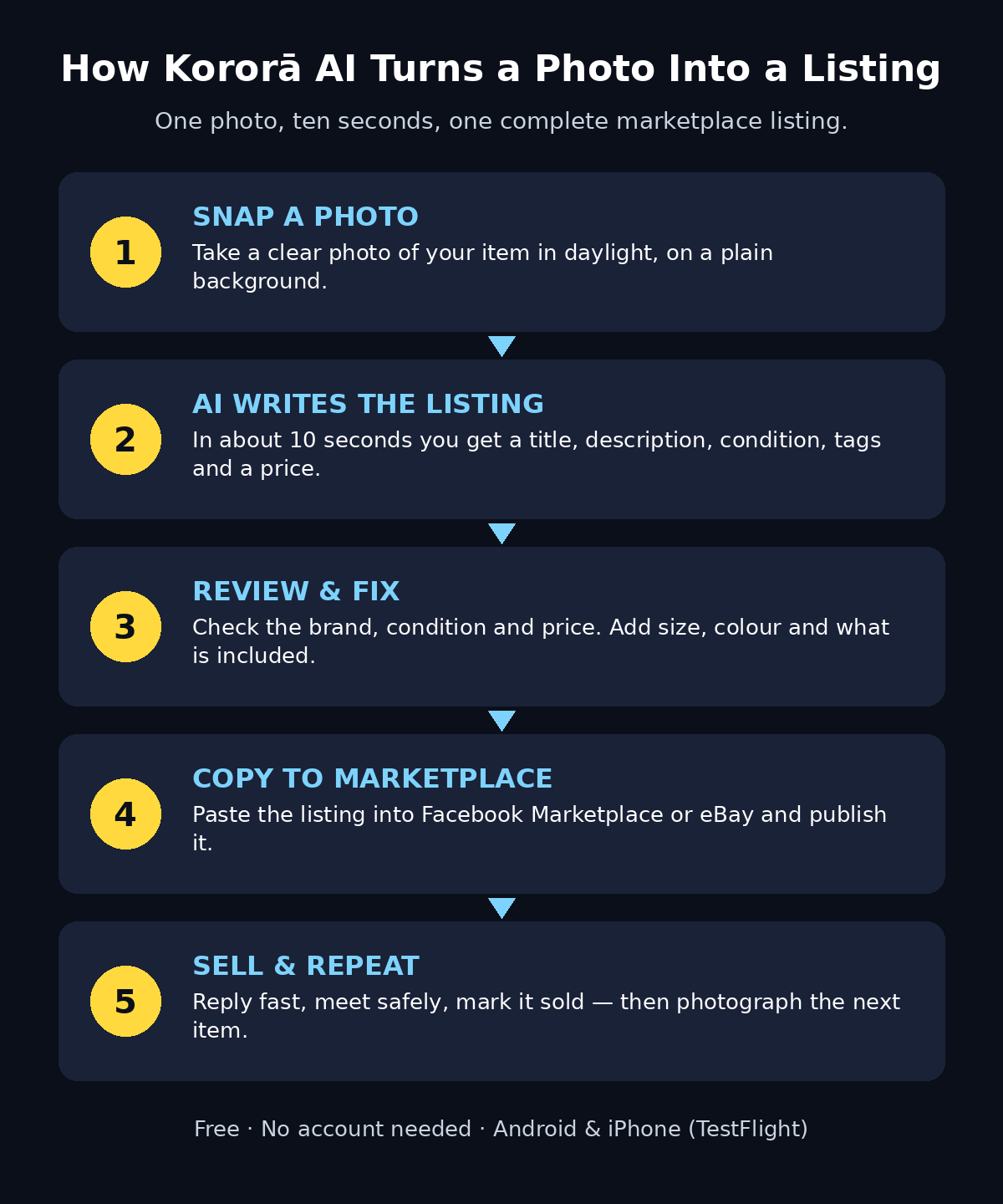
How Kororā AI works — one photo becomes a complete marketplace listing in about ten seconds.
Step 7: Copy Your Listing to Facebook Marketplace or eBay
Once the draft looks right, publishing it takes seconds.
- Tap the copy or share button in Kororā to copy the title, description, and tags.
- Open Facebook Marketplace or eBay on your phone.
- Start a new listing and paste the title and description into the right fields.
- Add the same photo you used in Kororā — it is already on your phone.
- Set the price to the figure you chose in Step 6, and publish.
Because Kororā copies cleanly into both marketplaces, you can list the same item in two places without retyping anything. That doubles your chances of a sale for almost no extra work.
One caution: always publish the listing yourself, in your own marketplace account, and keep the conversation with buyers inside the marketplace app. That protects you from scams, because the marketplace can see the chat history if something goes wrong.
Step 8: Share a Web Catalog or QR Flyer
Copy-paste is not the only way to use a Kororā listing. The app can also turn your items into a shareable web catalog, with a QR flyer you can print.
Here is how that helps:
- Selling several items at once. Instead of sending ten separate links to a friend or a buyer, share one catalog link that shows everything you have for sale.
- Selling at a garage sale or market stall. Print the QR flyer and stick it on your table. Visitors scan it with their phones and see your full catalog with prices.
- Sharing in a group chat. Drop the catalog link into a family or neighbourhood group, and people can browse without installing any app.
To use it, generate the catalog from your listings inside Kororā, copy the link, and share it wherever your buyers already are — WhatsApp, a Facebook group, or a printed flyer on a noticeboard. It is a small feature, but it is the one that turns a single listing into a tiny shop.
Step 9: Price It Right with Kororā AI for Beginners
For Kororā AI for beginners, the price estimate is a guide, not a guarantee, so use it wisely. Here is how to turn the estimate into a price that actually sells.
- Check two or three similar listings. Search your marketplace for the same item and see what others are asking. If Kororā’s estimate is close to those prices, you are in the right range.
- Adjust for condition. A like-new item can sit slightly above the average. An item with visible wear should sit slightly below it.
- Decide how fast you want to sell. Price at the estimate for a normal sale, or 10–15% below it if you need the item gone this week.
- Leave room to negotiate if you want. Some buyers always make an offer. If you expect that, price slightly above your lowest acceptable price.
- Re-check the price if the item does not sell. If you get views but no messages after a week, the price is usually the problem, not the listing.
Beginners often lose money by guessing prices. The estimate removes the guesswork, and the quick marketplace check in this step confirms it. Together, they take about two minutes and protect you from both overpricing and underselling.
Step 10: Sell Safely and Repeat the Process
Your first listing is live. Now make the rest of the process just as smooth.
- Reply quickly. Buyers message several sellers at once and buy from whoever answers first. A reply within an hour makes a real difference.
- Meet in a safe public place. A busy shop, a mall entrance, or a police station parking area is standard advice for marketplace meetups. Bring a friend if the item is valuable.
- Take cash or a verified payment before handing the item over. Never ship an item before payment clears.
- Mark the item sold. Update or remove the listing as soon as it sells, so you stop getting messages about it.
- Repeat with the next item. Once you have done one listing, the next one takes about two minutes: photo, ten seconds of AI, a quick review, paste, publish.
After a few items, you will build a small rhythm — photograph in daylight, let the AI write, review, publish — and clearing a cupboard stops feeling like a weekend project. If you want to go further and turn this into a regular selling routine, following how agentic AI is changing everyday workflows is worthwhile: the team at Agentic Affairs covers AI agents and automation tools that can take over even more of the repetitive work around selling online. If you also like saving money when you shop, our Minty AI beginner guide shows how an AI shopping companion finds cashback and coupons on the things you buy.
Kororā AI vs the Alternatives
Not every way of writing a listing is equal. Here is how Kororā compares with the two most common alternatives for a beginner seller.
| Method | Time per listing | Cost | Effort | Best for |
|---|---|---|---|---|
| Kororā AI | About 10 seconds + 1 minute review | Free, no account | Take one photo | Beginners selling used items fast |
| Writing it yourself | 15–25 minutes | Free | Type title, description, tags, research price | Sellers who enjoy writing detailed listings |
| Asking a general chatbot | 5–10 minutes | Free or paid plan | Describe the item in detail first | Sellers who already wrote a full description |
The table makes the trade-off clear. Writing a listing yourself gives you full control, and a chatbot can help if you feed it enough detail — but only Kororā starts from a photo, which is the one thing you already have. For a beginner with a cupboard full of items to sell, that difference adds up to hours saved.
FAQ: Kororā AI for Beginners
Is Kororā AI really free?
Yes. According to the launch page, Kororā is 100% free and requires no account. You can install the app and create listings without signing up, giving an email address, or adding a payment method. As with any new app, pricing could change later, so treat “free” as the position at launch in October 2026.
Which marketplaces can I post a Kororā listing to?
Kororā is built for copying listings into Facebook Marketplace and eBay, which are the two marketplaces named on the launch page. The copy-and-paste format also works with most other marketplaces and classified sites — you paste the title, description, and tags into whatever listing form you use.
Do I need an account to use Kororā?
No. Kororā works without an account, which is unusual for an AI app and one of its biggest advantages for beginners. You open the app, take a photo, and get a listing. Your listings live on your phone until you choose to share or publish them.
What kinds of items work best with Kororā?
Anything you can photograph clearly: furniture, electronics, clothes, shoes, toys, baby gear, bikes, and home appliances. Items with a visible brand or model name work best, because the AI can identify them precisely. Very unusual, handmade, or one-of-a-kind items may get a more generic listing, so check the draft carefully and add your own details.
What if the AI price estimate is wrong?
Treat the estimate as a starting point and check it against real listings, as Step 9 explains. The AI estimates from photos and general market data, so it can miss things like a rare colour, a missing accessory, or a local price difference. A two-minute check on your marketplace will confirm whether the estimate is right for your area.
Is my photo private when I use Kororā?
Your photo is used to generate the listing, and the listing only becomes public when you publish it yourself on a marketplace or share the catalog link. Do not photograph anything in the background that you would not want a buyer to see — personal documents, house numbers, or other people’s faces. A plain background keeps your listing clean and your home private.
Final Thoughts on Kororā AI for Beginners
Kororā AI for beginners is a small app with a clear promise: selling a used item should start with a photo and end ten seconds later with a finished listing. It removes the typing, the guessing about prices, and the blank description box that stops so many people from ever listing the things gathering dust at home.
It is not a magic money machine. You still need a good photo, a quick review of the draft, and sensible safety habits when you meet a buyer. The price estimate is a guide, not a guarantee, and the app is brand new, so expect small rough edges while it grows. But for a beginner who wants to sell a few items without spending a weekend on listings, Kororā is one of the easiest free AI tools launched in October 2026. Install it, photograph one item, and watch a complete listing appear before you have finished deciding what to write.
Explore More Free AI Tools
Want to keep exploring free AI? Try the AI Title Generator, Meta Description Generator, AI Rewriter, and Keyword Density Checker at https://aitoolsteps.com/ — they are free, beginner-friendly, and a great next step after your first Kororā listing.