

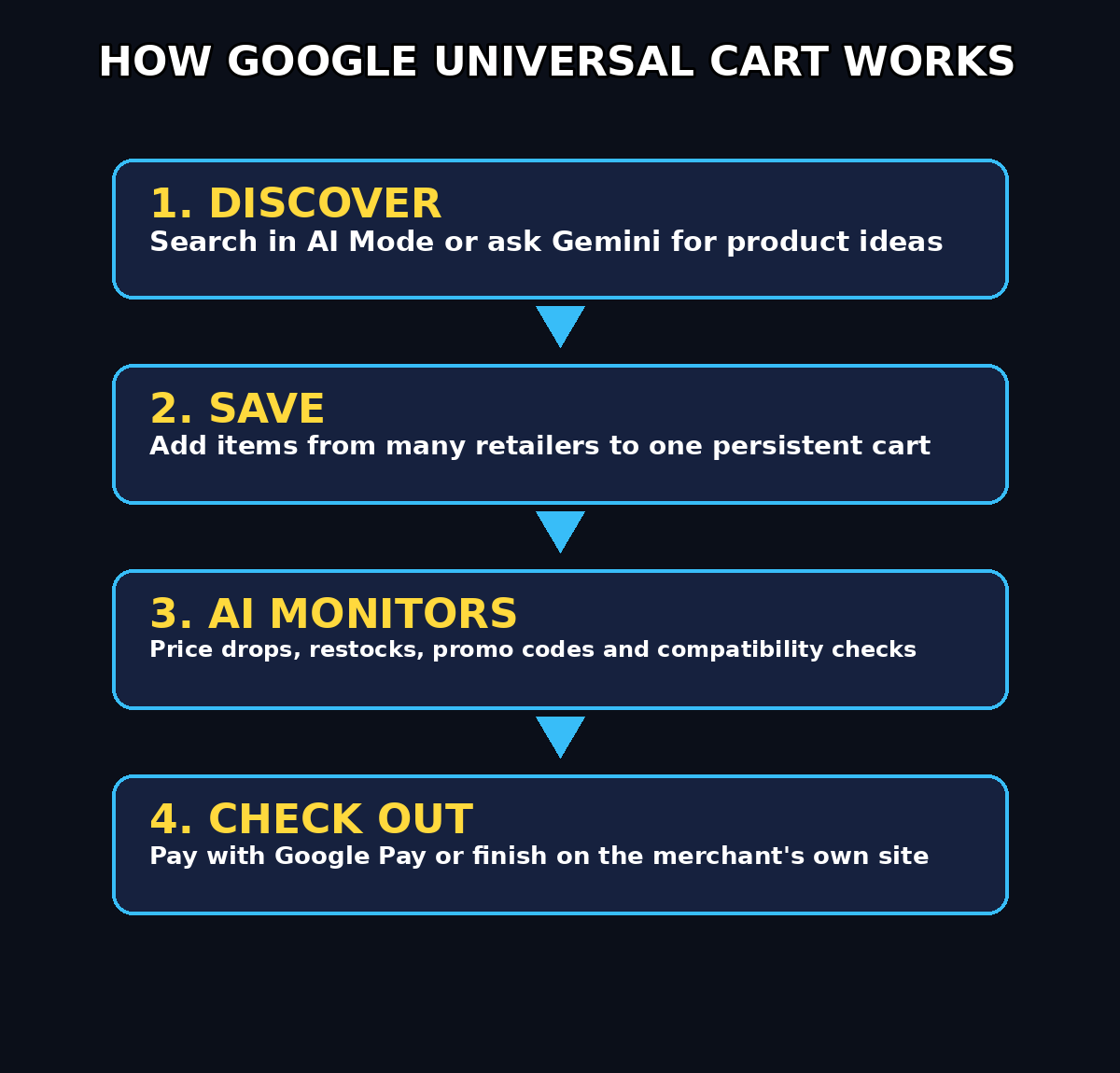
Online shopping is about to feel very different. On October 15, 2026, Google rolled out Universal Cart across the United States — a single AI-powered shopping cart that lives inside Google Search and the Gemini app. Instead of juggling ten browser tabs, screenshots, and separate retailer carts, you save products from many stores in one place, and Google's AI watches prices, finds promo codes, and even checks that the items in your cart work well together.
Universal Cart was first previewed at Google I/O in May 2026, and it arrives just as the holiday shopping season ramps up — with OpenAI, Meta, and Shopify all racing to build their own AI shopping agents. This beginner-friendly guide walks you through everything, step by step. No technical skills needed.
Step 1: Check That Universal Cart Is Available for You
Before anything else, make sure you can actually use the feature. Universal Cart is currently rolling out to users in the United States through the Google app (Search with AI Mode) and the Gemini app. Google has announced plans to extend it to Gmail and YouTube later, but has not given a timeline for those.
Here is your quick checklist:
- You are signed in to a Google account set to the United States
- The Google app and Gemini app are updated to their latest versions
- Notifications are enabled so you can receive price-drop and restock alerts
- Google Wallet is set up if you want card-perk comparisons and one-tap checkout
If you are outside the US, you cannot use Universal Cart yet — but the steps below are still worth reading, because this is clearly where Google is taking shopping everywhere.
Step 2: Find a Product in Google Search's AI Mode
The simplest way to start is the way you already shop: searching. Open the Google app and search for something you want to buy, for example "wireless earbuds under $50". In AI Mode, Google shows an AI-generated overview with product options pulled from its Shopping Graph — a catalog of more than 60 billion continually refreshed listings.
When you spot something you like, look for the option to save or add it to your Universal Cart. That one tap is all it takes. The product leaves the search results and lands in your persistent cart, where it will stay even if you close the app.
Try it with a real example: wireless earbuds are a perfect test purchase because prices change constantly. You could practice by adding the Soundcore P30i ANC earbuds by Anker to a cart and watching how price tracking behaves over a few days. Disclosure: this is an Amazon affiliate link (tag verified) — we may earn a commission at no extra cost to you.
Step 3: Add Products While Chatting With Gemini
Here is where Universal Cart gets interesting. Open the Gemini app and have a conversation instead of a search. Try asking: "I need noise-cancelling earbuds under $60 for commuting — what are my best options?"
Gemini will suggest products, and you can add any of them to the same Universal Cart without leaving the chat. Everything you saved in Step 2 is already there — one cart, fed by both Search and Gemini. You can browse in the morning on Search, ask Gemini for advice in the evening, and never lose track of what you were considering.
Step 4: Open Your Universal Cart and Review Everything
Your Universal Cart is persistent — items stay put while you switch between Search and Gemini, so you can pick up exactly where you left off. Open the cart regularly to:
- See everything you have saved from different retailers in one place
- Remove items you are no longer interested in
- Compare similar products side by side before deciding
- Notice which items have price-drop badges or promo codes attached
Think of it as a shopping list that follows you around Google's universe and quietly gets smarter.
Step 5: Turn On Price-Drop and Restock Alerts
This is the feature that saves you real money. Once a product sits in your Universal Cart, Google's AI monitors it in the background:
- Price-drop alerts — you get a notification when a saved item gets cheaper, so you never have to check retailer sites manually
- Restock alerts — if something is sold out, the cart tells you the moment it is available again
- Price history — the cart tracks how the price has moved over time, so you can tell a genuine deal from a fake discount
With the holiday season approaching, add gift ideas early and let the cart ping you when prices fall. That is the entire strategy — the cart does the watching.
Step 6: Let Gemini Flag Compatibility Issues
Universal Cart is not just a container — it reasons about what is inside it. Google says Gemini analyzes the relationships between products in your cart, not just each item on its own.
This shines for combination purchases. Building a custom PC with parts from several retailers? Assembling a home gym, a skincare routine, or a nursery? The cart can flag compatibility problems before you check out — and suggest alternatives that fit your needs better. It is like having a knowledgeable friend double-check your shopping list.
Step 7: Connect Google Wallet to Compare Card Perks
Because Universal Cart is built on Google Wallet, it understands the perks attached to your payment cards. Link your Wallet and the cart can:
- Recommend the best card to use for each purchase based on rewards and cashback
- Alert you to merchant offers or payment perks before you buy
- Factor in loyalty memberships you already have, without any extra setup
You do not need to memorize which card gives 5% back at which store anymore — the cart remembers for you.
Step 8: Grab Promo Codes Before You Check Out
Before you pay for anything, let the cart do one more sweep. Universal Cart surfaces relevant promotional codes directly alongside your saved products, plus merchant offers you might have missed. Always check the cart for a promo code before completing a purchase — it takes five seconds and it regularly knocks real money off the total.
Step 9: Check Out Your Way
When you are ready to buy, Universal Cart gives you two paths:
- Check out with Google Pay at participating stores — a few taps, without leaving the cart
- Send items to the merchant's own cart and finish the purchase on the retailer's website, if you prefer buying directly
Either way, the retailer remains the seller of record, so order confirmations, shipping, returns, and customer support come directly from the store — not from Google. The checkout plumbing runs on Google's Universal Commerce Protocol (UCP), an open standard released in January 2026 that lets AI shopping interactions turn into real purchases.
Side note for store owners: AI shopping surfaces like this one are becoming a real sales channel. Digital marketing agencies such as d365a.com are already helping merchants get their product feeds ready for AI-driven shopping — if you sell online, this trend is worth watching.
Step 10: Use Your Cart as a Smart Wishlist
Even if you are not buying today, keep using the cart. Save gift ideas, compare options over weeks, and let the alerts work for you. A few good habits:
- Add items the moment you discover them — in Search, in Gemini, anywhere
- Clean out the cart monthly so alerts stay relevant
- Use compatibility checks before big multi-item purchases
- Always glance at promo codes and card recommendations before paying
You have just replaced a messy system of tabs, screenshots, and wish lists with one intelligent cart that shops alongside you.
| Feature | The old way | With Google Universal Cart |
|---|---|---|
| How you shop | Search, open 5 tabs, compare, buy | Add items while browsing — Gemini handles the rest |
| Price tracking | Manual — you check prices yourself | Automatic alerts for drops and deals |
| Stock alerts | None — keep refreshing the page | Notified when sold-out items return |
| Compatibility checks | Your own research | Gemini flags issues and suggests alternatives |
| Promo codes | Hunted down manually | Surfaced automatically in the cart |
| Payment perks | You remember which card to use | Google Wallet recommends the best card |
| Checkout | Enter card details on every site | Google Pay in a few taps, or hand off to the merchant |
| Works across | Search only | Search, Gemini — with Gmail and YouTube planned |
Frequently Asked Questions
Is Google Universal Cart free to use?
Yes. Universal Cart is free — there is no subscription or fee for saving products, receiving alerts, or checking out. You simply pay the normal product prices at the retailer.
Which countries is Universal Cart available in?
As of its launch on October 15, 2026, Universal Cart is rolling out to users in the United States through Google Search (AI Mode) and the Gemini app. Google has not announced dates for other countries yet.
Does Universal Cart work inside Gmail and YouTube yet?
Not yet. Google previewed Universal Cart at I/O 2026 with Gmail and YouTube integrations planned — so you could eventually add products from a promotional email or a video you are watching — but no timeline has been announced for those additions.
Is my payment and shopping data safe?
Universal Cart is built on Google Wallet, so it uses the payment details and cards you already have saved with Google. The retailer remains the seller of record for every purchase. As with any Google service, review your privacy settings in your Google Account and only enable the notifications and connections you are comfortable with.
Who handles returns and customer support?
The store does. Because the retailer is the seller of record, order confirmations, shipping updates, returns, and support all come directly from the merchant — exactly as if you had bought on their site yourself.
Can Universal Cart buy things for me automatically?
Right now Universal Cart is an assistant, not an autopilot: it organizes, monitors, and recommends, but you confirm every purchase. That said, agentic commerce — AI systems that act on your behalf within limits you set — is clearly the direction. Businesses exploring that same idea for their own operations can look at AI automation specialists like agentic-affairs.com to see what is already possible today.
Final Thoughts
Google Universal Cart turns the most annoying parts of online shopping — tab juggling, manual price checks, missed promo codes — into background tasks your AI handles for you. It is free, it is beginner-friendly, and it is live in the US right now, just in time for the holiday season.
Start small: save one product today, turn on alerts, and watch what the cart catches over the next week. Once you see your first price-drop notification, you will wonder why shopping ever worked any other way.
Explore More Free AI Tools
Want more free AI helpers? Try our free tools at aitoolsteps.com: the AI Title Generator for catchy headlines, the Meta Description Generator for SEO-ready snippets, the AI Rewriter to polish any text, and the Keyword Density Checker to fine-tune your content.