

If you have ever typed a question into a search engine and ended up drowning in blue links, pop-ups, and SEO-stuffed pages that never actually answer your question, you are not alone. That is exactly the problem Perplexity AI was built to solve. Instead of giving you a list of links to click through, Perplexity reads the live web for you and returns a clear, direct answer — with clickable sources attached, so you can verify everything yourself.
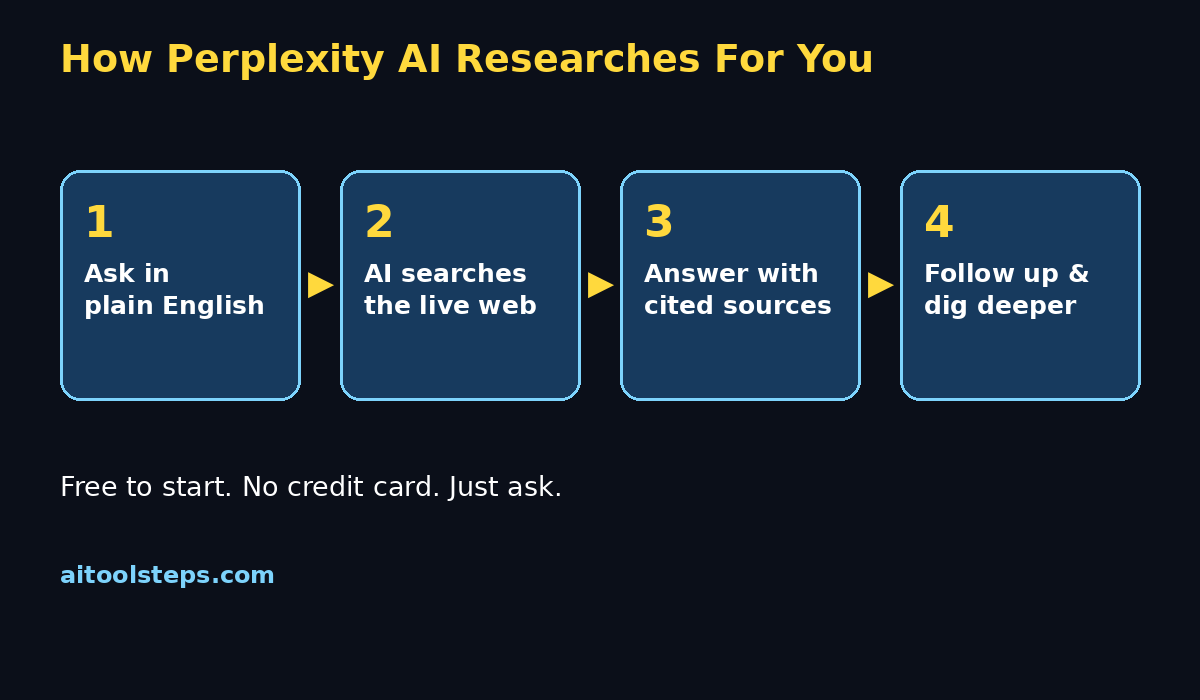
Think of it as the research assistant you never had: you ask in plain English, it searches the web in real time, and it hands you a summary with citations. In this beginner-friendly guide, we will walk you through every step of how to use Perplexity AI, from creating your free account to power-user tricks like Pro Search, file uploads, and research Spaces. Let's get started.
Step 1: Create Your Free Perplexity Account
Getting started with Perplexity takes less than a minute.
- Go to perplexity.ai in your browser.
- Click Sign Up and register with your Google account, Apple ID, or an email address.
- Verify your email if asked, and you are in — there is a free plan available, with no credit card required to start.
Once you are signed in, you will land on a clean page with a single search box. That is the heart of the tool. Everything else is built around it. Perplexity works right in your browser, and there are also free mobile apps for iOS and Android if you prefer researching on your phone.
Step 2: Ask Your First Question
Using Perplexity feels just like texting a very knowledgeable friend.
- Click the big search box on the home screen.
- Type your question in plain, natural English — no keywords, no tricks.
- Press Enter.
Try something like: "What are the best free AI tools for editing photos in 2026?" or "Explain quantum computing like I am five." Within a few seconds, Perplexity searches the live web and writes a direct answer, with small numbered citations linking to the sources it used.
Beginner tip: Ask full questions, not single keywords. "Best laptop for students under 800 dollars" works okay, but "Which laptop should a college student buy in 2026 for programming and everyday use?" gets you a much richer, more useful answer.
Step 3: Write Prompts That Get Better Answers
Perplexity's answers are only as good as your questions. A few simple habits make a huge difference:
- Add context. Tell it who you are and what you need: "I am a beginner with no coding experience. Explain how APIs work."
- Ask for a format. "Give me a bullet-point comparison of iPhone vs Android for photography."
- Set a scope. "Summarize the latest research on sleep and productivity, focusing on 2024 and 2025 studies."
- Be specific about length. "Explain in under 100 words" or "Give me a detailed breakdown with examples."
The more context you give, the less generic your answer will be. This is the single biggest upgrade a beginner can make.
Step 4: Check the Sources (Citations)
This is what makes Perplexity different from a regular chatbot. Every answer includes numbered citations — little source links next to each claim.
- Click any citation number to open the original source.
- Hover over a citation to see a preview of where the information came from.
- At the bottom of each answer, you will find a Sources list with every page it used.
Never skip this step for anything important — homework, health questions, financial decisions, or news. Verifying sources is how you turn a fast answer into a trustworthy one. If a claim has no citation, treat it with healthy skepticism and ask a follow-up like "Can you give me a source for that claim?"
Step 5: Use Pro Search Mode for Deep Research
For quick everyday questions, Perplexity's standard search is perfect. But when you are writing a report, preparing a presentation, or researching a big purchase, switch on Pro Search (look for the Pro toggle or button near the search box).
Here is what Pro Search does differently:
- It asks you clarifying questions before searching, so the research is tailored to you.
- It runs many more searches and reads more sources than the standard mode.
- It structures long answers with headings, tables, and clearer sections.
The free plan includes a limited number of Pro Searches (the exact allowance changes — check perplexity.ai for the current limits), and they reset over time. Save them for questions that really matter. Think of standard search as asking a friend, and Pro Search as hiring a research team.
Step 6: Ask Follow-Up Questions and Build Threads
One of Perplexity's best features is the thread — a conversation that keeps context, just like chatting with a person. After your first answer, you will see a follow-up box at the bottom. You can:
- Ask "Can you simplify that?" or "Explain it with an example."
- Dig deeper: "What about the risks?"
- Change direction: "Now compare that with the alternative."
Every answer in the thread builds on the previous ones, and each new answer gets its own fresh citations. You can also click Related questions that Perplexity suggests under your answer — these are great for exploring a topic you are new to.
Step 7: Focus Your Search on the Right Places
Sometimes you do not want the whole web — you want papers, videos, or discussions. Perplexity lets you focus the search on specific source types. Look for the Focus option before or after you search:
- Web: the default, best for general questions and current events.
- Academic: searches published papers and scholarly sources — ideal for students and researchers.
- Social: pulls in discussions and opinions from social platforms.
- Video: finds relevant video content when you would rather watch than read.
For example, if you are writing an essay on renewable energy, switch the focus to Academic. If you are learning guitar, Video focus might serve you better. Matching the focus to your goal cuts the noise dramatically.
Step 8: Upload Files and Chat With Your PDFs
Perplexity can read your own documents and answer questions about them — a game-changer for students and professionals.
- Look for the attach (paperclip) button in the search box.
- Upload a PDF, document, or other supported file.
- Ask questions like "Summarize the key findings" or "What does page 4 say about pricing?"
You can also paste or upload text and ask Perplexity to explain, summarize, or rewrite it. Studying a long report? Upload it and ask for a 10-bullet summary. Reviewing a contract? Ask it to flag anything unusual (though always have a professional review important documents — AI is a helper, not a lawyer).
Step 9: Organize Your Research With Spaces
Once you start researching regularly, your threads pile up. Spaces solve that. A Space is a folder-like hub where you collect threads, files, and web links around one project — say, "Trip to Japan" or "Marketing plan Q3."
- Create a Space from the sidebar and give it a name.
- Add threads, upload reference files, and drop in useful links.
- Search inside the Space to query everything you have collected.
Spaces turn scattered questions into an organized knowledge base. If you research topics for work or school, this one feature alone is worth learning.
Step 10: Explore the Discover Feed
The Discover tab (sometimes called Discover or News) is Perplexity's curated feed of what is happening right now — breaking news, trending topics, and explainers. Each story is written by AI with citations, just like a regular answer.
It is a surprisingly good way to stay informed: instead of doomscrolling social media, spend ten minutes in Discover and you will get cited summaries of the day's biggest stories. You can also search within Discover for topics you care about.
Step 11: Use the Mobile App and Browser Extension
Perplexity is not just a website.
- Mobile apps for iOS and Android give you the full experience on the go, including voice input — just talk your question instead of typing.
- The browser extension (available for Chrome and other browsers) lets you ask Perplexity about the page you are reading, summarize articles in one click, or search without leaving your tab.
The mobile app is especially handy for real-life questions: "Is this restaurant actually good?" or "What plant is this?" Ask, get a cited answer, and move on with your day.
Step 12: Manage Privacy and Settings Like a Pro
A quick settings check keeps your experience smooth and private.
- Open Settings from your profile menu.
- Review AI data options — you can control whether your searches are used to improve the service.
- Delete old threads you no longer need, or turn on features like auto-delete if offered.
- Connect only the accounts and integrations you actually use.
One more privacy note: avoid pasting sensitive personal information — passwords, ID numbers, private documents — into any AI tool, including Perplexity. Treat it like a helpful public assistant, not a private diary.
Perplexity Free vs Pro vs Other AI Tools: Which Is Right for You?
Here is an honest comparison to help you decide where Perplexity fits in your toolkit.
| Feature | Perplexity Free | Perplexity Pro | ChatGPT (free tier) | Gemini (free tier) |
|---|---|---|---|---|
| Live web search | Yes | Yes (deeper) | Limited | Yes |
| Cited sources on answers | Yes | Yes | Sometimes | Sometimes |
| Pro/Deep Search mode | Limited allowance | Full access | Not applicable | Not applicable |
| File uploads | Yes | Yes (more) | Yes | Yes |
| Best for | Quick cited research | Heavy daily research | Writing & coding | Google-ecosystem tasks |
| Cost | Free | Paid subscription | Free with limits | Free with limits |
The bottom line: if your main need is *research with real sources you can verify*, Perplexity is purpose-built for it. ChatGPT and Gemini are stronger all-rounders for writing, coding, and creative work, but they do not put citations front and center the way Perplexity does. Many people use Perplexity for research and a chatbot for everything else — and that is a perfectly good setup.
FAQ
Is Perplexity AI really free?
Yes. Perplexity offers a free plan that lets you ask questions, get cited answers, and use features like file uploads and Spaces without paying. A paid Pro plan exists for heavier use (more Pro Searches, stronger models, more file uploads). The exact limits change from time to time, so check perplexity.ai for the current details.
Is Perplexity AI better than Google for beginners?
For getting a direct answer, often yes. Google gives you links; Perplexity reads those links and answers the question, with sources attached. That said, Google is still better for finding specific websites, maps, and shopping. Many beginners end up using both: Perplexity for answers, Google for navigation.
Can I trust Perplexity's answers?
Mostly — but verify. Perplexity cites real sources, which is a big trust upgrade over chatbots that answer from memory. Still, always click through the citations for important decisions, and remember that the AI can occasionally misread or misquote a source. Think of it as a brilliant intern: fast and helpful, but worth double-checking.
Does Perplexity AI have a mobile app?
Yes. Free apps are available for iOS and Android. You get the same cited answers, threads, and file uploads, plus voice input for asking questions hands-free.
Can Perplexity AI summarize YouTube videos or PDFs?
Yes to both. Paste a YouTube link and ask for a summary, or upload a PDF and chat with it — ask for summaries, key points, or explanations of specific sections. It is one of the most popular beginner use cases.
Do I need technical skills to use Perplexity AI?
None at all. If you can type a question, you can use Perplexity. The advanced features — Pro Search, Focus modes, Spaces — are optional and easy to learn one at a time, exactly as this guide walks you through.
Final Thoughts
Perplexity AI earns its place in your toolkit for one simple reason: it respects your time and your intelligence. It does not make you hunt through ten tabs to find an answer, and it does not ask you to take its word for anything — every claim comes with a source you can check. Start with the free plan, ask your everyday questions, and add one new skill from this guide each week: citations today, Pro Search next week, Spaces after that.
Within a month, you will research faster than you ever did with plain search — and you will have the receipts to prove every answer. Happy researching!
Explore More Free AI Tools
Ready to keep building your AI toolkit? Check out these free tools on aitoolsteps.com:
- AI Title Generator — craft click-worthy headlines in seconds.
- Meta Description Generator — write SEO-friendly descriptions that boost clicks.
- AI Rewriter — polish and rephrase any text instantly.
- Keyword Density Checker — make sure your content is perfectly optimized.
Each one is free to use and takes less than a minute to try. Your research skills are only the beginning — now make your content work harder too.