

Most AI tools answer one question at a time and then stop. Learning how to use manus ai for beginners is different, because Manus is an AI agent: you give it a complete task, and it plans the steps, browses, writes, organises files, and delivers a finished result. That can feel strange at first, which is exactly why a calm beginner guide helps.
In this guide you will learn how to use manus ai for beginners step by step. You will understand what an agent does, create your account, write your first task the right way, watch the agent work safely, review and improve its output, use it for research, reports, and everyday admin, and avoid the mistakes that waste credits and time. By the end you will have completed one real task and know exactly what to delegate next.
Step 1: Understand What Manus AI Actually Does
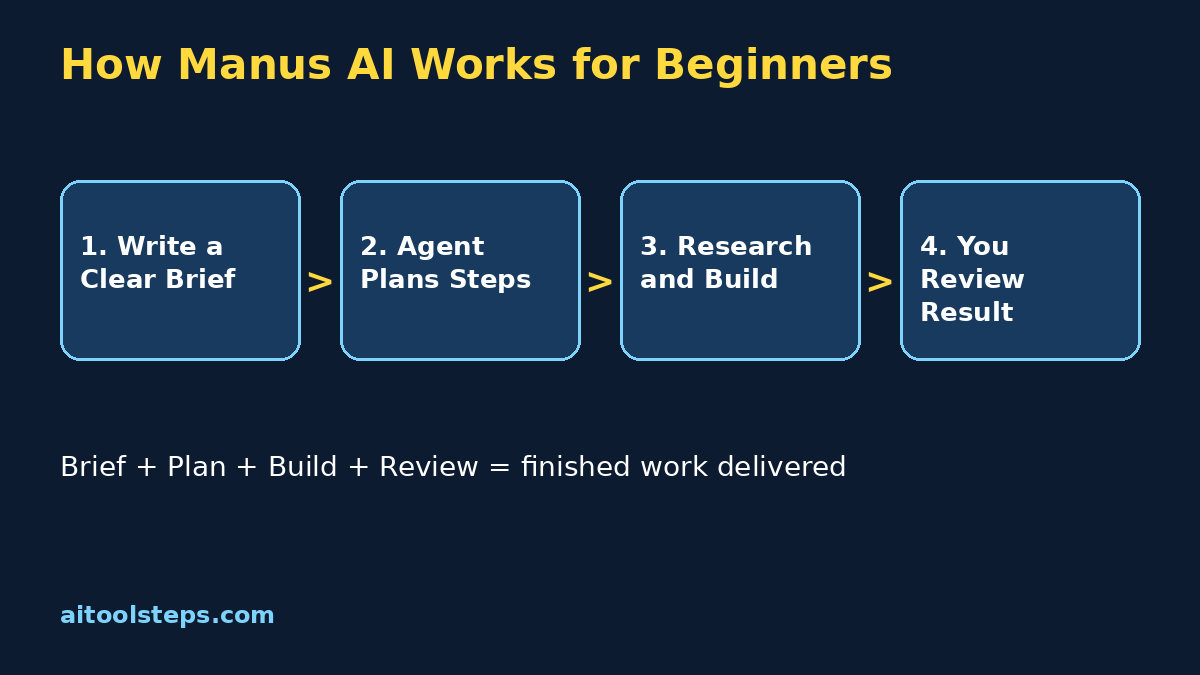
A normal chatbot gives you text. An agent like Manus works more like a junior assistant who can operate tools. When you describe a goal, it breaks the goal into smaller steps, searches for the information it needs, compares options, and assembles the final deliverable, such as a report, a spreadsheet, a summary, or a set of organised notes.
That difference matters for beginners in three ways:
Manus AI is best for multi-step jobs that would normally take you thirty minutes to two hours of copying, searching, and tidying. If a task needs one quick answer, a chatbot is faster. If a task needs ten small steps joined together, an agent is the better tool. Keeping that distinction clear is the foundation of manus ai for beginners success.
Step 2: Create Your Manus Account Safely
Getting started takes only a few minutes, and you should set things up carefully because an agent works with your instructions and files.
Never share your password with an agent, a forum, or a helper tool. You sign in yourself, and the agent works inside the session you authorised. That simple rule keeps manus ai for beginners safe from day one.
Step 3: Write Your First Task Like a Manager
Agents succeed or fail on the quality of the brief. A vague request like research laptops gives vague results. A clear brief gives a useful deliverable. Use this simple formula every time: goal, context, format, and limits.
Your first task should be small, safe, and easy to check. Good first tasks include summarising three articles into one page, building a comparison table from public information, drafting a weekly plan from notes you provide, or researching a topic and listing the best sources with one-line reasons. Avoid anything involving payments, private accounts, or messages to real people until you fully trust the workflow.
Step 4: Watch the Agent Work and Guide It
One of the most helpful parts of manus ai for beginners is that you can watch the plan form and the steps complete in order. Do not just walk away from your first few tasks. Watching teaches you how the agent thinks and where your brief needs to be clearer.
Think of this stage as training a new assistant on their first day. Short corrections now prevent long, expensive mistakes later, and after a few supervised runs you will know which kinds of tasks you can safely leave running.
Step 5: Review, Verify, and Improve the Result
An agent can be fast and still be wrong. Review is not optional, especially for anything you will publish, send, or spend money on. Build a quick checking habit:
A useful trick is to ask the agent to list its sources and note anything it could not confirm. That one instruction makes your review ten times faster and teaches you where the tool is strong and where it guesses. With manus ai for beginners, the reviewer mindset is what turns automation into reliable help instead of risky shortcuts.
Step 6: Use Manus for Research and Reports
Research is where beginners usually see the biggest win. Instead of opening twenty tabs yourself, you describe the question once and receive an organised answer.
Strong research briefs include the exact question, the audience, the depth you want, and the output format. For example: Research the best free video editing apps for students. Compare features, limits of the free plans, and ease of use. Present a table plus a short recommendation for a complete beginner, and cite your sources.
You can also ask for follow-up work on the same result: turn the report into a one-page summary, convert the table into a spreadsheet, or draft social media captions from the key points. Each follow-up is cheap because the agent already holds the research. This chaining of small jobs is where manus ai for beginners starts saving serious hours every week.
Step 7: Use Manus for Everyday Admin and Planning
Not every task is a big report. Manus is also useful for the small admin jobs that quietly eat your day:
Keep personal and sensitive information out of your briefs unless the task truly needs it, and never paste passwords, bank details, or private documents. For everyday planning and drafting, short safe briefs give you most of the benefit with none of the risk.
| Method | Cost to Start | Best For | Main Limit |
|---|---|---|---|
| Doing it yourself | Free | Tiny one-off jobs | Slow and tiring at scale |
| A normal chatbot | Free plans available | Quick answers and drafts | You must run every step yourself |
| Manus AI agent | Free starter credits | Multi-step research and deliverables | Uses credits, needs review |
| Hiring a human assistant | Paid hourly | Judgement-heavy work | Most expensive option |
Step 8: Compare Manus With Chatbots and Doing It Yourself
For most beginners, the sweet spot is a mix: chatbots for quick questions, Manus for joined-up tasks with a clear finish line, and your own hands for anything sensitive or final. The comparison also shows why briefs matter so much: the agent replaces your step-by-step effort, so the brief is the one place your effort still counts.
Step 9: Manage Credits and Avoid Wasting Them
Agent work uses more resources than a single chat answer, so treat credits like a budget. A few habits protect your allowance:
If a task fails or goes off track, stop it early rather than letting it burn credits on the wrong goal. A stopped task plus a clearer brief is always cheaper than a long wrong answer.
Step 10: Avoid the Common Beginner Mistakes
Most early problems with manus ai for beginners come from a short list of habits. Avoid these and your results will improve fast.
Frequently Asked Questions
Is Manus AI free for beginners?
You can usually start with free starter credits to try real tasks before paying. Exact allowances and plan details change over time, so check the official pricing page for the current free amount before you plan a big workflow around it.
Do I need technical skills to use Manus AI?
No. You describe tasks in plain English, review a simple plan, and read the finished result. If you can write a clear message explaining what you want, you already have the main skill the tool needs.
What is the difference between Manus and ChatGPT?
A chatbot mainly answers and drafts in conversation, one reply at a time. Manus is an agent built to complete multi-step tasks end to end, using tools and sources, and deliver a finished file or report. Many people use both for different kinds of work.
Is it safe to give Manus my files and information?
Only share what a task genuinely needs, use the official site, protect your account with a strong password and extra verification, and never paste passwords, payment details, or highly private documents into a brief.
What should my first Manus task be?
Pick a small research or organising job you can check easily, such as comparing five products in a table or summarising three articles. A task you can verify teaches you the workflow and builds trust safely.
How do I get better results from Manus?
Write briefs with a clear goal, context, format, and limits, review the plan early, and ask for specific revisions instead of starting again. Saving and reusing your best briefs improves results every week.
Final Thoughts
Learning how to use manus ai for beginners is really about learning to delegate clearly. You define the finish line, the agent walks the steps, and you review like a careful manager. Start with one small research task, check it properly, reuse the brief that worked, and slowly hand over bigger joined-up jobs. Within a few weeks, the tasks that once filled your afternoon will arrive as tidy drafts waiting for your approval, and you will spend your time deciding instead of copying, searching, and tidying.
Explore More Free AI Tools
Discover more free tools and step-by-step guides on AIToolSteps:
Visit https://aitoolsteps.com/ to explore all free AI tools and beginner guides.