

If you ask ChatGPT or Claude how to grow your business, you get the same generic advice every time: post consistently, know your audience, fix your SEO. The advice is not wrong, but your AI assistant is guessing, because it cannot see your real numbers. This Manifold MCP beginners guide shows you how to fix that. It does not know your Google rankings, what your competitors are running as ads, or what people are asking for on Reddit right now.
Manifold MCP fixes exactly that. It is one hosted MCP server that plugs live marketing data straight into your AI assistant. Google rankings and backlinks, what ChatGPT and Gemini say about your brand, TikTok and YouTube trends in your niche, Reddit threads, your competitors’ live ads, and verified buyer emails — all available through plain-English questions inside Claude, ChatGPT, Cursor, Claude Code, Codex, Gemini CLI, or Grok.
The best part: it is free to start with 500 credits and no credit card required. In this Manifold MCP beginners guide, you will learn what Manifold MCP is, how to connect it in minutes, and the exact questions to ask to get real marketing answers from your AI agent.
What Is Manifold MCP?
Manifold MCP is a hosted Model Context Protocol (MCP) server built for marketing. Instead of juggling a pile of browser tabs and spreadsheets, you connect it once to your AI assistant and then ask questions in plain words. Your agent pulls the numbers and does the work for you.
Here is the kind of live data Manifold gives your agent:
- SEO data: live Google rankings and backlinks for your site.
- AI answers: whether ChatGPT and Gemini recommend your brand for your category — and who they name instead.
- Social data: what is winning on TikTok, YouTube, and Instagram in your niche.
- Reddit: threads from the last month where people ask for a product like yours.
- Competitor ads: the live ads your competitors are running right now on platforms like Meta.
- Leads: verified work emails of buyers who are looking right now.
It also ships with a free skills library (MIT licensed) for whole marketing jobs, like `/find-seo-quick-wins` and `/create-launch-plan`. And the pricing is beginner-friendly: every tool tells your agent its price before it runs, so there are no surprise charges.
Step 1: Understand What MCP Is (The 5-Minute Primer)
Before you touch Manifold, you need to understand the Model Context Protocol, the open standard behind it. Do not worry — the concept is simple, and you do not need to be a developer.
Most Manifold MCP beginners skip this primer and get confused later — do not. Think of it like this. A normal AI chatbot is like a brilliant consultant locked in a room with no windows. It knows a lot, but it cannot see your business. MCP opens the windows. It is a standard way for AI applications to connect to external tools and data sources, so the same assistant can look things up and get tasks done inside real tools, within the permissions you give it.
Three pieces work together:
- Host: the AI app you already use — Claude, ChatGPT, Cursor, or similar. The host coordinates everything.
- Client: a dedicated connection inside the host that talks to one MCP server.
- Server: the tool side — in our case, Manifold’s hosted server, which holds the marketing data and answers your agent’s questions.
The key word is hosted. Manifold runs on their servers, not yours. There is nothing to install, no Node.js to manage, no terminal commands, and it is always up to date. You connect once through a URL or an API key, and you are done. That is why this guide works for total beginners: the hard infrastructure part is already handled for you.
If you run a small business, a blog, or a side project, this matters more than it sounds. Marketing teams already use AI heavily, but usually for writing and brainstorming — not inside the tools where campaigns actually run. An assistant that can read your real rankings and your competitors’ real ads answers from your data instead of guessing. That is the whole point of Manifold.
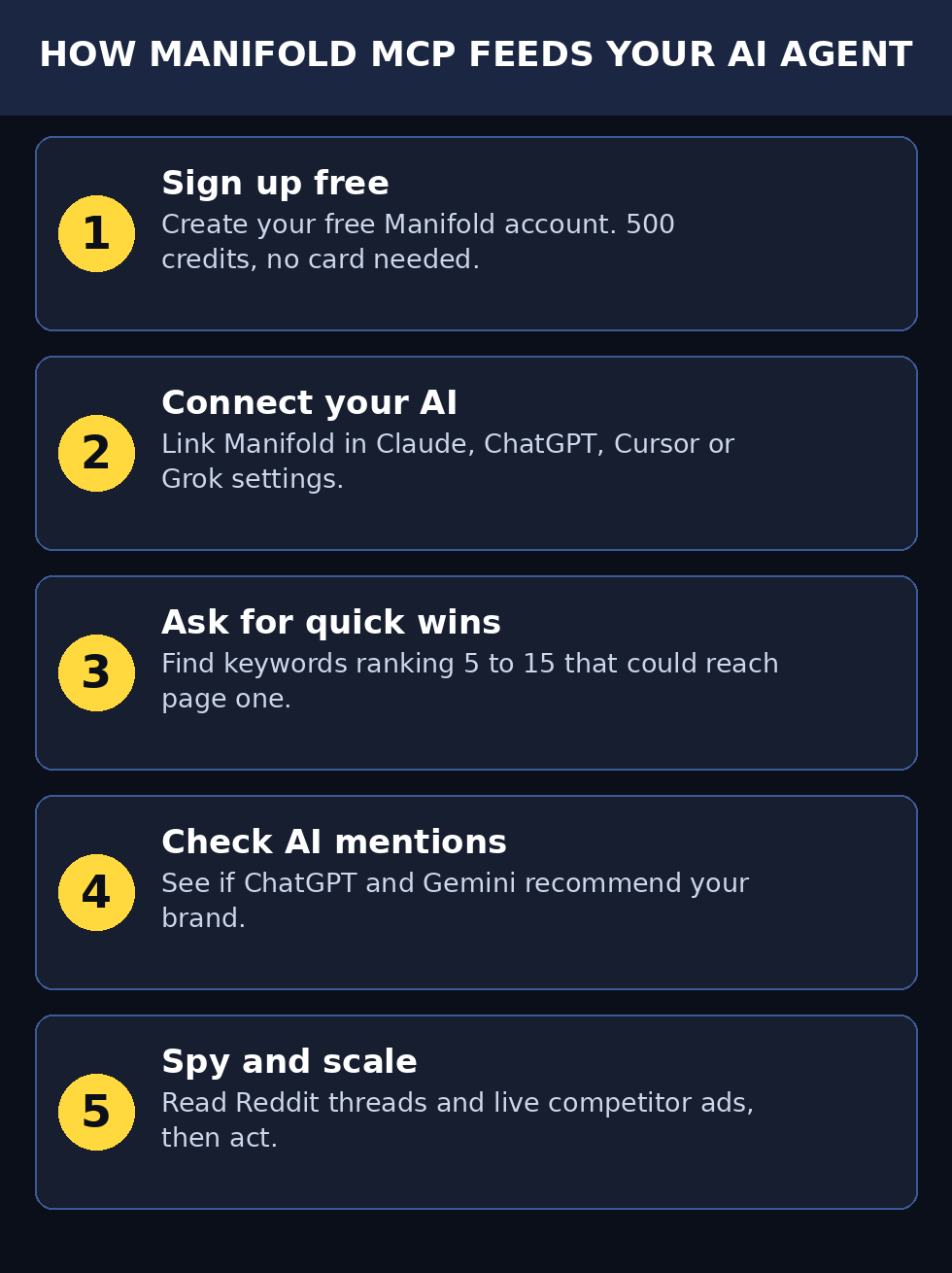
Step 2: Create Your Free Manifold Account (500 Credits, No Card)
Getting started with this Manifold MCP beginners setup takes about three minutes, and you do not need a credit card.
- Find Manifold MCP. The product launched on Product Hunt in October 2026 — search for “Manifold MCP” or open its Product Hunt page at https://www.producthunt.com/products/manifold-mcp to find the official website link. Always sign up from the official site, never from a random link someone sends you.
- Sign up for a free account. Use your Google account or your work email, whichever you prefer. The free tier is designed for trying things out, so there is no payment step.
- Claim your 500 free credits. New accounts start with 500 credits. This is your testing budget — enough to run dozens of real marketing queries and see exactly what the tool can do before you spend anything.
- Confirm you are on the free plan. After signup, open your account dashboard and check that your credit balance shows 500 and that no card is attached. Take a screenshot for your records, so you always know your starting point.
Why this matters: many marketing tools ask for a card “just for verification” and then start billing you quietly. Manifold’s model is different — the free credits come first, and every tool tells your agent its price before it runs. You stay in control of spending from day one.
Pro tip for agencies: if you do marketing work for clients, like a digital agency does, this free tier is perfect for running a demo on one client site before committing. Teams such as the one at d365a.com often test new marketing data tools on a single project first — you can do the same with your 500 free credits.
Step 3: Connect Manifold to Your AI Assistant
This is the step that makes everything work: connecting Manifold’s hosted server. Many Manifold MCP beginners say this five-minute connection is the moment everything clicks to the AI app you already use. Manifold supports Claude, ChatGPT, Cursor, Claude Code, Codex, Gemini CLI, and Grok.
The exact clicks differ slightly per app, but the pattern is the same everywhere:
- Get your Manifold connection details. In your Manifold dashboard, look for the “Connect” or “Integrations” section. You will find either a server URL or an API key (sometimes both, depending on the app you use).
- Open your AI app’s settings. In Claude, look for Settings → Connectors. In ChatGPT, look for Settings → Apps / Connected apps. In Cursor, look for MCP settings. You are looking for the place where external tools or MCP servers are added.
- Add Manifold as a new server. Paste the server URL or enter the API key, following the on-screen instructions. Because Manifold is hosted, there is nothing to install — your app connects over the internet, and the server is always up to date.
- Approve the connection. Your AI app will ask you to confirm that Manifold can provide data to your conversations. Approve it. You can disconnect it any time from the same settings page.
- Test the connection. Type a simple question like: “What can you look up for me through Manifold?” Your assistant should list the marketing data sources it can now reach. If it does, you are connected.
Beginner mistake to avoid: do not paste your API key into a chat message or a public forum. Treat it like a password. If you ever share your screen in a tutorial or a call, hide the key. Most dashboards let you regenerate the key with one click if it ever leaks.
Step 4: Find Your SEO Quick Wins with Manifold MCP
Now the fun begins — this is where Manifold MCP beginners see their first real data. The single highest-value first question you can ask is about SEO quick wins — keywords where you already rank on page two (positions 5–15) and could reach page one with a small push.
Type this into your connected assistant:
“Which keywords do we rank 5 to 15 for that could reach page one?”
Here is what happens behind the scenes: your assistant calls Manifold’s SEO tools, which pull your live Google rankings. The agent then filters for keywords sitting just below page one and explains, in plain English, which ones are worth targeting and why.
Why start here? Because these are the cheapest wins in all of marketing. Moving a keyword from position 8 to position 3 can multiply your traffic from that keyword several times over, and it usually takes far less work than ranking for something brand new. Your agent can even suggest what to improve on each page — a better title, a missing section, a faster load — based on what the top-ranking pages are doing.
Make it a weekly habit. Rankings move constantly. Ask the same question every Monday morning and turn the answer into your content to-do list for the week. Ten minutes of asking, and you have a data-backed plan instead of guesswork.
If you are new to SEO entirely, pair this with a beginner SEO guide first so the terms (rankings, backlinks, positions) feel familiar — then come back and let Manifold show you your own numbers.
Step 5: See What AI Chatbots Say About Your Brand (Manifold MCP)
Here is a use case that did not exist two years ago: checking whether AI chatbots recommend your business. For Manifold MCP beginners, this AI-mention check is often the most surprising first win. When a potential customer asks ChatGPT or Gemini for the best tool, agency, or product in your category, does your brand get named — or does a competitor?
Ask your assistant:
“Does ChatGPT recommend us for [your category]? Who does it name instead?”
Replace `[your category]` with what you actually sell, for example “email marketing software for small business” or “AI video editing tools”. Your agent uses Manifold’s AI-answers data to check what the major chatbots say and reports back with names.
This matters enormously in 2026, because a growing share of product discovery now happens inside AI chatbots instead of Google. If the chatbots never mention you, you are invisible in a channel your competitors may already be winning.
What to do with the answer:
- If you are mentioned, find out why — which pages or reviews the chatbots are drawing from — and strengthen those sources.
- If a competitor is mentioned instead, study what they do differently: their reviews, their content, their listings.
- Repeat the check monthly. AI answers shift as models update, so this is not a one-time task.
For businesses exploring AI-driven growth more broadly, working with specialists in AI automation services can speed this up — firms like agentic-affairs.com focus on exactly this kind of AI-powered marketing workflow.
Step 6: Find Reddit Threads Asking for Your Product
Reddit is where real buying intent hides. Every day, people post things like “what is the best budget microphone for podcasting?” or “is there a tool that does X automatically?” — and the best answers often come from other users, not from brands.
The problem: finding these threads manually is exhausting, and Reddit’s own search is limited. Manifold solves it. Ask:
“Find Reddit threads from the last month asking for a product like ours.”
Your agent searches recent Reddit conversations and returns the threads where people are actively looking for what you sell, along with what they are saying and which solutions are being recommended.
How to use this without being spammy (very important):
- Read first, post later. Spend a week just reading the threads your agent finds. Learn the language people use and what they actually complain about.
- Answer helpfully, not promotionally. When you do reply, give a genuinely useful answer. Mention your product only if it truly fits — and disclose that you are affiliated with it.
- Never automate replies. Reddit communities punish spam fast, and one spammy account can burn your brand’s reputation permanently. Use Manifold to *find* the conversations; be a human in them.
- Mine threads for content ideas. The questions people ask on Reddit are the exact titles your next blog posts and videos should use, because real humans typed them.
This one feature alone can replace hours of manual Reddit lurking every week.
Step 7: Spy on Your Competitors’ Live Ads with Manifold MCP
Would you like to see exactly what ads your competitors are running right now — the headlines, the images, the offers? With Manifold, you just ask:
“What is our main competitor running on Meta right now?”
Your agent pulls the competitor’s live ads and breaks them down: what angles they are testing, what offers they lead with, how their creative looks, and how long each ad has been running (long-running ads are usually winners).
How to turn this into an advantage:
- Borrow angles, not copy. If three competitors all lead with “free trial, no card required”, that tells you what the market expects. Match the expectation, then differentiate somewhere else.
- Spot gaps. If every competitor advertises features but nobody talks about customer support or pricing transparency, that gap is your opening.
- Watch for new launches. A sudden burst of new ads from a competitor often signals a product launch or a funding round. You will see it the same week it happens.
- Check seasonally. Ad strategies change around holidays and events. A monthly check keeps you from being blindsided.
Manifold MCP beginners love this step because it turns public ad data into a conversational briefing. A word of honesty: this is competitive intelligence, not cheating. Ad libraries are public data — Manifold just makes them conversational. Every serious marketer studies competitors; the only question is whether you do it in ten seconds or ten hours.
Step 8: Get Verified Emails of Buyers Looking Right Now
Manifold can also surface verified work emails of potential buyers — people and companies showing buying signals in your space. For Manifold MCP beginners, treat this as an advanced feature to explore after you are comfortable with the SEO and Reddit workflows.
The workflow looks like this:
- Ask your agent to find companies or people matching your ideal customer profile.
- Review the verified emails it returns — “verified” means the addresses have been checked as deliverable, which protects your sender reputation.
- Send a short, personal, genuinely useful cold email. Not a template blast.
The golden rules of cold outreach:
- Keep it under 100 words. Respect people’s time.
- Make it about them, not you. Reference something specific about their business.
- One clear call to action. Not three.
- Follow up once, politely, then stop. Persistence is good; pestering is not.
Used responsibly, this turns Manifold from a research tool into a pipeline tool. Used irresponsibly (bulk spam), it will burn your domain’s email reputation fast. Start small: ten thoughtful emails beat a thousand generic ones.
Step 9: Use the Free Skills Library for Whole Marketing Jobs
Here is a feature most Manifold MCP beginners miss: Manifold ships with a free, MIT-licensed skills library for complete marketing jobs. Instead of asking one question at a time, you invoke a skill and your agent runs a whole workflow.
Two skills to try first:
- `/find-seo-quick-wins` — runs the full SEO quick-win analysis from Step 4 automatically: pulls your rankings, finds the page-two keywords, and drafts the action plan.
- `/create-launch-plan` — builds a complete launch plan for a product or feature, informed by live data on competitors, Reddit conversations, and social trends.
To use them, just type the skill name (for example `/find-seo-quick-wins`) into your connected assistant, followed by any context like your website URL or product name. The agent takes it from there.
Why skills matter for beginners: they encode expert workflows. You get the output of a process a marketing consultant might charge for, by typing one line. As you get comfortable, read what the skill does step by step — it is a free education in how professional marketing analysis works.
Step 10: Track Your Credits and Scale Up Smartly
You started with 500 free credits. Here is how to make them last and decide what to do when they run out.
Stretch your credits:
- Batch your questions. Instead of five separate chats, ask for a weekly report in one go: rankings, AI mentions, new Reddit threads, competitor ad changes. One session, one plan.
- Reuse skills. The skills library workflows are efficient by design — they fetch what they need in fewer calls than manual back-and-forth.
- Ask for prices first. Every Manifold tool tells your agent its price before it runs. If a query looks expensive, ask the agent to explain the cost before confirming.
When credits run low:
- Check your dashboard to see which queries used the most credits. Cut or batch the expensive ones.
- Decide which workflows earned their keep. If the weekly SEO report consistently finds wins, that workflow deserves a paid budget.
- Upgrade only the plan you need. Pay-per-call pricing means you pay for what you use — start small and scale with results, not with hope.
Measure ROI simply: pick one metric before you start — organic traffic, Reddit referral visits, or demo requests — and check it monthly. If Manifold-driven actions move the number, the tool pays for itself. If not, adjust the questions you ask before you adjust your budget.
Manifold MCP vs Alternatives: Quick Comparison
| Approach | Cost to start | Setup difficulty | Data freshness | Best for |
|---|---|---|---|---|
| Manifold MCP | Free (500 credits, no card) | Easy (hosted, connect once) | Live | Beginners who want answers in plain English |
| Manual research (tabs + spreadsheets) | Free | Easy but slow | Depends on you | People with more time than budget |
| Traditional SEO suites (Ahrefs, Semrush style) | Paid (usually $100+/mo) | Medium | Live | SEO professionals who need depth |
| Separate single-purpose MCP servers | Free–mixed | Hard (many installs) | Varies | Developers comfortable with setup |
| Asking AI without data | Free | Easiest | Stale/guessing | Quick brainstorming only |
The honest takeaway for Manifold MCP beginners: Manifold does not replace a full SEO suite for professionals, and it does not replace human judgment anywhere. What it does is collapse the gap between “I have an AI assistant” and “my AI assistant can see my market” — for free, in an afternoon.
Frequently Asked Questions
Is Manifold MCP really free?
Yes, to start — Manifold MCP beginners often ask this first. New accounts get 500 free credits with no credit card required. After the credits run out, you pay per call — and every tool tells your agent its price before it runs, so there are no surprise charges. Always confirm the current pricing on the official site, since free tiers can change.
Do I need to know how to code to use Manifold MCP?
No. That is the whole point of a hosted MCP server: there is nothing to install and no terminal commands. You connect it once in your AI app’s settings (Claude, ChatGPT, Cursor, and others are supported) and then ask questions in plain English. If you can use ChatGPT, you can use Manifold.
Which AI assistants work with Manifold MCP?
Manifold works with Claude, ChatGPT, Cursor, Claude Code, Codex, Gemini CLI, and Grok. Connect it once in whichever app you use most — you do not need all of them.
What is the difference between MCP and a regular API?
A regular API is built for programmers: you write code to call it. MCP is a standard that lets AI assistants call tools on your behalf through conversation. With Manifold’s hosted MCP server, you never touch code at all — you ask a question, your agent calls the right tools, and you get the answer.
Is it safe to connect Manifold to my AI assistant?
Manifold is a read-mostly marketing data service: it looks up rankings, ads, threads, and other public or licensed data. You approve the connection in your AI app, and you can disconnect it any time from the same settings page. As always, never paste your API key into public chats or forums, and regenerate it if it ever leaks.
Can Manifold MCP replace my SEO tool subscription?
For many beginners and small businesses, it can cover the core jobs: tracking rankings, finding quick wins, and watching competitors. Professional SEOs doing deep technical audits will still want a dedicated suite. A sensible path is to start free with Manifold, learn what data actually drives decisions for you, and only then decide whether a paid suite adds enough to justify its cost.
Final Thoughts
Most AI marketing advice fails for one reason: the AI cannot see your business. Manifold MCP removes that blindness. One hosted connection gives your assistant live SEO rankings, AI chatbot mentions, social trends, Reddit conversations, competitor ads, and verified buyer emails — and you talk to all of it in plain English.
Start with the free 500 credits. If you followed this Manifold MCP beginners guide step by step, connect it this afternoon. Ask for your SEO quick wins first, then check what the chatbots say about your brand, then let it find the Reddit threads where your future customers are already asking for help. That is a real marketing workflow, built in a day, for zero cost.
The marketers who win in 2026 will not be the ones with the biggest budgets. They will be the ones whose AI assistants can see the market clearly. Now yours can too.
Explore More Free AI Tools
Want to keep building your AI toolkit? Try these free tools on AIToolSteps:
- AI Title Generator — craft click-worthy headlines in seconds: https://aitoolsteps.com/
- Meta Description Generator — write perfect search snippets: https://aitoolsteps.com/
- AI Rewriter — refresh old content effortlessly: https://aitoolsteps.com/
- Keyword Density Checker — keep your SEO on target: https://aitoolsteps.com/
Manifold MCP beginners who work through all ten steps will have live marketing data flowing into their AI assistant within an afternoon — and the free tools above will help you act on what you find. Most Manifold MCP beginners start with the SEO quick wins in Step 4, because ranking movement is the fastest proof that the setup works.