
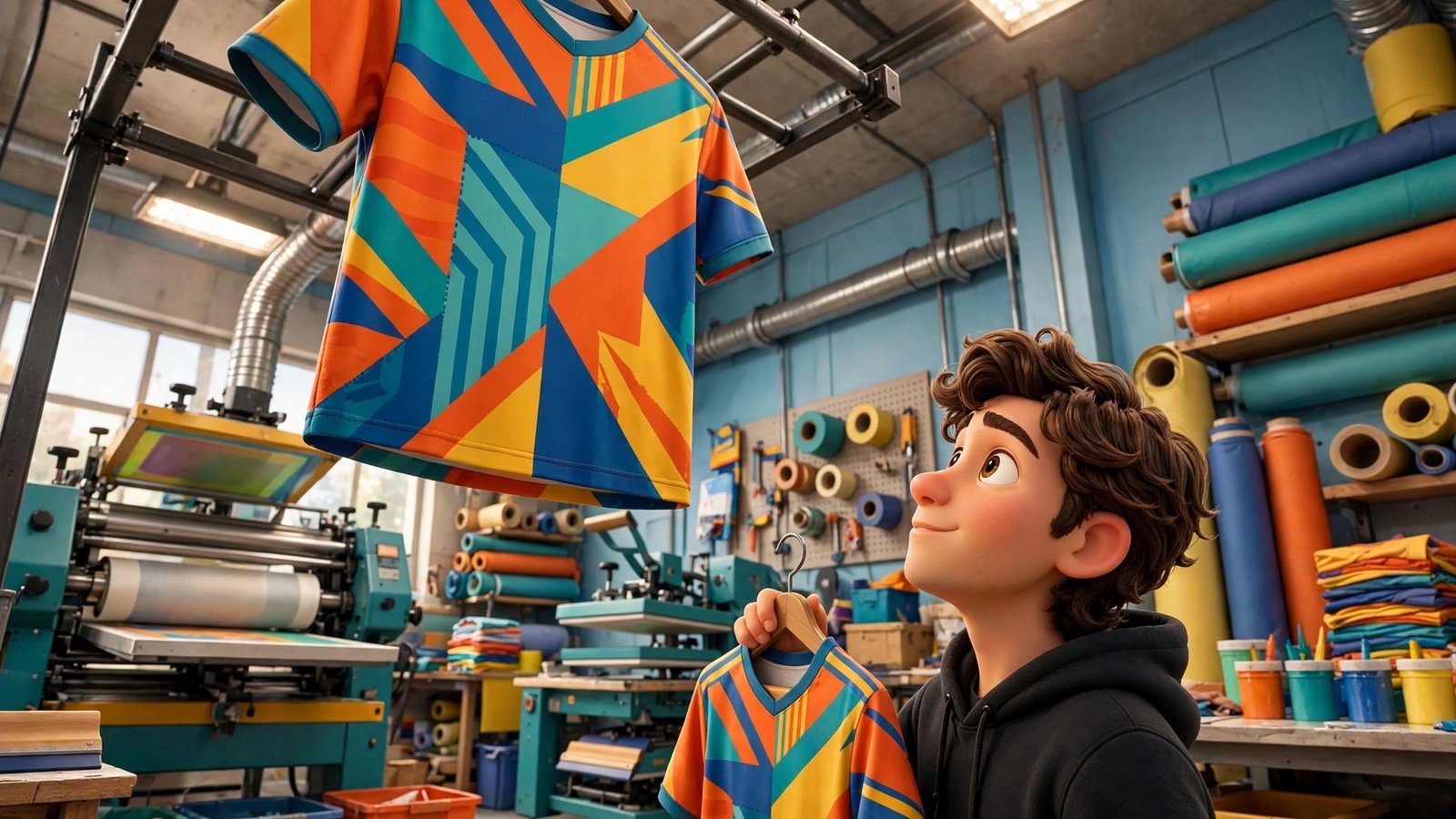
You have an AI-generated jersey design that looks amazing on screen — bright colours, bold graphics, a crest that pops. Then you send it to a printer and the problems start: colours that sublimation cannot reproduce, lettering too small to read from the stands, seams cutting through your artwork, and a design that simply does not fit the real cut of the shirt. Capra Sports built a free tool to close exactly that gap. Launched on October 28, 2026, the Capra Sports AI jersey builder takes an AI image you already made, rebuilds it on the real production template for your sport, and shows you a print-ready uniform in about 30 seconds — free, with no minimum order and no obligation to buy.
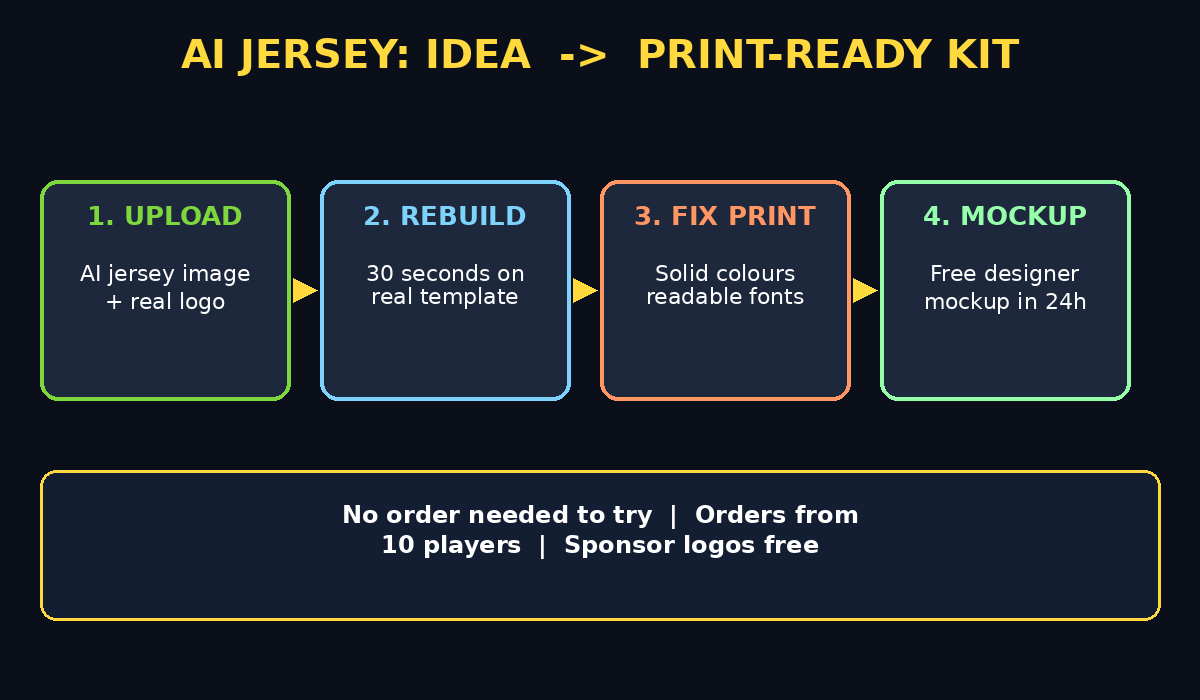
This beginner guide walks you through the whole process: what the tool does, how to prepare your AI design, how to upload it, how to fix the problems it flags, and how to get a finished designer mockup within 24 hours if you want a human eye on it. You do not need design software, printing knowledge, or a team order to try it. If you coach a team, run a youth club, organise a corporate tournament, or just want one great-looking custom jersey, this tool is made for you.
Step 1: Understand What the Capra Sports AI Jersey Builder Actually Does
Most AI image generators draw a jersey as if it were a flat poster. Real uniforms are not flat. They have panels, seams, collars, sleeve cuts, and fabric that stretches and curves around a body. Sublimation printing — the process used for most custom team uniforms — also has limits: neon glows, chrome effects, and ultra-fine gradients often cannot be printed faithfully.
The Capra Sports builder fixes that mismatch. You upload your AI-generated jersey image, pick your sport, and the tool rebuilds the design on the production template that your uniform will actually be printed from. It keeps the look of your design — the colours, the layout, the overall idea — but maps it onto the real cut, replaces unprintable glow and chrome effects with colours sublimation can reproduce, sets the lettering in readable athletic fonts, swaps in your team's real logo, and designs the back with names and numbers.
Think of it as translation, not replacement. Your AI design is the idea; the builder turns it into something a factory can actually make. That is why nearly two in five designs made in the builder now start from an uploaded picture rather than a blank page: teams already have the idea, they just need it made printable.
Step 2: Gather What You Need Before You Start
Before you open the builder, collect four things and your first run will go much faster. First, your AI jersey image — a PNG or JPG from any image generator, ideally a clear front view with good lighting and visible colours. Second, your team's real logo as a clean image file, because the builder swaps the AI-invented logo for your actual crest. Third, your roster details if you want names and numbers on the back: player names, numbers, and any sponsor logos. Fourth, your sport and garment choice, because basketball, soccer, volleyball, flag football, baseball, softball, and football all have different cuts and templates.
You do not need to pay anything at this stage. The rebuild and the designer mockup request are both free, and there is no minimum order to request one. Uniform pricing only matters later if you decide to order: jersey and shorts start at $39.99 per player for groups of 10 to 19 players in basketball, soccer, volleyball, and flag football, while a full baseball uniform starts at $74.99 per player at the same quantity, with prices dropping at 20 and 50 players and sponsor logos included at no extra charge.
Step 3: Open the Builder and Upload Your AI Design
Open the Capra Sports AI jersey design-to-uniform builder in your browser. The workflow is upload-first, which means you do not start from a blank template and try to recreate your design — you start from your design itself. Click upload, choose your AI image, and wait a few seconds while it loads.
Choose a strong source image for the best result. A clean, front-facing jersey shot with even lighting works far better than a dramatic side angle, a photo of a player mid-action, or a dark, moody render. If your AI image has a busy background, heavy shadows, or text baked into strange places, the builder may still work, but expect more cleanup in the next steps. If you have several versions of a design, upload your clearest one first; you can always try another version afterwards and compare the two rebuilds side by side.
Step 4: Pick Your Sport and Production Template
Next, pick your sport. This step matters more than it looks, because the template decides where seams fall, how sleeves are shaped, and how much space the front, back, and sides really have. A soccer jersey and a basketball jersey may look similar in an AI image, but their production templates are completely different, and a design mapped onto the wrong template will shift when it is printed.
Select the sport and garment that match what you actually plan to order. If you are designing for a youth soccer team, choose soccer. If it is a school basketball squad, choose basketball. Do not pick a template just because it looks better on screen — the whole point of this tool is that the preview matches the garment you will receive. If you coach multiple sports, run the same design through each sport's template separately and compare how the artwork sits on each cut.
Step 5: Let the Builder Rebuild Your Design in About 30 Seconds
Once your image and sport are set, the builder rebuilds your design on the production template in about 30 seconds. Watch what changes, because those changes are the whole value of the tool. Glow effects become solid, printable colours. Chrome and metallic gradients become flat colours that sublimation can hold. Tiny, thin lettering becomes a readable athletic font. Artwork that crossed a seam gets repositioned so it is not cut in half on the real shirt.
Compare the rebuild with your original carefully. The colours should still feel like your design, even if they are slightly less neon. The layout should still read as the same jersey, even if a graphic moved a few centimetres to clear a seam. If something important disappeared or a colour shifted too far, note it now — Step 7 shows how to get a human designer to match it as closely as the real garment allows, free of charge.
Step 6: Add Your Real Logo, Names, and Numbers
Now replace anything the AI invented with your real details. Upload your team's actual logo so the builder swaps it in for the AI-generated crest, which is almost never your real badge. Then design the back: add player names and numbers in a font size that stays readable from the stands, not just on a phone screen.
This is also the moment to add sponsor logos, which are included at no extra charge on orders. Place sponsors where they do not fight with the main design — a clean chest or sleeve placement usually beats a large logo squeezed across a busy graphic. Check spelling twice on every name and number before moving on; a misspelled name on a printed uniform is expensive to fix later, but free to catch now. If your team does not have a final roster yet, you can still preview the layout with placeholder names and update them before ordering.
Step 7: Review the Print-Ready Details Like a Printer Would
Before you approve anything, review the rebuild the way a print shop would. Check four things. First, colours: are the bright areas still vibrant, but in solid colours a printer can actually reproduce? Second, lettering: can you read every word at a glance, including the back names and numbers? Third, seams and edges: does any important graphic get cut off at a seam, collar, or sleeve edge? Fourth, the overall balance: does the jersey still look like the design you fell in love with, or did the cleanup strip out its character?
Small details can shift because the rebuild is made with AI, and Capra Sports is upfront about that. If the automatic rebuild is close but not perfect, do not settle and do not start over from scratch. Send it to a Capra Sports designer from the same page, free, and you will receive a finished mockup within 24 hours, matched as closely as the real garment allows. That human pass is the best way to protect a design you care about.
Step 8: Request Your Free Designer Mockup
On the same builder page, you can send your design to a Capra Sports designer for a finished mockup, free, with no obligation and no minimum to request one. This is the step most beginners skip — and the step that saves the most regret. A designer checks your rebuild against the real garment, tightens anything the automatic pass missed, and returns a mockup you can actually approve with confidence.
When you send it, add a short note about what matters most to you: which colours must stay exact, which graphic is the centrepiece, and anything the automatic rebuild changed that you want restored if possible. The clearer your note, the closer the mockup will land on the first pass. Expect the finished mockup within 24 hours. Use that waiting time to confirm your roster, sizes, and quantities so you are ready to order — or to decide, with zero pressure, that you do not want to order at all.
Step 9: Compare the Builder With Starting From Scratch
If you do not have an AI design yet, you can also start from scratch in the free jersey customizer on the same site. So which route should you choose? Upload-first is faster and better when you already have a look you love, when your team voted on an AI concept, or when you want to test whether a viral AI design can actually be printed. Starting from scratch is better when you have no design yet, when you want full control over every panel from the beginning, or when your design is so complex that rebuilding it would lose more than it saves.
Many teams do both: upload the AI concept to see what survives the print process, then use the customizer to rebuild the strongest version cleanly. Either way, the builder page is updated as new sports and garments are added, so check back if your sport was not covered when you first looked. For a small club, the free route is genuinely useful — you get a print-ready view of your kit before spending anything, which is exactly what a good digital agency would advise before committing a budget to branded merchandise: test the creative against real production limits first.
Step 10: Decide, Order, or Walk Away — With No Pressure
The final step is a decision, not a purchase. If the mockup looks right, you can place an order starting at 10 players, with prices dropping at 20 and 50 players. If it does not, you walk away having spent nothing — the rebuild and the mockup were free, and you learned what your design looks like as a real uniform.
Before ordering, double-check sizes across your roster, confirm quantities, and confirm sponsor placements one last time. Share the mockup with your team or club committee and get sign-off in writing, especially on names, numbers, and colours. If you run a sports business or a club that also needs help with online promotion, consider pairing a great kit launch with professional support — teams that automate their marketing and outreach with AI automation services often announce a new kit far more effectively than teams that just post a single photo and hope for attention.
Whether you order or not, save your final mockup and your original AI image together. Next season, when you want a refreshed kit, you will have both the idea and the print-ready version to start from — and the whole process will take minutes instead of weeks.
Capra Sports AI Jersey Builder vs the Alternatives
| Feature | Capra Sports AI Builder | AI Image Generator Alone | Traditional Kit Designer | Blank Template Customizer |
|---|---|---|---|---|
| Price to try | Free | Free or paid | Usually paid | Free |
| Starts from your AI image | Yes, upload-first | Yes, but image only | No | No |
| Rebuilt on real production template | Yes | No | Yes | Yes |
| Fixes unprintable colours and effects | Yes | No | Yes, manually | Partly |
| Readable athletic lettering | Yes | Often no | Yes | Yes |
| Real logo, names, and numbers | Yes | No | Yes | Yes |
| Free designer mockup in 24 hours | Yes | No | Usually paid | No |
| Minimum order to try | None | None | Often 10+ | None |
| Best for | Teams with an AI design | Idea generation | Large clubs with budget | Teams starting from scratch |
The honest takeaway is simple: an AI image generator gives you an idea, and a traditional designer gives you a printable kit at a price. Capra Sports sits in the middle — it turns the idea into a printable kit for free, and only then asks whether you want to order. For school teams, youth clubs, and small businesses, that free middle step removes the biggest risk in custom kit design: paying for something that does not look like the picture you approved.
Frequently Asked Questions
Is the Capra Sports AI jersey builder really free?
Yes. As of October 28, 2026, the upload-first builder is free, and the designer mockup sent from the same page is also free, with no obligation and no minimum to request one. You only pay if you decide to order uniforms, starting at 10 players.
What sports does the builder cover?
The builder covers basketball, soccer, football, flag football, baseball, softball, and volleyball. Teams without an AI design can start from scratch in the free jersey customizer, and the builder page is updated as new sports and garments are added.
Will my rebuilt jersey look exactly like my AI design?
Not exactly — and that is the point. Small details can shift because the rebuild is made with AI and mapped to a real garment. Glow and chrome effects become printable colours, and graphics move to clear seams. If you want the closest possible match, request the free designer mockup and note what matters most.
How long does the rebuild take?
The automatic rebuild takes about 30 seconds after you upload your image and pick your sport. A finished designer mockup, if you request one, arrives within 24 hours.
Do I need to order uniforms to use the builder?
No. There is no minimum order to use the builder or to request a designer mockup. Orders start at 10 players only when you decide to buy, with prices dropping at 20 and 50 players.
What file should I upload for the best result?
Upload a clear, front-facing AI jersey image with even lighting and visible colours, plus your team's real logo as a separate clean file. Avoid dark, angled, or action shots for your first upload — a clean front view rebuilds most faithfully.
Final Thoughts
Capra Sports said it plainly at launch: every AI can draw a jersey, but the question is whether anyone can make the one it drew. Their answer — thirty seconds, and free — is genuinely useful for any team that has ever fallen in love with an AI design and then watched it fall apart at the printer.
Start with your clearest AI image, pick the right sport template, check the rebuild like a printer would, and always request the free designer mockup before you spend anything. You will either get a kit your team loves, or you will learn for free that your design needs rethinking — and either outcome beats ordering blind.
Explore More Free AI Tools
Want to keep building with free AI tools? Try the AI Title Generator, Meta Description Generator, AI Rewriter, and Keyword Density Checker at https://aitoolsteps.com/ — all free, all beginner-friendly, and all designed to help your content and your projects look professional without paying for expensive software.