

On 27 October 2026, a Swiss AI lab called Giotto launched a new family of reasoning models named Giotto Solo and Giotto Alto, together with a free anonymous chat that needs no account. If you have been curious about trying a European alternative to the big American chatbots, this is the easiest moment to start. You do not need to install anything, pay anything, or hand over your email address just to ask your first question.
In this beginner guide, you will learn exactly how to use Giotto AI step by step: how to open the free chat, how to write prompts that get useful answers, what the Solo and Alto models are for, how the privacy and sovereignty story actually works, and where Giotto fits beside tools you may already use. By the end, you will be able to use Giotto AI confidently for studying, writing, planning, and everyday problem solving, without getting lost in technical jargon.
Step 1: Understand What Giotto AI Actually Is
Giotto is a Swiss AI lab based in Lausanne, founded in 2017 by mathematics graduates from EPFL, the Swiss federal technology institute. For years the team worked on machine-learning interpretability, language models, and reasoning systems, and its results placed second among roughly 1,500 teams in the 2025 ARC-AGI competition, a respected test of AI reasoning. That background matters because Giotto AI is built first and foremost as a reasoning assistant, not just a chatbot that predicts the next word.
The October 2026 launch introduced two models. Giotto Solo is designed to run on a single GPU, which makes it the efficient, lightweight member of the family. Giotto Alto is the flagship for demanding reasoning and enterprise workloads, and it runs on eight B300 GPUs. For a beginner, the practical difference is simple: Solo is fast and efficient for everyday questions, while Alto is the stronger choice when a task needs deeper, step-by-step reasoning. You do not need to memorise the hardware details, but knowing the two names helps you understand what you are using.
Giotto also describes itself as sovereign AI. In plain language, that means the technology is designed so users and organisations can choose where it runs and who controls the infrastructure around it, instead of depending on one provider’s cloud in another country. Giotto’s cloud services are GDPR-aligned and do not depend on United States cloud infrastructure. Its deployment options include shared cloud hosted in Europe, dedicated cloud in Switzerland or elsewhere in Europe, and on-premises installation for organisations with their own hardware.
Step 2: Open the Free Anonymous Chat in Under a Minute
The fastest way to learn how to use Giotto AI is to simply open it and ask something. Giotto launched its app for iOS and Android alongside a free anonymous chat that requires no account, so you can try it from a browser or a phone without signing up.
- Open your browser and go to the official Giotto website, giotto.ai, or its cloud service, cloud.giotto.ai, and look for the chat option.
- Choose the anonymous chat if you just want to try it. You should not be asked for an email address, a password, or a phone number for this free entry point.
- Type a simple first question, such as “Explain photosynthesis in simple words for a school student,” and press enter.
- Read the answer, then ask a follow-up question in the same conversation, for example, “Now give me three quiz questions on that topic.”
- If you are on a phone, you can also install the Giotto app for iOS or Android for the same chat experience on the go.
That first minute teaches you the most important lesson about any AI chatbot: it works best as a conversation, not as a single search query. If the first answer is too long, too formal, or off-topic, just say so and ask for a shorter, simpler, or more specific version. You are training the conversation, not the model itself, and every follow-up makes the result closer to what you actually need.
Step 3: Write Prompts That Get Useful Answers
Most beginners get average answers from AI tools because they write vague prompts. Giotto AI, like other reasoning models, rewards a little structure. A strong prompt usually contains four ingredients: the role, the task, the audience, and the format. You do not need all four every time, but adding even two of them transforms the output.
Compare these two prompts. A weak prompt says: “Write about marketing.” A strong prompt says: “You are a friendly marketing tutor. Explain the three most important digital marketing channels for a small bakery, in simple English, with one example for each, in under 200 words.” The second prompt tells Giotto who to be, what to do, who it is for, and how long the answer should be. Try the same pattern for your own work, whether you are writing an email, planning a study session, or preparing for a job interview.
- Be specific about the output: ask for a list, a table, a short paragraph, or step-by-step instructions, and state the length you want.
- Give context: mention your level (“I am a beginner”), your goal (“for a school project”), and any limits (“no technical jargon”).
- Ask for examples: one concrete example is often worth three paragraphs of theory.
- Iterate: follow up with “Make it shorter,” “Add an example,” or “Explain step 2 in more detail.”
For example, if you run a small business and want to grow online, you could ask Giotto to outline a one-week content plan, then refine it day by day. And if you ever need hands-on help turning that plan into a real website or campaign, working with an experienced digital agency can complement what an AI assistant drafts for you, because a human team can handle design, publishing, and local marketing that a chatbot cannot do on its own.
Step 4: Use Reasoning Mode for Harder Problems
Giotto’s models are built for reasoning, which means they are particularly useful when a problem has several steps, not just one fact to look up. Think of tasks like planning a budget, comparing two options, debugging a logical error, or working through a maths word problem. For these, do not just ask for the final answer. Ask Giotto to show its working.
A good reasoning prompt looks like this: “Solve this step by step and show each step: A shop sells 240 notebooks in a week. Monday sales are double Tuesday’s, and the rest of the week is equal each day. How many were sold on Tuesday?” When the model shows its steps, you can spot a mistake, learn the method, and reuse it for similar problems. This is one of the best ways students can use Giotto AI, because the explanation matters more than the answer.
Reasoning also helps with decisions. Ask Giotto to list the pros and cons of two choices, the risks of each, and the questions you should ask before deciding. Then make the final call yourself. An AI assistant is excellent at laying out a decision clearly, but your judgement, your budget, and your context should always have the last word.
Step 5: Choose Between Giotto Solo and Giotto Alto
As a beginner using the free chat, you may not need to choose a model at all, because the chat service will serve you an appropriate model. But understanding the difference helps you know what to expect, and it matters if you later explore Giotto’s cloud or API options for a project or a business.
- Giotto Solo: the efficient model that runs on a single GPU. Best for fast everyday questions, drafting, summaries, and light reasoning. Think of it as the quick, low-cost workhorse.
- Giotto Alto: the flagship model, made available for free to everyone through the chat, and built for demanding reasoning and enterprise workloads. Best for complex analysis, multi-step problems, and tasks where accuracy matters most.
- Shared cloud access: free for chat users, with API access on a flat fee for all-you-can-use requests, limited to one concurrent request at a time. This avoids uncapped per-token pricing, which is helpful for budgeting.
- Dedicated cloud and on-premises: rented monthly or licensed annually for organisations that want isolated environments or their own hardware, from a one-GPU workstation for Solo to multi-GPU server racks for Alto.
The rule of thumb is simple. Start with whatever the free chat gives you. If an answer feels shallow on a hard problem, rephrase the question, ask for step-by-step reasoning, or break the problem into smaller parts before assuming you need a bigger model. Good prompting usually helps more than switching models.
Step 6: Try Giotto AI on Your Phone
Giotto launched apps for iOS and Android alongside the web chat, which makes it a genuinely pocket-sized assistant. The mobile experience is ideal for quick questions that come up during the day: translating a phrase, summarising a long article, drafting a polite reply, or brainstorming ideas while you commute.
To get started on mobile, install the official Giotto app from your phone’s app store, open it, and choose the anonymous chat option to try it without an account. Keep your first mobile sessions short and practical. Ask it to summarise a news article, turn rough notes into a clean to-do list, or suggest five healthy lunch ideas from the ingredients you already have. These small wins build the habit of using AI as a daily helper rather than a novelty you open once and forget.
One practical tip: on a phone, long answers are harder to read. Add “in short bullet points” or “in under 100 words” to your prompt when you are in a hurry. You can always ask for the longer version later when you are at a desk.
Step 7: Protect Your Privacy While Using Giotto AI
Giotto’s sovereignty message is not just marketing. Its cloud services are GDPR-aligned and do not depend on United States cloud infrastructure, and the free anonymous chat means you can try the service without creating an account tied to your identity. For privacy-conscious beginners, that is a genuinely welcome starting point, but good habits still matter, because anything you type into any AI chat could be processed on remote servers.
- Never paste secrets: do not share passwords, bank details, ID numbers, private addresses, or confidential work documents in any AI chat, including Giotto.
- Use anonymous chat for experiments: try new ideas and general questions without an account first, and only sign up if you need saved history or extra features.
- Anonymise personal details: replace real names, companies, and locations with placeholders when you ask for advice on a sensitive situation.
- Check before you share: read AI-generated text before you post it, send it to a client, or submit it as homework, because AI can make confident mistakes.
If you work with a team that handles client data, the privacy conversation goes further. Teams exploring AI automation services should agree on clear rules about what may be pasted into AI tools, what stays internal, and who reviews AI output before it reaches a customer. A short written policy prevents most privacy accidents before they happen.
Step 8: Use Giotto AI for Study, Work, and Daily Life
Once you know the basics, Giotto AI becomes useful in surprisingly ordinary moments. The trick is to match the tool to a real task instead of asking it random questions. Here are beginner-friendly workflows you can copy today.
For students: paste your study notes and ask for a summary, a set of flashcards, and a five-question quiz. Then answer the quiz without looking, and ask Giotto to explain any question you got wrong. This active recall loop is far more effective than re-reading notes.
For writers and creators: brainstorm ten headline ideas, outline a blog post, rewrite a rough paragraph in a friendlier tone, or turn a long article into a short social media caption. Always edit the result in your own voice before publishing, because readers can tell when text is copied straight from a chatbot.
For office work: draft emails, summarise meeting notes, turn a messy list into a clean action plan, and prepare talking points for a presentation. Ask for the draft first, then refine it, rather than expecting a perfect final version in one shot.
For everyday life: plan a weekly menu, compare two products, write a polite complaint message, or practise a new language by holding a short conversation and asking for corrections. Small, repeated uses build real skill faster than one long session.
Step 9: Avoid the Five Beginner Mistakes
Every beginner makes the same handful of mistakes with AI tools. Avoiding them puts you ahead of most new users immediately.
- Trusting every answer: AI models can invent facts, dates, and citations. Verify important claims, especially for health, money, law, and exams, with a trusted source.
- Writing one vague prompt and giving up: the first answer is a draft. Follow up, correct it, and narrow it down.
- Sharing private information: treat the chat box like a public form. If you would not print it on a poster, do not paste it.
- Copying output word for word: for school, work, or publishing, always rewrite in your own words and add your own knowledge and examples.
- Using AI for everything: a calculator beats a chatbot for arithmetic, and a real expert beats a chatbot for medical or legal advice. Use the right tool for the job.
There is also a subtler mistake: asking Giotto to do your thinking for you on every small decision. Use it to explore options and organise your thoughts, but keep practising your own judgement. The goal is to become faster and clearer, not dependent.
Step 10: Go Further With Giotto Cloud and APIs
When you are comfortable with the chat, you may wonder what else Giotto offers. The shared cloud, at cloud.giotto.ai, is the next step for builders and businesses. API access on the shared cloud uses a flat fee for all-you-can-use requests, limited to one concurrent request at a time, with token packages available if you need more concurrency. That pricing model is designed to make costs predictable, which is a welcome change from per-token billing that can surprise you at the end of the month.
Organisations with stricter needs can rent dedicated cloud instances, starting at one GPU, or license an on-premises deployment through partner integrators. These options are beyond what most beginners need, but they explain why Giotto talks so much about sovereignty: the same models can run in a European shared cloud, in an isolated dedicated environment, or on hardware you own. If you ever build a product or an internal tool around Giotto, start with the free chat and the shared cloud, test your idea with real users, and only move to dedicated infrastructure when you have a clear reason.
For now, your next step is refreshingly simple: open the free chat, ask a real question from your own life, and refine the answer twice. That three-minute loop teaches you more than any tutorial, including this one.
How Giotto AI Works at a Glance
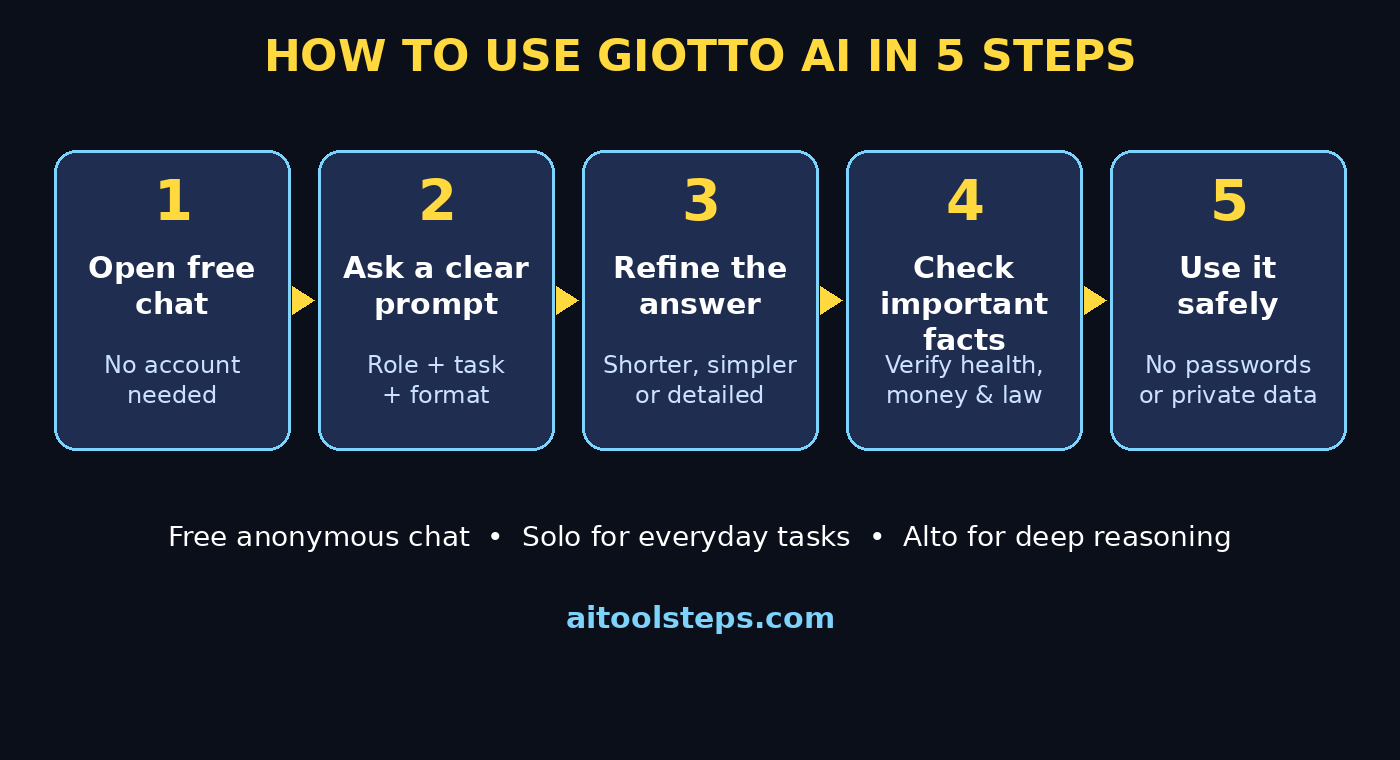
Comparison Table: Giotto AI vs Other Free AI Chatbots
How does Giotto AI compare with the free chatbots most beginners already know? The table below gives a fair, high-level comparison based on what each service publicly offers to free users. Details and limits change often, so treat this as a starting guide, not a final verdict.
| Feature | Giotto AI | ChatGPT (free) | Google Gemini (free) |
|---|---|---|---|
| Free chat without an account | Yes, anonymous chat | Usually needs an account | Needs a Google account |
| Home region and hosting | Switzerland and Europe, GDPR-aligned | United States cloud | United States cloud |
| Main strength | Efficient reasoning, sovereignty | General chat and broad tools | Google Search and Workspace links |
| Mobile apps | iOS and Android | iOS and Android | iOS and Android |
| Best for beginners who want | Private, no-signup European AI | The most popular all-rounder | Deep Google integration |
The honest conclusion is that Giotto AI does not need to replace your existing chatbot to be useful. Many people will use it alongside other tools: Giotto for private, no-account questions and reasoning tasks, and another assistant for tasks tied to a specific ecosystem. Trying more than one tool, and comparing their answers on the same question, is one of the fastest ways to learn what each one does well.
Frequently Asked Questions About Giotto AI
Is Giotto AI really free?
Yes, for beginners. Giotto Alto is made available for free to everyone through the chat, and the anonymous chat requires no account. Shared cloud access is free, while API access uses a flat fee, and dedicated cloud or on-premises deployments are paid options for organisations. Always check the current pricing on the official site before building a business on it, because free tiers can change.
Do I need an account to use Giotto AI?
No, not to try it. The free anonymous chat needs no account. You may choose to create an account later if you want saved conversations or access to cloud and API features, but the beginner experience works fine without one.
What is the difference between Giotto Solo and Giotto Alto?
Giotto Solo is the efficient model designed to run on a single GPU, ideal for fast everyday tasks. Giotto Alto is the flagship model for demanding reasoning and enterprise workloads, running on eight B300 GPUs. In the free chat, Alto is available to everyone, so beginners get the stronger reasoning model without paying.
Is Giotto AI private and safe?
Giotto’s cloud services are GDPR-aligned and do not depend on United States cloud infrastructure, and anonymous chat avoids tying your questions to an account. That is a strong privacy starting point, but you should still never paste passwords, financial details, or confidential documents into any AI chat, and you should verify important answers independently.
Can I use Giotto AI for school or office work?
Yes, for drafting, summarising, brainstorming, and explaining concepts. Use it as a study partner and a first-draft helper, then edit the output in your own words, check facts from trusted sources, and follow your school or employer’s rules about AI use. Never submit AI text as your own original work without editing and disclosure where required.
Where can I download the Giotto AI app?
Giotto launched apps for iOS and Android alongside the web chat. Download the official app from the Apple App Store or Google Play Store, and be careful to choose the genuine app published by Giotto, not a copycat app with a similar name or icon.
Final Thoughts
Giotto AI is a refreshing addition to the free AI landscape: a Swiss-built reasoning assistant you can try anonymously, without an account, with a clear story about efficiency, privacy, and user control. For beginners, the best way to learn it is the simplest one. Open the free chat, ask a real question, refine the answer, and repeat. Add good prompting habits, keep private information out of the chat box, and verify anything important before you act on it.
Whether Giotto becomes your main assistant or a trusted second opinion beside the tools you already use, you now know how to use Giotto AI from the first prompt to advanced reasoning tasks. Try it today, compare it with your current chatbot on the same question, and decide for yourself which one earns a place in your daily routine.
Explore More Free AI Tools
Want to keep learning? Explore more free AI tools on AIToolSteps, including the AI Title Generator, the Meta Description Generator, the AI Rewriter, and the Keyword Density Checker. Each one is designed to help beginners create better content faster, with no technical skills needed.